API Key Management Done Right
Scoped keys, zero-downtime rotation, instant revocation, and audit trails. The complete lifecycle of API key management for developer platforms handling travel bookings.
A developer's API key leaked to a public code repository. Within eleven minutes, someone had used it to search for flights. Within twenty minutes, they had attempted a booking. We caught it because our monitoring flagged unusual geographic activity on the key, but eleven minutes is a long time when your API can spend money.
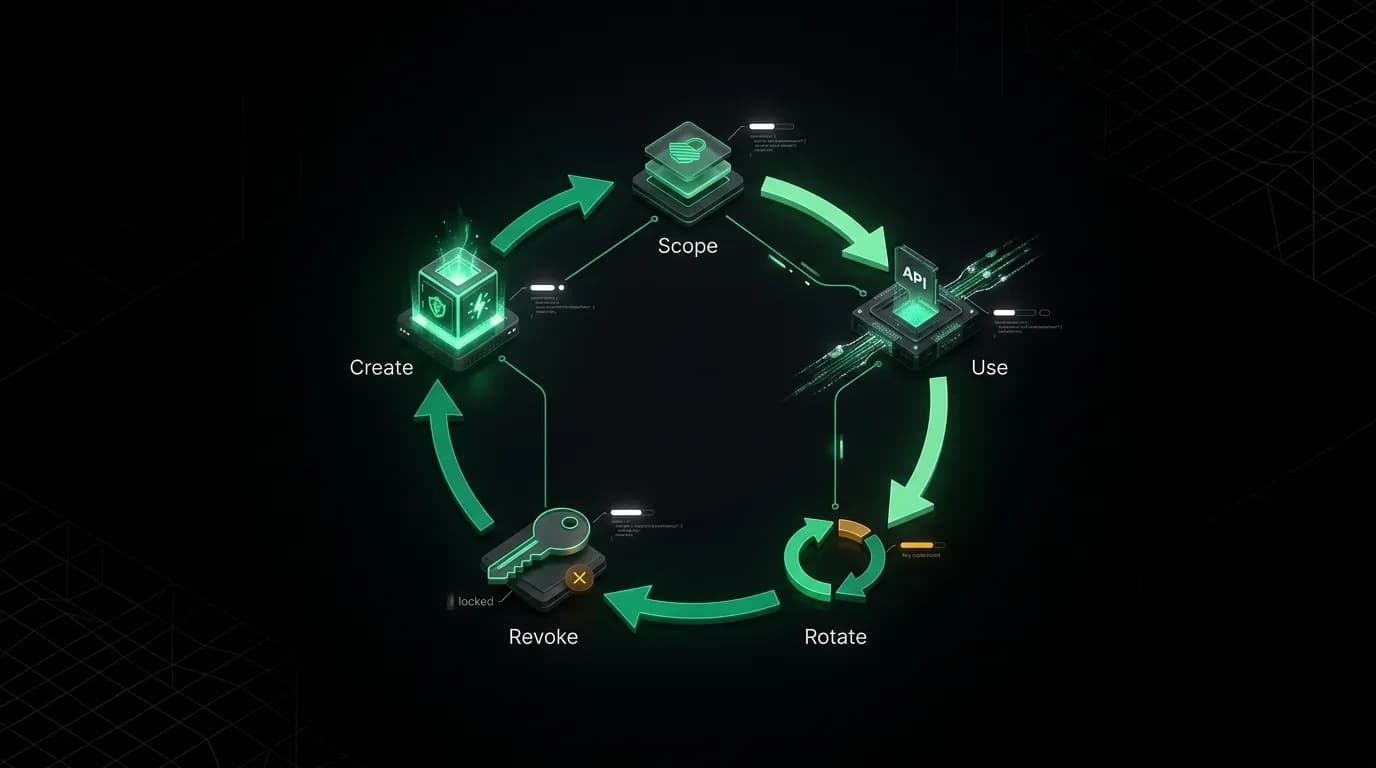
That incident made us rethink API key management from the ground up. Not just how keys are created and stored, but how they are scoped, rotated, revoked, and audited across their entire lifecycle.
Key scoping: least privilege by default

Every API key is scoped to specific capabilities. The principle of least privilege is not a suggestion -- it is enforced at key creation.
Three scope levels cover the most common use cases.
Search-only keys can call search endpoints but cannot create bookings or process payments. These are appropriate for frontend applications, price comparison tools, and any context where the key might be exposed to a broader audience.
Booking-enabled keys can search and create bookings. These belong on backend servers that handle the full booking flow. They should never appear in client-side code.
Admin keys have full API access including team management, key management, and billing operations. These should be used only by administrators, never in application code.
The key creation flow in our dashboard defaults to the most restrictive scope and requires the developer to explicitly expand it. This nudges developers toward security without blocking power users. When a developer selects "booking-enabled," the UI shows a brief reminder about keeping this key server-side only.
For the leaked key incident, the key happened to be search-only. The attacker could look at flights but could not book them. If it had been a booking-enabled key, the outcome would have been much worse. Scoping limited the blast radius of the exposure.
Zero-downtime rotation
Key rotation should be routine, not an emergency. Our rotation flow ensures zero downtime during the transition.
When a developer rotates a key, we generate a new key immediately but keep the old key active for a configurable overlap window. The default is 24 hours. During this window, both the old and new keys work.
This overlap gives the developer time to update their application, deploy the new key, and verify it works before the old key expires. No maintenance window required. No coordinated deployment. No risk of downtime during the transition.
The flow from the dashboard: click "Rotate" on a key, confirm the action, receive the new key, update the application at your convenience, and the old key automatically expires after the overlap window.
From the CLI: `nowah keys rotate <key-id>` generates a new key and prints it. The old key expires after the configured window. One command. No ceremony.
We recommend quarterly rotation as a baseline practice, with immediate rotation if there is any suspicion of exposure. Automated rotation through CI/CD pipelines is even better -- treat keys like short-lived credentials rather than permanent secrets.
Instant revocation

When a key needs to die, it needs to die now. Not in five minutes. Now.
Key revocation propagates across all our services in under 30 seconds. We achieve this through a distributed cache invalidation pattern. When a key is revoked, the revocation event propagates to every service that validates keys. Any request using the revoked key after propagation receives a 401 response.
Thirty seconds is our SLA for full propagation. In practice, most requests hit the invalidation within a few seconds because the cache check happens on every request, and cache entries have short TTLs.
The dashboard shows revocation status in real time. After clicking "Revoke," the developer sees the propagation progress: "Revoked. Propagating... Fully effective." This visibility prevents the anxiety of wondering whether the revocation actually worked.
Revoked keys cannot be reinstated. If you revoke a key by mistake, you create a new one. This is deliberate. An "undo revoke" feature would create a security gap where revoked keys could be resurrected by anyone with access to the dashboard.
Audit trails
Every key operation is logged with full context: who did it, when, from what IP address, and what changed.
The audit trail captures key creation (who created it, with what scope, and for what stated purpose), rotation (who triggered it, the overlap window configured), revocation (who revoked it and why), and scope changes (who expanded or restricted permissions).
For teams, the audit trail answers the question that every security review asks: "Who had access to what, and when?" Each key is owned by a specific team member, and all activity on that key is attributed to the owner.
The audit trail is searchable from the dashboard. "Show me all key operations in the last 30 days" returns a chronological list with all context. "Show me everything related to key nwh_live_abc123" returns the complete history of that specific key from creation to revocation.
For compliance, the audit trail exports as CSV or JSON. Teams can feed it into their existing compliance tooling or security information systems.
Key prefixing: environment clarity
Our keys use prefixes that make the environment obvious at a glance.
`nwh_live_` for production keys. `nwh_test_` for sandbox keys. The prefix is part of the key itself, not a label applied after the fact.
This convention prevents the most common key mistake: using a production key in a test environment (wasting money on real searches) or using a test key in production (getting sandbox data instead of real results). The prefix makes the mistake visible in logs, configuration files, and error messages.
When a `nwh_test_` key calls a production endpoint, the API returns a specific error: "Test key used against production endpoint. Use a live key for production requests." When a `nwh_live_` key calls with the test mode header, the API returns a warning: "Live key used in test mode. Consider using a test key for sandbox operations."
Best practices checklist
Eight rules for API key hygiene that every developer team should follow.
- Never put API keys in client-side code. Keys in frontend JavaScript are visible to every user.
- Use environment variables, not configuration files. Files get committed to repositories. Environment variables do not (when managed properly).
- Scope keys to the minimum required permissions. A search-only frontend does not need booking capabilities.
- Rotate keys quarterly at minimum. Treat rotation as routine maintenance, not an emergency response.
- Revoke keys immediately when team members leave. Do not wait for the quarterly rotation cycle.
- Use separate keys for each environment. Test keys for development. Live keys for production. Never mix them.
- Monitor key usage for anomalies. Unusual geographic patterns, volume spikes, or endpoint access outside normal patterns indicate potential compromise.
- Log every key operation in an audit trail. When something goes wrong, you need to know who had access and when.
API keys are the front door to your platform. Manage them with the same discipline you would apply to physical access keys to a building full of valuable things. Because for travel APIs where keys can initiate bookings that spend real money, that is exactly what they are.
Nowah is an AI travel agent that searches and books real flights and hotels through conversation — no filters, no thirty open tabs. Plan your next trip.