Designing CLI Output for Humans and Machines
Table for reading, JSON for piping, CSV for spreadsheets. Supporting multiple output formats makes your CLI useful for interactive work and automated pipelines.
A developer wrote a script that parsed our CLI's table output using `awk` to extract the third column. We changed the column order in a minor update. Their script broke. It was our fault — not because we changed the columns, but because we did not provide a stable, machine-readable output format alongside the human-readable one.
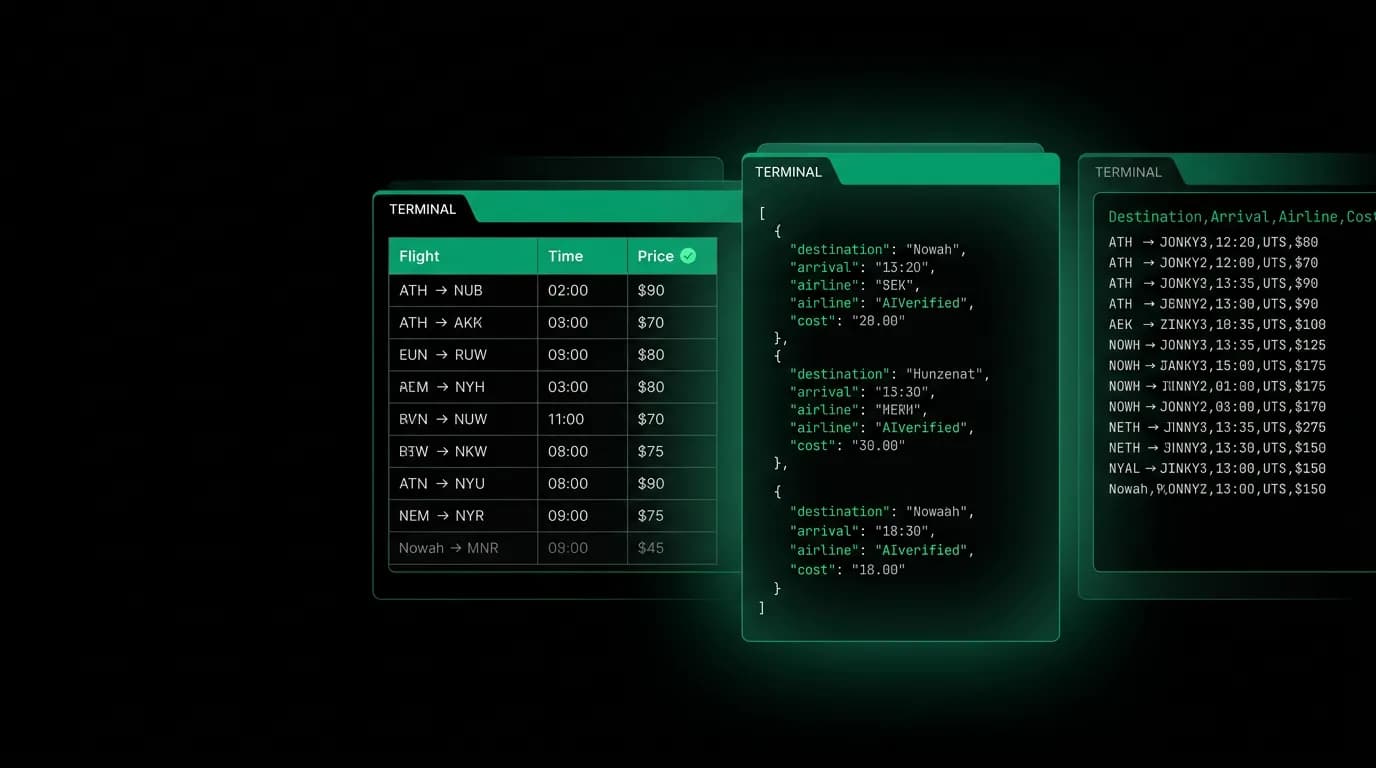
Table output is for humans reading a terminal. JSON output is for programs parsing data. CSV output is for analysts putting data into spreadsheets. Supporting all three makes a CLI useful for interactive exploration and automated pipelines without compromise.
Three formats, three audiences

Every command in the Nowah CLI supports `--format table` (the default), `--format json`, and `--format csv`. The same data, presented differently for different consumers.
Table format is optimized for reading. Columns align. Prices are color-coded. Headers are bold. Truncation happens at word boundaries. The table adapts to terminal width, showing more detail on wide terminals and hiding secondary columns on narrow ones.
Table output is for a developer sitting at their terminal looking at results. It is the default because interactive use is the most common use case. But it is explicitly not for scripting. Column order, spacing, and formatting can change between versions without notice.
JSON format uses the exact same schema as the API response. `nowah search flights-layer-ai-agent-search-flights) --format json` produces output that is structurally identical to the body of `GET /flights/search`. A developer who prototypes in the CLI can move to code without translating data structures.
JSON output is the contract. We version it alongside the API. It does not change format without a major version bump. Developers can safely script against JSON output, pipe it between commands, and parse it with standard tools.
CSV format follows RFC 4180. Headers in the first row. Proper quoting for fields that contain commas or newlines. UTF-8 encoding. This format is for developers who need to dump search results or booking data into a spreadsheet for analysis or reporting.
Piping patterns
The JSON format enables composable CLI workflows:
# Search, select the cheapest offer, create a booking
nowah search flights --origin JFK --dest CDG --format json | \
 jq '.offers | sort_by(.price.amount) | .[0]' | \
 nowah bookings create --stdin

# List all bookings from last week, extract IDs, check status of each
nowah bookings list --after 2026-03-08 --format json | \
 jq -r '.bookings[].id' | \
 xargs -I{} nowah bookings get {} --format json
The `--stdin` flag on write commands (like `bookings create`) reads input from standard input instead of command-line arguments. This enables piping between CLI commands and feeding data from files.
The key design principle: JSON output is a data interchange format, not a display format. It is not pretty-printed by default (use `| jq .` for that). It contains all fields, not a subset. It uses the same field names as the API. A developer who is comfortable with `jq` can build complex workflows from simple CLI commands.
Table format details

Table rendering is more nuanced than it appears. A few decisions that matter:
Auto-width columns. We measure the content of each column across all rows and set column widths proportionally, with minimum widths to prevent unreadable compression. Priority columns (the ones developers care about most) get width preference over secondary columns.
Intelligent truncation. When a field is too long for its column, we truncate at a word boundary and add an ellipsis. "Amsterdam Schiphol International Airport" becomes "Amsterdam Schiphol..." rather than "Amsterdam Schiph". This small detail makes tables significantly more readable.
No pagination by default. The full result set prints to stdout. If the output is longer than the terminal, the developer scrolls or pipes to `less`. We considered built-in pagination but decided against it because it interferes with piping and scripting.
Color that degrades gracefully. When stdout is not a terminal (it is being piped to a file or another command), color codes are automatically suppressed. The `NO_COLOR` environment variable also disables color. Developers never get ANSI escape codes in their files or pipes.
CSV format details
CSV sounds simple, but there are enough edge cases to fill a blog post on their own.
We follow RFC 4180 strictly. Fields containing commas, double quotes, or newlines are quoted. Double quotes within quoted fields are escaped by doubling them. The first row is always headers. The encoding is UTF-8.
For streaming large result sets, CSV output starts printing immediately without buffering the entire result. The first row (headers) prints as soon as the schema is known, and subsequent rows print as they are processed. This means a developer can start processing CSV output before the command has finished generating all results.
Timestamps in CSV use ISO 8601 format for consistency with the API. Currency amounts include both the integer value and the currency code as separate columns, so spreadsheet formulas can work with the numbers directly.
Implementing multi-format output
Our implementation uses a format abstraction in Go. Each command produces a structured result object. The format layer converts it to the requested output:
The result object is the same regardless of format. The format layer decides how to render it. This means adding a new output format (like YAML or XML) requires only a new formatter implementation, not changes to every command.
For table formatting, we use a table writer library that handles column alignment, truncation, and color. For JSON, we use the standard library encoder with the API schema types. For CSV, we use the standard library CSV writer with RFC 4180 compliance.
The critical testing discipline: every command's JSON output is validated against the API's OpenAPI spec in CI. If the API schema changes, the CLI's JSON output changes to match, and both change in the same release. This contract prevents the drift that broke our user's script in the opening story.
Three formats. Three audiences. One data source. The developer chooses how they want to consume the data, and the CLI respects that choice. Simple in concept, meaningful in practice.
Nowah is an AI travel agent that searches and books real flights and hotels through conversation — no filters, no thirty open tabs. Plan your next trip.