Streaming for AI Agents: server streaming Patterns That Work
AI agents consuming travel search need to handle streaming results — parsing server streaming events, buffering partial data, and making progressive decisions as offers arrive.
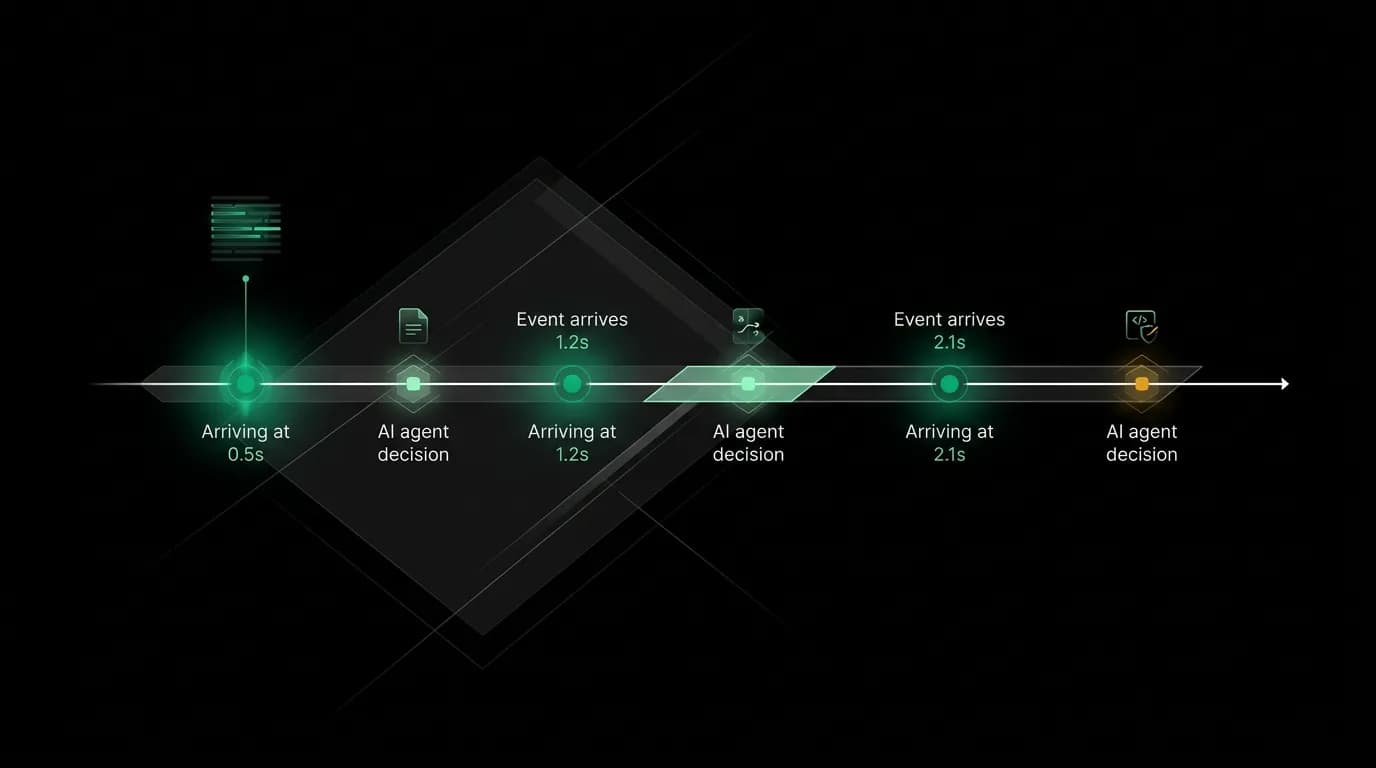
An agent searched for flights and waited four seconds for the complete response before acting. By then, the user had been staring at a blank screen for long enough to wonder if something was broken. First results were actually available almost immediately — the agent just was not designed to use them.
Streaming changes the interaction model fundamentally. Instead of request-wait-response, it becomes request-progressively-receive-and-act. For AI agents consuming travel search results, this means the agent can start presenting options to the user while slower providers are still responding.
server streaming client patterns for agents

Our agent processing route streams via server-sent events with distinct event types: `onStatus` for processing updates, `onChunk` for text tokens, `onToolResult` for structured data from tool calls, and `onThinking` for reasoning traces.
An agent consuming this stream connects via a standard HTTP request and reads events as they arrive. Each event has a type and a JSON payload:
event: status
data: {"phase": "searching", "provider": "provider_1"}

event: offer
data: {"id": "flt_001", "price": 45000, "duration": 435}

event: offer
data: {"id": "flt_002", "price": 52000, "duration": 420}

event: ranking_update
data: {"ranked": ["flt_002", "flt_001"], "reason": "duration_weight"}

event: offer
data: {"id": "flt_003", "price": 38000, "duration": 450}

event: ranking_update
data: {"ranked": ["flt_002", "flt_003", "flt_001"], "reason": "new_offer"}

event: complete
data: {"totalOffers": 23, "duration": 2340}
The agent's server streaming client needs to handle each event type independently. A simple implementation processes events in a switch statement. A more sophisticated one maintains state and triggers actions based on accumulated data.
Buffering strategies
There are two approaches to handling streaming data, and the right one depends on the use case.
Act on each event. Every `offer` event triggers immediate processing — add to the result set, update the display, reconsider the ranking. This gives the fastest possible response to the user. The downside is that early results might not be the best, and frequent UI updates can feel jittery.
Buffer and process in batches. Accumulate events for a short window (200-500ms), then process the batch. This smooths out the display and lets the ranking stabilize before presenting results. The downside is a slight delay before the user sees anything.
We recommend a hybrid. Process the first batch of offers immediately (the user should see something within 500ms), then batch subsequent updates at 300ms intervals. This gives the feeling of immediate results with smooth updates as more data arrives.
For AI agents specifically, the batch approach works better because agents make decisions rather than rendering UI. An agent wants to say "here are the three best options" — that statement should be based on enough data to be meaningful. Waiting for the first `ranking_update` event before acting gives the agent a curated set to work with rather than presenting raw, unranked early arrivals.
Progressive decision-making

The most powerful pattern for agent streaming is progressive decision-making. The agent does not wait for all results before acting. It makes preliminary decisions based on available data and refines them as more arrives.
At 500ms, the first few offers have arrived. The agent can tell the user "I'm finding flights to Paris. Early results look like around $380-520 for direct flights." This immediate feedback keeps the user engaged.
At 1.5 seconds, a `ranking_update` event arrives with enough offers to identify the top three. The agent presents: "Here are three strong options based on what's available so far." The user can start evaluating while the search continues.
At 3 seconds, the `complete` event fires. If the final ranking matches the top three already presented, the agent confirms: "Those are the best options from the full search." If a better offer appeared late, the agent updates: "One more option just came in that beats the others."
This progressive pattern mirrors how a human travel agent would work. They would start describing options as they found them, not sit in silence until they had checked every possibility. The streaming architecture makes this natural.
Timeout handling
Not every stream completes cleanly. Slow providers, network issues, or server problems can leave a stream hanging. The agent needs timeout logic.
We recommend two timeouts:
Activity timeout (10 seconds). If no events arrive for 10 seconds, close the stream and work with what you have. This catches cases where the server stops sending events without sending `complete`.
Total timeout (30 seconds). Close the stream after 30 seconds regardless of activity. Some searches against providers with high inventory can produce events for a long time. The agent should have a maximum wait.
When a timeout fires, treat it like receiving a `complete` event. Process the accumulated results and present them to the user. Note that the search may have been truncated: "I found these options, though some providers were still loading."
The alternative — waiting indefinitely — is worse than presenting partial results. A user who sees five options after 10 seconds is better served than a user who waits 30 seconds for twenty options. The marginal value of additional results diminishes quickly.
Testing streaming consumption
Testing agent streaming behavior requires a mock server streaming server that sends events on a controlled schedule. Our test infrastructure provides this:
- Fixed-delay mocks send events at predetermined intervals. Useful for testing timeout behavior and progressive decision-making logic.
- Random-delay mocks send events with realistic random timing. Useful for stress-testing buffer logic and catching race conditions.
- Error mocks send partial events followed by connection drops. Useful for testing reconnection and partial-result handling.
Each test verifies both the agent's behavior (what it decided to do) and the user-facing output (what it told the user). A test might verify: "After receiving 3 offers, the agent presented the top-ranked option. After the ranking update, it updated its recommendation. After the complete event, it confirmed the final choice."
Streaming is more complex to implement than request-response. But for travel search, where results arrive over seconds rather than milliseconds, it transforms the user experience from a wait into a conversation. Agents that handle streaming well feel responsive and informed. Agents that do not feel slow and disconnected. The implementation effort is worth the experience difference.
Nowah is an AI travel agent that searches and books real flights and hotels through conversation — no filters, no thirty open tabs. Plan your next trip.