Deploying an AI Travel Agent: Dev to Production
Environment management, CI/CD for multi-service AI, zero-downtime deploys, and cost control. The infrastructure story behind an AI travel platform.
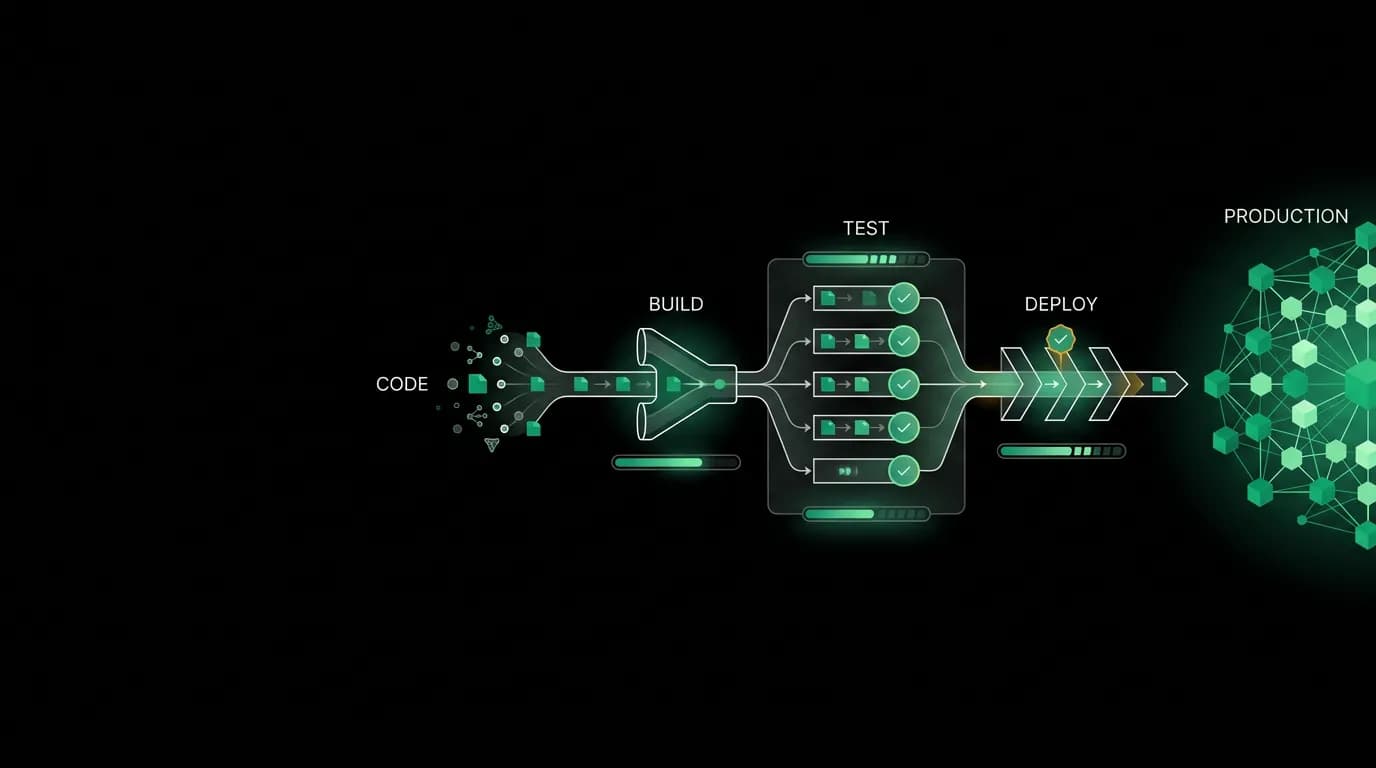
Deploying a traditional web app is well-understood. Push code, run tests, build, deploy. There are a thousand tutorials on how to set up CI/CD for a Node.js app or a React frontend.
Deploying an AI travel agent is a different problem. The AI model is a third-party dependency with its own latency characteristics and pricing. The travel data providers are external APIs with rate limits and downtime windows. The system is stateful in ways that traditional web apps are not because conversations span hours and bookings are financial transactions. And you have multiple services that need to be deployed in coordination.
Here is how we handle it.
Environment management for AI products
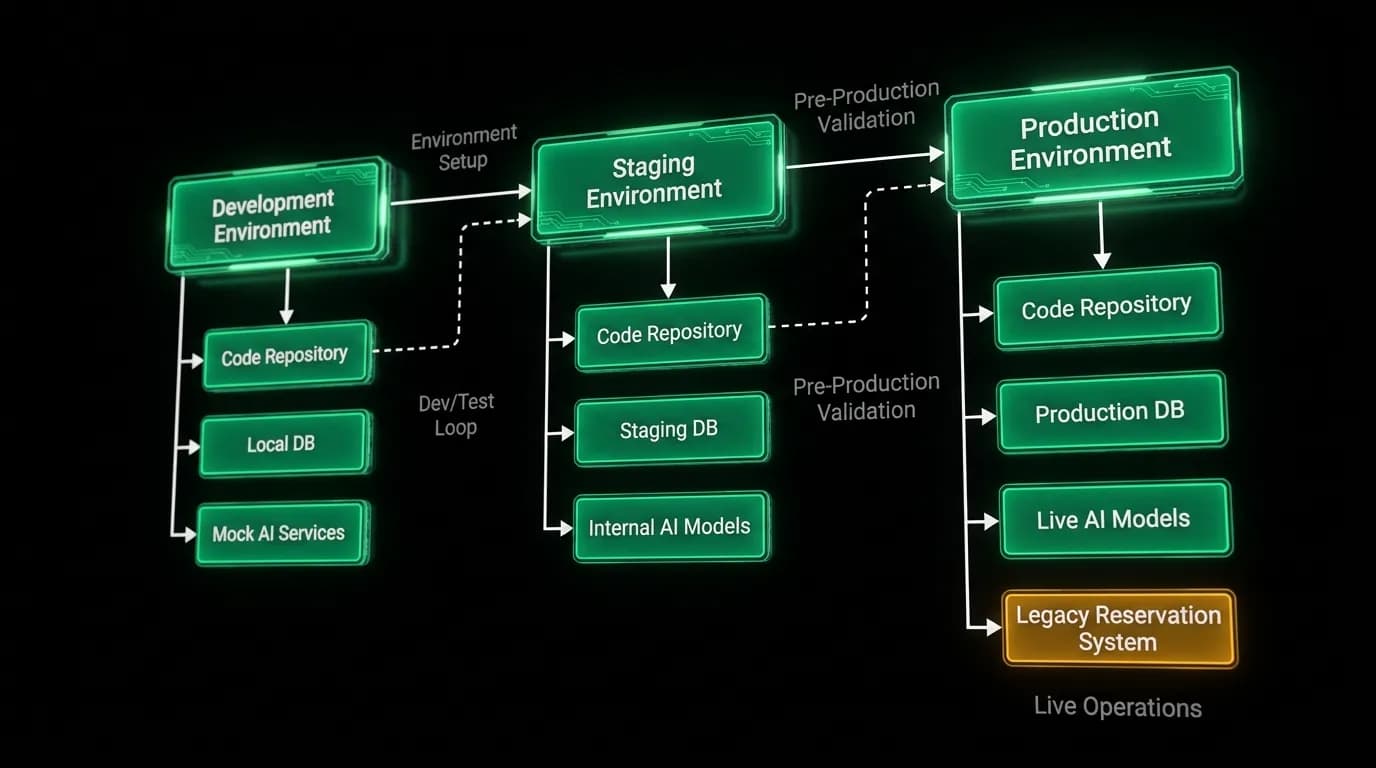
We run three environments: development, staging, and production. This is standard. What is not standard is that each environment needs access to AI model APIs and travel data providers.
In development, engineers need to talk to a real AI model to test agent behavior. You cannot meaningfully test a conversational AI agent with mocked responses. Mock responses do not capture the non-deterministic nature of language model output, which is exactly what you need to test against.
But development AI calls are expensive if you use the same model as production. We use a smaller, cheaper model for development that is fast and inexpensive. It is not as good as the production model, but it is good enough to test tool calling, conversation flow, and error handling. Engineers switch to the production model when testing specific quality-sensitive features.
Staging mirrors production configuration as closely as possible. Same AI model, same travel data providers (in sandbox mode where available), same infrastructure sizing. This is where we catch the problems that only appear with production-grade AI responses and real-ish data.
For travel data providers, we use sandbox or test credentials in development and staging. These return realistic but non-bookable flight and hotel data. This lets us test the full search-and-present flow without making real bookings or incurring real API costs.
CI/CD for a multi-service product
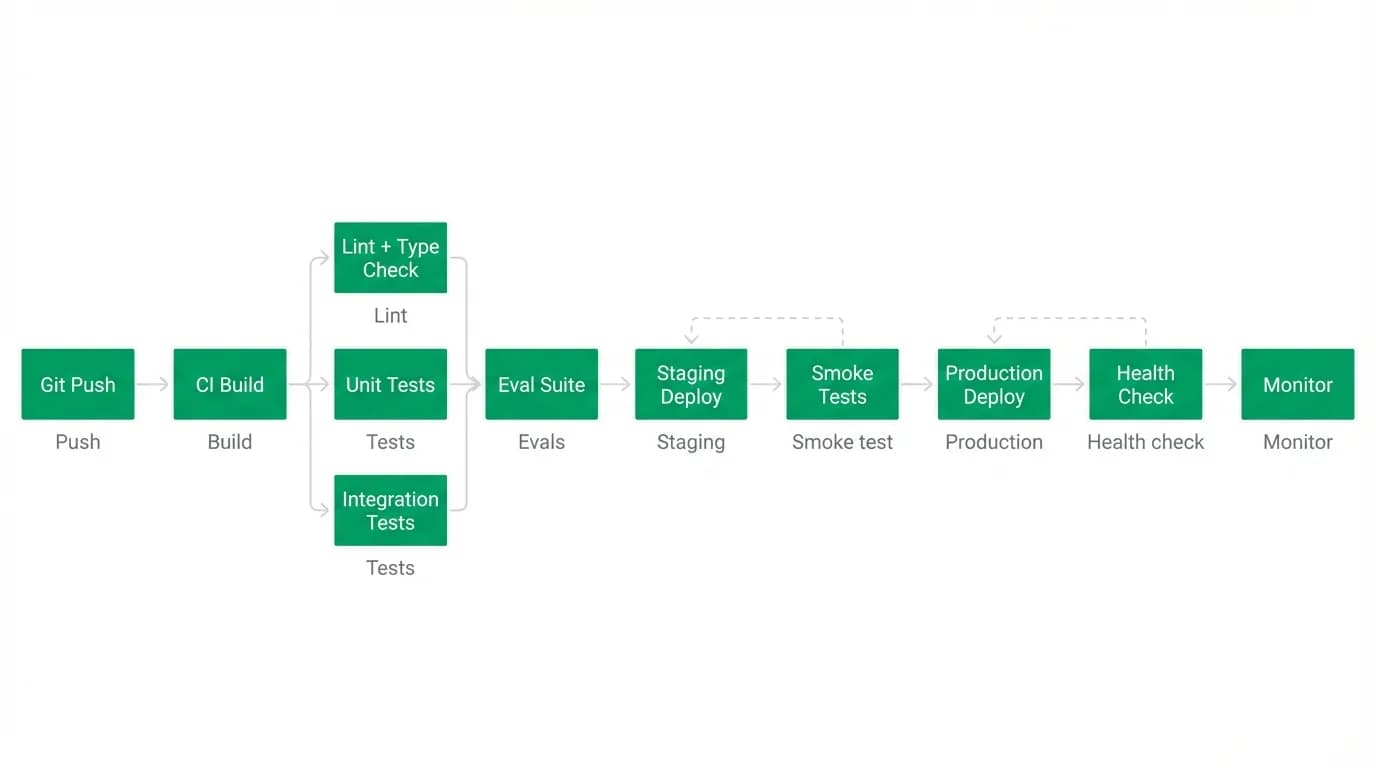
Our product has three independently deployable components: the backend API, the mobile app, and the web app. Each has its own build pipeline, but they share a deployment orchestration layer.
The backend pipeline runs tests, builds the a single typed language across the stack project, and deploys to the appropriate environment. Our test suite includes unit tests, integration tests that verify tool calling and agent behavior, and API contract tests that ensure the backend still serves the responses the frontends expect.
The web app pipeline builds the the web framework project, runs frontend tests, and deploys. It is fairly standard.
The mobile app is the most complex pipeline because of app store mechanics. Builds go through our build service, which produces iOS and Android binaries. These get distributed to testers for staging or submitted to app stores for production. Mobile deploys are inherently slower because of review times, so we use over-the-air updates for JavaScript-level changes and reserve full store releases for native code changes.
Coordination between services is where things get interesting. If the backend adds a new field to an API response, the frontend needs to handle it. If the frontend starts calling a new endpoint, it needs to exist on the backend. We manage this with API versioning and backward-compatible changes.
Our rule: the backend deploys first, and it must be backward-compatible with the previous frontend version. Then the frontend deploys. This ordering ensures there is never a moment where the frontend expects something the backend does not provide.
Zero-downtime deployments
Users might be mid-conversation with the AI agent when we deploy. They might have selected a flight and be entering payment details. A deployment cannot interrupt these sessions.
We achieve zero-downtime deployments with rolling updates. New instances start and receive health checks. Once healthy, traffic gradually shifts from old instances to new ones. Old instances continue serving in-flight requests until they complete, then shut down.
For streaming connections (the AI response stream), this requires careful handling. An active unidirectional streaming connection should not be terminated by a deployment. Our load balancer respects connection draining, which means active streams continue on the old instance until they naturally complete while new connections go to the new instance.
For booking transactions, we are extra cautious. A booking in progress (payment has been captured but confirmation is still processing) must complete on the instance that started it. We hold these requests during deployment and only terminate the old instance after all in-flight bookings have resolved.
Cost management
AI-native companies spend 15-30% of their infrastructure budget on AI inference. LLM inference costs have dropped roughly 10x in the past 18 months, which helps, but the absolute cost of running an AI-powered service is still higher than a traditional API.
We manage AI costs at the infrastructure level with several strategies. Prompt caching reduces duplicate inference for similar queries. Request batching groups non-urgent operations. Model routing sends simple queries to smaller, cheaper models and reserves the full production model for complex interactions.
Travel API costs are the other significant line item. We pay per search, and an AI agent that eagerly searches on every user message can burn through API budget fast. We built intelligence into the agent to minimize unnecessary searches. If the user asks "what about the Emirates one?" the agent references already-fetched results instead of doing a new search.
Multi-service deployment coordination is required for our backend, frontend, and AI agent. Each deployment must validate that the full system works together. We run smoke tests after every deployment that exercise the full flow: send a message, trigger a search, verify results, and check booking capability.
What standard DevOps guides do not cover
Standard DevOps content assumes your application is deterministic. Same input, same output. AI applications violate this assumption fundamentally. The same user message can produce different agent responses on different days, with different context, or after a model update.
This means our deployment validation cannot use strict output matching. We test for structural correctness (the response has the right format, the tool calls are valid, the data is real) rather than exact content matching.
Rollbacks are also more nuanced. If we deploy a backend change and AI quality degrades, we need to distinguish between a backend bug, a model behavior change, and random variation. Sometimes the AI just has a bad response. That is not a deployment issue. We built baseline quality metrics that let us tell the difference between normal variation and a real regression.
AI model updates from our provider are another challenge. When the model we use gets an update, our agent behavior can change without any code deployment on our side. We monitor for these changes by running our evaluation suite daily, not just on deploys. If quality metrics shift on a day we did not deploy, we investigate model-side changes.
Nowah is an AI travel agent that searches and books real flights and hotels through conversation — no filters, no thirty open tabs. Plan your next trip.