Offline-First for Travelers
How we ensure travelers can access itineraries, boarding passes, and hotel confirmations without an internet connection — local storage, sync, and conflict resolution.
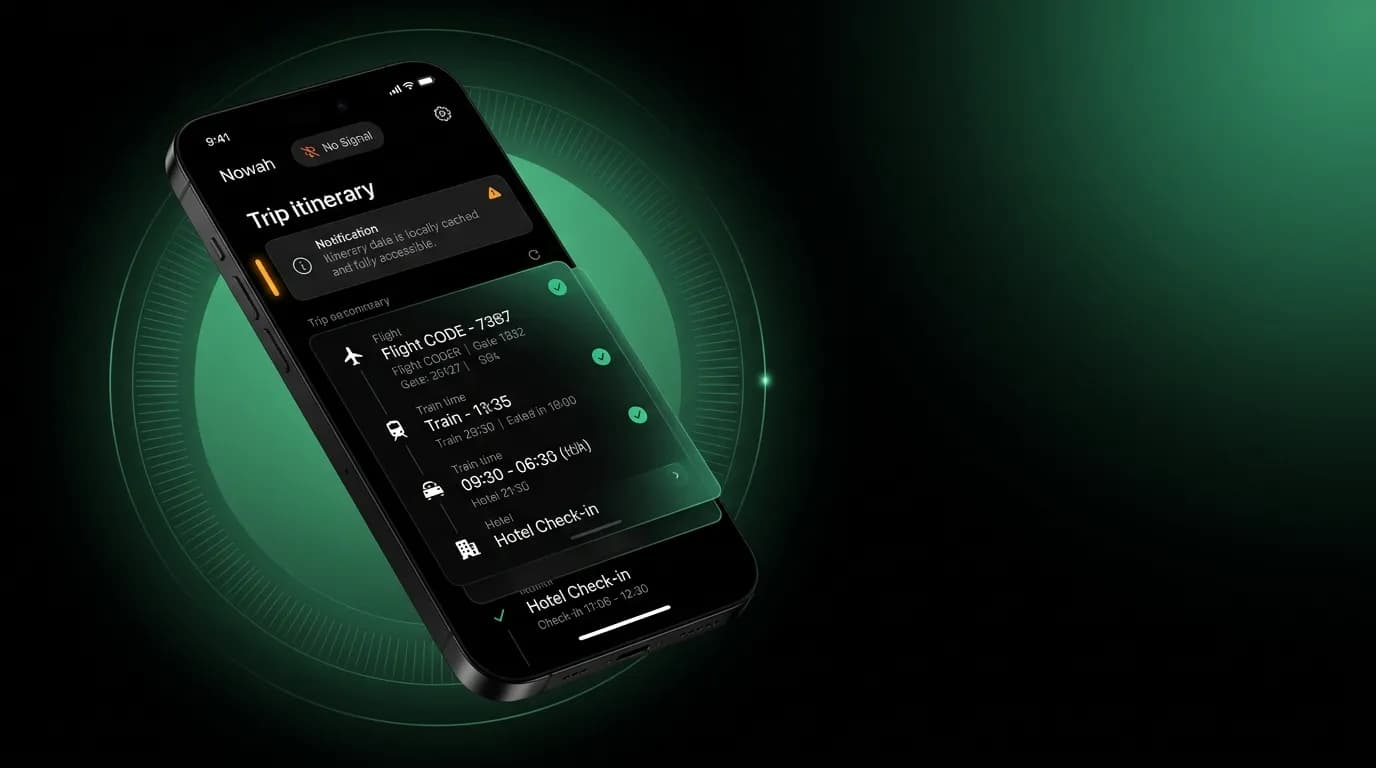
You just landed in a foreign country. Your phone has no signal. International roaming hasn't kicked in yet. You need your hotel address. Right now.
If that hotel address is only accessible through an API call to our server, you're stuck. Standing in an arrival hall, luggage in hand, unable to get to your hotel because the app needs internet to show you information it already had an hour ago.
This is why offline access isn't a nice-to-have for a travel app. It's essential. The moments when travelers most need their trip information are often the moments when connectivity is worst: landing in a new country, transitioning between networks, in transit without Wi-Fi.
What must work offline
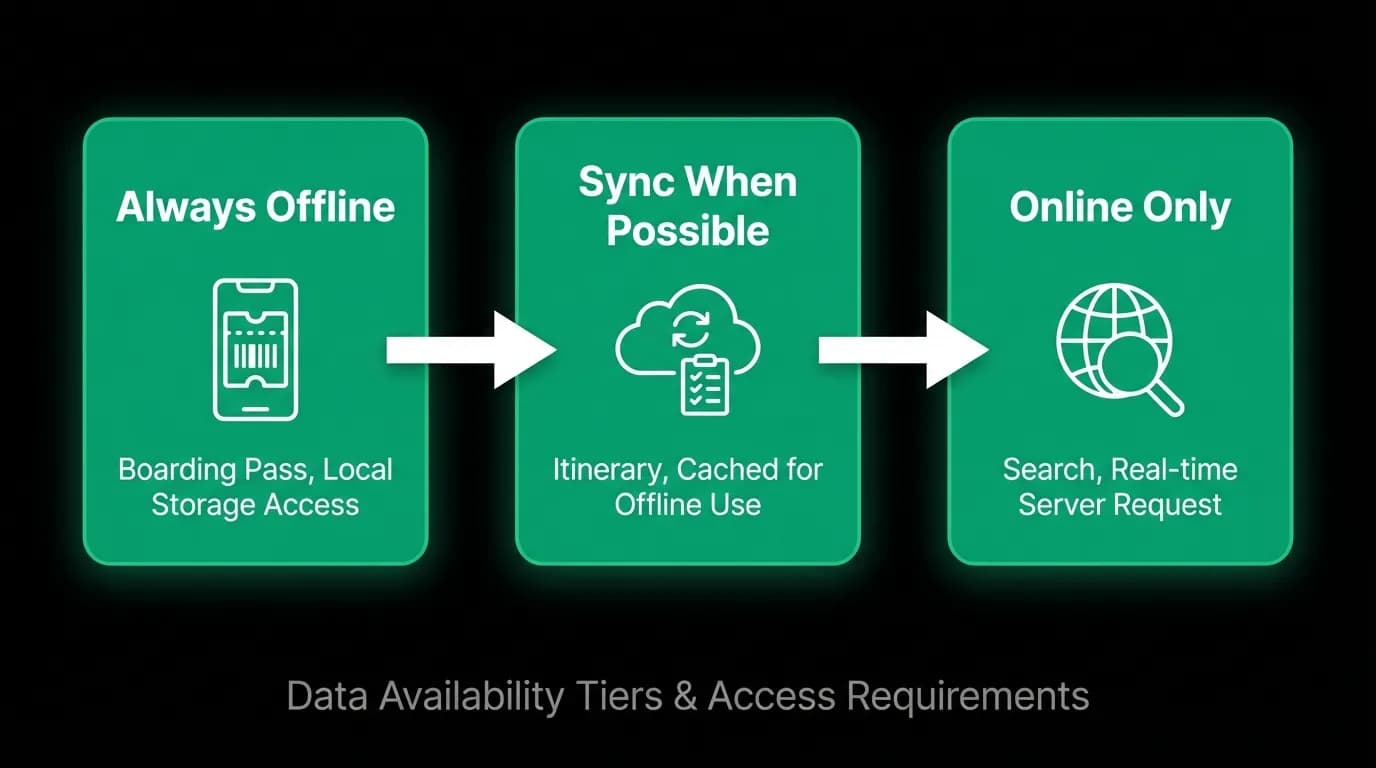
Not everything needs to work offline. AI chat requires a server. Flight search requires live data. Payment processing requires connectivity. These features degrade gracefully when offline (clear messaging about what's unavailable), but they can't function without internet.
The critical offline data is the stuff a traveler needs to physically navigate their trip:
Trip itineraries. Flight times, hotel names and addresses, booking confirmation numbers. The basic facts of where you're going and when.
[Boarding passes](/blog/launching-document-management-boarding-passes). If we have the traveler's boarding pass, it must be accessible offline. Standing at the gate with no signal and no boarding pass is a nightmare.
Hotel confirmations. Name, address, check-in time, and confirmation number. The information needed to show up and get your room.
Emergency contacts. Local emergency numbers, embassy contacts, and any travel insurance information.
This data is stored locally on the device the moment it becomes available. We don't wait for the traveler to explicitly "download for offline." Any trip data that enters the app gets persisted to local storage automatically.
Local storage strategies
We use two different storage mechanisms for different data types.
General trip data (itineraries, booking summaries, trip details) goes into AsyncStorage. This is the standard key-value storage for mobile apps. It's fast, reliable, and persists across app restarts. We store trip data as serialized objects keyed by trip ID.
Sensitive data (profile information, authentication tokens, passport details) goes into SecureStore. This is encrypted device storage that's protected by the device's lock screen. Even if someone physically accesses the device, the sensitive data is encrypted at rest.
The distinction matters for security. A trip itinerary doesn't need encryption (it's not sensitive enough to warrant the overhead). A passport number absolutely does.
We also sync data to the iOS home screen widget through a dedicated sync mechanism. The widget shows the traveler's next trip summary (departure time, airport, gate) without requiring them to open the app. This data is available even when the device is locked and offline.
Sync on reconnection
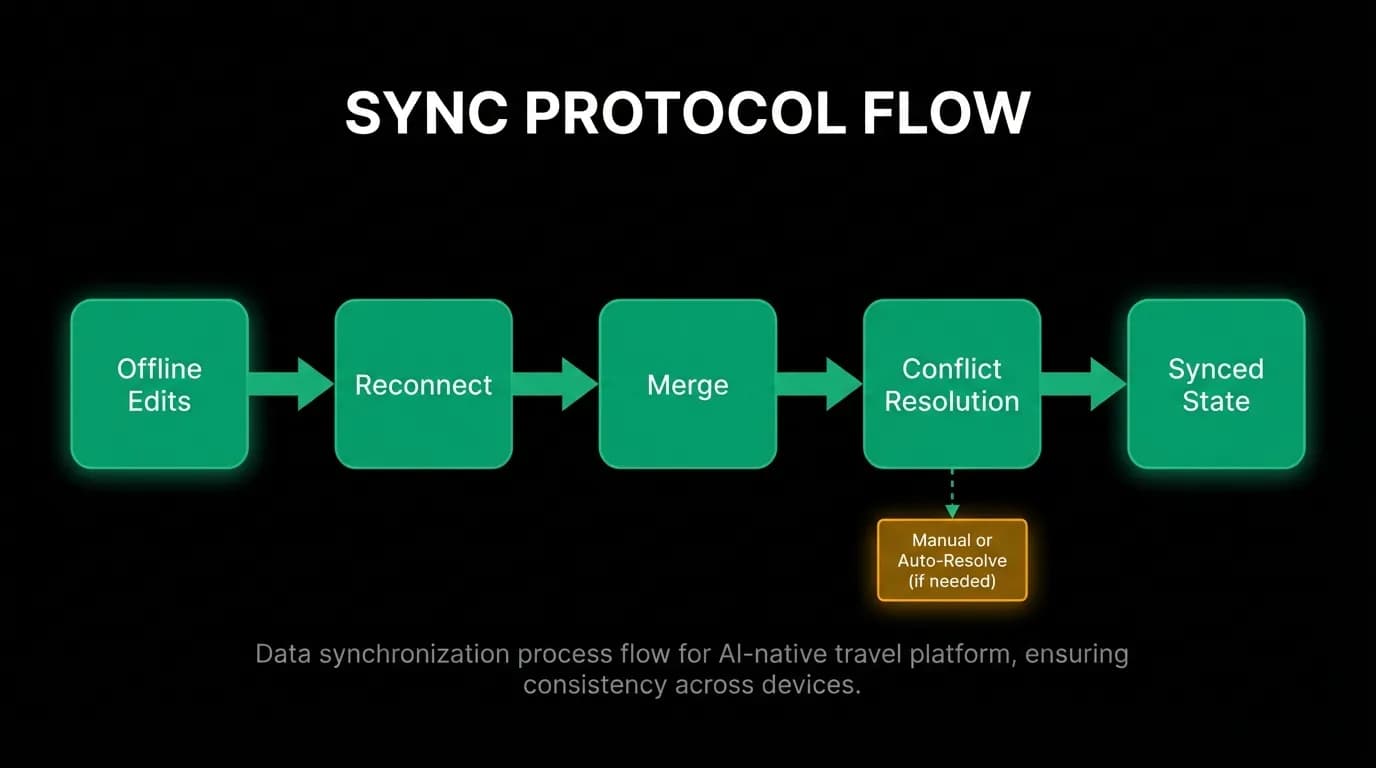
When the device regains connectivity, it needs to sync local state with server state. Things might have changed while the traveler was offline. A flight might have been delayed. A gate might have changed. A co-traveler might have added a hotel booking to the trip.
Our sync protocol works like this:
- On reconnection, the client sends a sync request with the last known sync timestamp.
- The server returns all changes since that timestamp: updated trip data, new bookings, modified schedules.
- The client merges the server changes with local state.
Most syncs are straightforward. The server has newer data, the client updates its local copy. No conflict.
Conflict resolution
Conflicts happen when the traveler makes changes offline that the server doesn't know about. They add a note to their trip. They save a restaurant recommendation. They mark a notification as read.
Our conflict resolution follows a simple rule: for factual data (flight times, booking details, prices), the server wins. The server has the authoritative state for booking-related data. If the server says the flight is now at 10:30 AM instead of 9:15 AM, the server is right.
For user-generated data (notes, preferences, read states), the client wins or we merge. If the traveler added a note while offline, that note gets uploaded to the server on sync. If both the traveler and a co-traveler edited the trip name, the most recent edit wins based on timestamp.
We keep the conflict resolution rules simple because complexity creates unpredictable behavior. Travelers shouldn't need to understand merge algorithms to use the app. If a conflict can't be resolved automatically, we keep both versions and let the traveler decide.
Testing offline
We test offline functionality by literally putting devices in airplane mode and running through the critical user flows.
Can the traveler view their upcoming trip details? Can they see boarding pass information? Can they access hotel confirmation details? Can they view emergency contacts?
We also test the reconnection sync. Put the device offline, make changes on the server (simulate a flight delay), then bring the device back online and verify the changes sync correctly.
The airplane mode test is part of our QA checklist for every release. It's easy to accidentally add a network dependency to a screen that should work offline. A component that calls an API for a piece of data that should have been cached locally. These regressions are invisible in normal testing (everything works on Wi-Fi) and critical in the field.
Widget data sync
Our iOS widget shows the next trip's key information on the home screen: departure time, flight number, gate, and airport. This data needs to be available without opening the app, and it needs to be current.
The widget data sync runs whenever trip data changes in the app. The main app writes the relevant subset of trip data to a shared container that the widget can read. The widget reads from this container independently.
The challenge is keeping widget data fresh without draining battery. We sync when the app is active and trip data changes. We also schedule background sync for active trips (trips departing within 24 hours) to catch gate changes and delays even when the app isn't open.
The widget is one of those features that seems simple but touches multiple system components: the main app's data layer, the shared container, the widget's rendering, and the background sync scheduler. Getting it right means the traveler sees their gate number on their home screen without opening anything. Getting it wrong means stale data that's worse than no data.
The offline checklist
If you're building a travel app, here's the minimum offline capability:
Store trip itineraries locally the moment they're created or updated. Don't make the traveler explicitly download.
Use encrypted storage for sensitive data (passport numbers, payment details). Use standard storage for non-sensitive trip data.
Sync on reconnection with server-wins for authoritative data. Don't make the traveler resolve conflicts for booking details.
Test in airplane mode as part of every release. Offline regressions are easy to introduce and hard to catch without explicit testing.
Show clear indicators when features require connectivity. Don't let the traveler tap "Search flights-layer-ai-agent-search-flights)" with no connection and get a cryptic error. Tell them upfront.
Nowah is an AI travel agent that searches and books real flights and hotels through conversation — no filters, no thirty open tabs. Plan your next trip.