Streaming API Responses for Travel Search
Flight search fans out to multiple providers and results trickle in. server streaming streaming lets clients render results progressively instead of waiting for the slowest source.
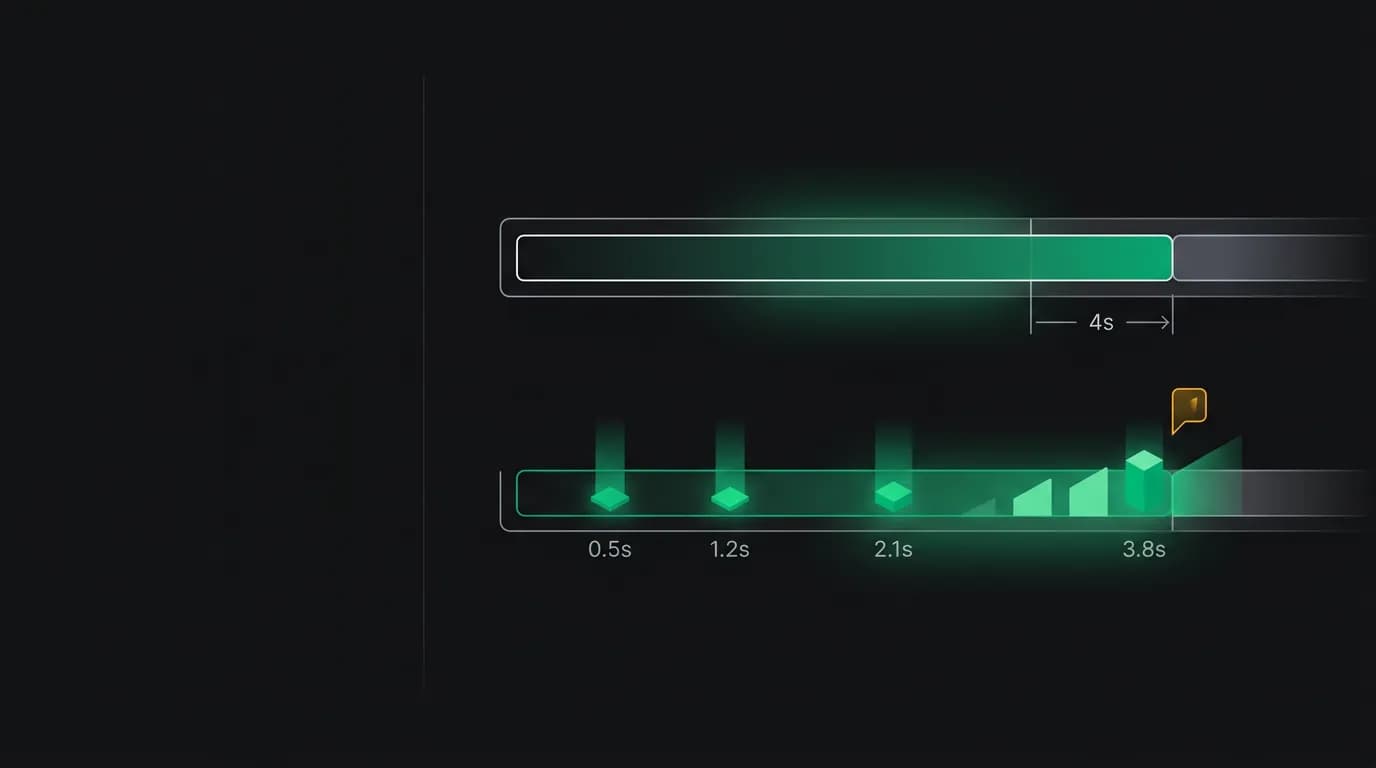
There is a wall in travel search performance that every platform hits. Your search fans out to multiple providers. The fastest one responds in 300 milliseconds. The slowest one takes four seconds. If you wait for everyone before sending the response, your users stare at a spinner for four seconds even though useful results were available in under a second.
Four seconds does not sound like much, but it is a lifetime in perceived performance. Users start to wonder if something is broken. They consider refreshing the page. Some of them leave.
We solved this with server-sent events. Instead of waiting for every provider and returning one giant response, we stream results to the client as they arrive. First results show up in under 500 milliseconds. The full set arrives two to three seconds later. The user sees progress the entire time.
Why server streaming over bidirectional sockets

The first question everyone asks is why we chose server streaming over bidirectional sockets. The answer is that travel search is fundamentally a unidirectional data flow. The client sends a search query. The server sends results. There is no need for bidirectional communication during the search.
server streaming runs over standard HTTP. It works through all proxies, load balancers, and CDN configurations without special handling. It reconnects automatically when the connection drops. The browser's `EventSource` API handles all of this natively.
bidirectional sockets require an HTTP upgrade, which many proxies and corporate firewalls handle poorly or block entirely. They require manual reconnection logic. They are bidirectional, which is powerful but unnecessary for search results. Every feature bidirectional sockets add over server streaming is a feature we do not need and a failure mode we do not want.
For our AI agent chat processing, where the agent streams its thinking, tool calls, and responses back to the client, server streaming is also the right fit. The agent sends a series of events — status updates, partial responses, tool results, final answers — and the client renders them progressively. The client does not need to send messages during this streaming phase.
Progressive rendering with ranked partial results
The interesting part is not just streaming raw results — it is streaming them in a useful order. We do not send results in the order they arrive from providers. We maintain a running ranking and send updates as better options become available.
The event stream looks like this:
event: offer
data: {"id":"flt_001","airline":"...","price":45000,"rank":1}

event: offer
data: {"id":"flt_002","airline":"...","price":52000,"rank":2}

event: ranking_update
data: {"offers":["flt_003","flt_001","flt_002"],"reason":"better_option_found"}

event: offer
data: {"id":"flt_003","airline":"...","price":38000,"rank":1}

event: complete
data: {"totalOffers":47,"searchDuration":2340}
Each `offer` event delivers a new flight option. When a new offer arrives that changes the ranking of previously sent offers, a `ranking_update` event tells the client to reorder its display. The `complete` event signals that all providers have responded and the search is done.
This design lets clients render results immediately and keep them sorted correctly as new data arrives. A mobile app can show the first three results within half a second, with a subtle indicator that more results are loading. By the time the user has read the first few options, the full set is usually available.
Event schema design
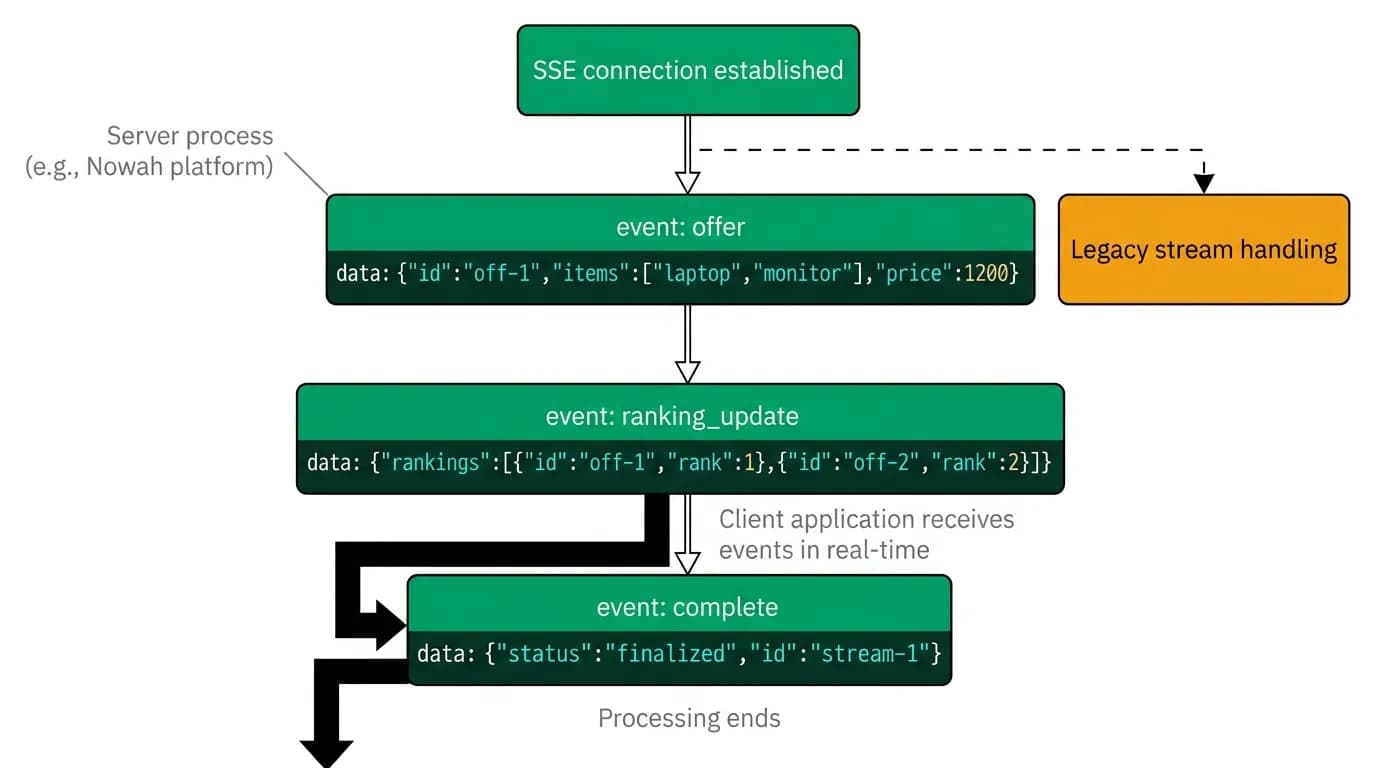
We designed the server streaming event schema to serve both human-facing UIs and AI agent parsing. Each event has a type, a predictable JSON payload, and enough metadata for the client to make rendering decisions without additional API calls.
The four event types cover the full lifecycle of a search:
`offer` events carry individual results. Each includes the full offer data — airline, times, price, segments, layover details — so the client can render immediately without a follow-up request.
`ranking_update` events provide the current ranked order of all received offers. The client can use this to reorder its display. The `reason` field explains why the ranking changed, which helps AI agents make progressive decisions.
`error` events surface problems with specific providers without failing the entire search. If one provider times out, the client receives an error event for that provider and continues displaying results from the others.
`complete` events signal the end of the stream. They include aggregate metadata — total offers found, search duration, providers queried — for logging and analytics.
Timeout strategies
Not every provider responds quickly. Some are consistently slow. Some have intermittent latency spikes. We need a strategy for when to give up on a slow provider.
We use a tiered timeout approach. The first tier fires at two seconds. If a provider has not responded by then, we emit an `error` event noting the slow provider and continue the stream with available results. The second tier fires at four seconds and closes the stream entirely with a `complete` event.
Between the tiers, results from slow providers still arrive and get streamed to the client. The first tier timeout is just a signal — we do not kill the connection to the slow provider, we just let the client know that some sources are running late. Many providers respond between two and four seconds, and those results still make it to the client before the final timeout.
For AI agents that consume the stream programmatically, we recommend acting on the `ranking_update` events rather than waiting for `complete`. An agent can present the top three options to the user after the first ranking update, which typically arrives within a second. If better options emerge later, the agent can update its recommendation. This progressive decision-making pattern is faster and more natural than blocking until the entire search is done.
Client implementation patterns
In a single typed language across the stack, consuming the server streaming stream uses the fetch API with a ReadableStream:
const response = await fetch('/flights/search', {
 method: 'POST',
 headers: { 'Content-Type': 'application/json' },
 body: JSON.stringify(searchParams),
});

const reader = response.body.getReader();
const decoder = new TextDecoder();

while (true) {
 const { done, value } = await reader.read();
 if (done) break;

 const text = decoder.decode(value);
 const events = parseSSE(text);

 for (const event of events) {
 switch (event.type) {
 case 'offer':
 addOfferToDisplay(event.data);
 break;
 case 'ranking_update':
 reorderDisplay(event.data.offers);
 break;
 case 'complete':
 markSearchComplete(event.data);
 break;
 }
 }
}
The key pattern is handling each event type independently and updating the UI incrementally. Do not buffer all events and process them at the end — that defeats the purpose of streaming. Render each offer as it arrives.
For Python clients, the `httpx` library supports streaming responses with a similar pattern. The server streaming event parsing is slightly more manual, but the concept is identical: read events from the stream and process them as they arrive.
Testing streaming endpoints
Testing server streaming endpoints is trickier than testing regular request-response endpoints. You cannot just send a request and check the response body. You need to validate the sequence of events, the timing between events, and the behavior when providers are slow or fail.
We use a few strategies. First, we have a mock provider layer that can simulate different latency profiles. One mock responds in 100 milliseconds with 5 results. Another responds in 3 seconds with 20 results. A third never responds. This lets us test the full range of timeout and progressive rendering behavior.
Second, we record server streaming event streams from production (with data redacted) and replay them in integration tests. This catches regressions in event ordering and schema changes that might break client parsing.
Third, we test that the `complete` event always fires, even when errors occur. A stream that starts but never completes leaves clients in an indefinite loading state. Our tests verify that every search, regardless of provider behavior, terminates with either a `complete` event or a connection close within the maximum timeout window.
Streaming transforms the travel search experience from "wait and hope" to "watch results appear." It is more work to implement than a simple request-response pattern, but the performance perception is dramatically better. And for AI agents that need to make time-sensitive decisions about flight offers, getting results a few seconds earlier can be the difference between booking a fare and watching it expire.
Nowah is an AI travel agent that searches and books real flights and hotels through conversation — no filters, no thirty open tabs. Plan your next trip.