Webhook Forwarding: Bringing Production Events to Localhost
Our CLI tunnels webhook events from Nowah servers to your local dev server — no ngrok needed. Syntax-highlighted payloads, replay, and filtering built in.
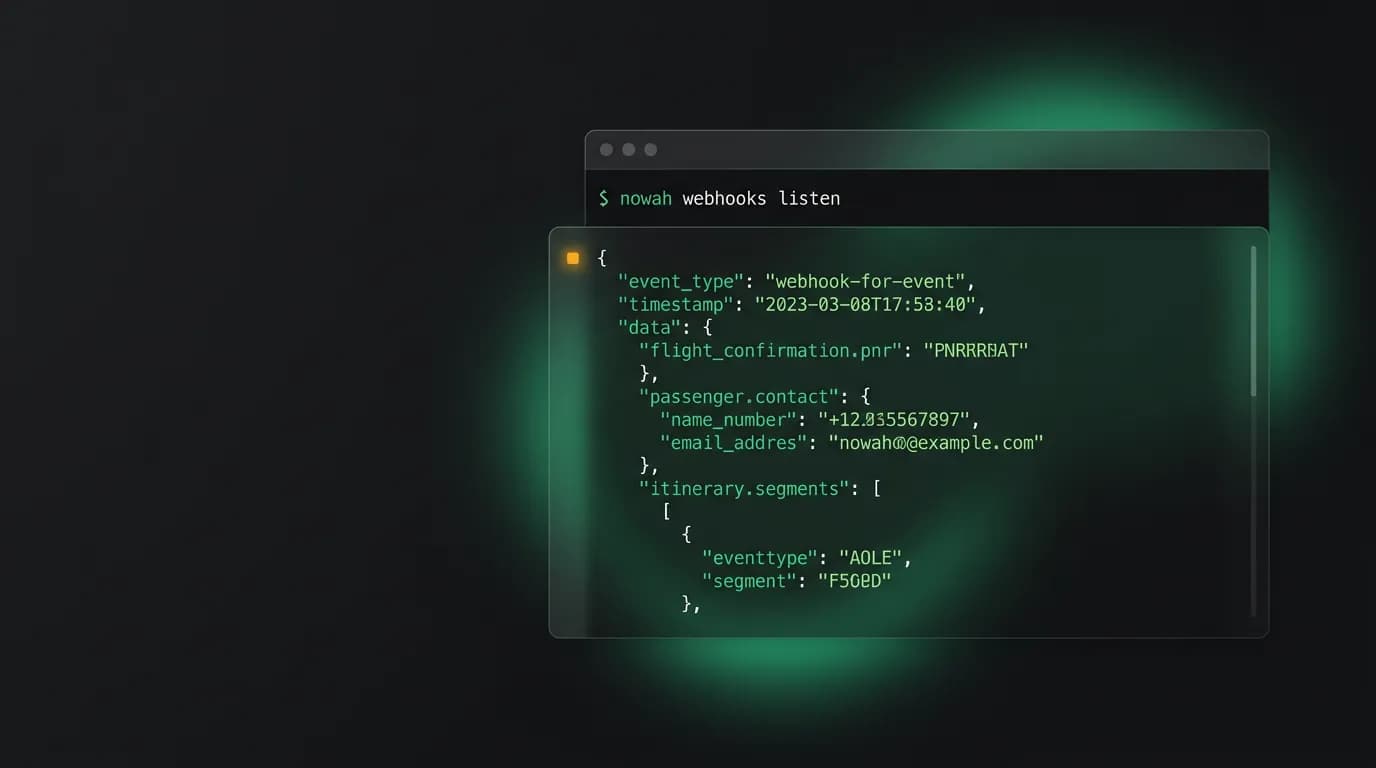
Webhook development has an inherent problem. Your server sends events to a URL. Your local development machine does not have a public URL. So you need a tunnel.
The standard advice is to use a third-party tunneling tool. Set it up, configure the tunnel, grab the temporary URL, configure your webhook subscription to point at it, then hope the tunnel stays alive while you are debugging. If the tunnel drops, you miss events. If the temporary URL changes, you have to reconfigure the subscription. If you are working on multiple webhook integrations, you are juggling multiple tunnels.
We thought this was a unnecessary tax on developer time, so we built tunneling directly into the CLI. `nowah webhooks listen` opens a secure tunnel from our servers to your localhost with zero external dependencies. Events arrive in your terminal with syntax highlighting, filtering, and replay built in.
How it works

When you run `nowah webhooks listen`, the CLI authenticates with your API key, opens a bidirectional socket connection to our tunnel service, and registers as a webhook delivery target for your account.
Our webhook delivery system treats the tunnel endpoint like any other webhook subscription endpoint. When an event fires, it delivers to all configured endpoints including the tunnel. The tunnel service forwards the event over the a bidirectional socket to your CLI, which then makes a local HTTP request to your development server (default `http://localhost:3000`, configurable with `--port`).
Nowah Servers → Tunnel Service → a bidirectional socket → CLI → localhost:3000The entire setup takes one command. No DNS configuration, no port forwarding, no third-party accounts. Authentication uses the same API key as every other CLI command.
The tunnel session is tied to your CLI process. When you stop the CLI, the tunnel closes and events resume normal delivery to your configured production webhook endpoints. There is no lingering configuration to clean up.
Syntax-highlighted JSON
Every event that arrives through the tunnel displays in the terminal with full syntax highlighting:
[14:23:05] booking.confirmed → 200 OK (45ms)
{
 "event": "booking.confirmed",
 "id": "evt_abc123",
 "data": {
 "bookingId": "bkg_xyz789",
 "status": "confirmed",
 ...
 },
 "timestamp": "2026-03-15T14:23:05Z"
}
The display includes the timestamp, event type, delivery status (the HTTP response from your local server), and response time. The JSON payload renders with color-coded keys, strings, numbers, and booleans.
For large payloads (up to 256KB), the JSON is foldable. Nested objects display collapsed with a summary, and the developer can expand them interactively. This keeps the terminal readable even when events carry substantial data.
Event filtering

Most of the time, a developer is working on one specific webhook handler. They do not need to see every event type — just the ones relevant to their current task.
`nowah webhooks listen --event booking.confirmed` filters to only show booking confirmation events. The filter supports glob patterns: `booking.*` matches all booking events, `payment.*` matches all payment events.
Multiple filters combine with OR logic: `--event booking.confirmed --event payment.completed` shows events matching either type. This lets developers set up exactly the stream they need for their current work.
Filtered events are not lost. They are still delivered to the tunnel but suppressed in the display. If you realize you need to see a different event type, update the filter and events start appearing immediately without restarting the tunnel.
Replay
Replay is the feature that developers tell us they appreciate the most. When debugging a webhook handler, you often need to see the same event multiple times: once to observe the failure, once after a code change, again after another fix.
`nowah webhooks replay evt_abc123` re-delivers a specific event through the tunnel. The replay sends the exact same payload, headers, and request-signature signature as the original delivery. Your webhook handler receives an indistinguishable copy of the original event.
You can grab event IDs from the tunnel output (they display with every event) or from the dashboard delivery logs. Replay works for any event in your delivery history, not just recent ones.
For bulk replay, `nowah webhooks replay --after 2026-03-15T12:00:00Z --event booking.*` replays all booking events after a specific time. This is useful for re-processing events after fixing a bug that caused failures.
Security
The tunnel is authenticated with your API key and encrypted in transit. It only accepts events from our servers — external traffic cannot reach your localhost through the tunnel.
Events delivered through the tunnel include the same request-signature signature as production deliveries. This means your local webhook handler can (and should) verify signatures using the same logic it uses in production. The tunnel does not modify payloads or strip headers.
Tunnel sessions expire after 8 hours of inactivity. If the CLI loses its a bidirectional socket connection (network change, laptop sleep), it automatically reconnects and resumes event delivery. Events generated while the tunnel was disconnected queue on our side and deliver when the connection restores, subject to the standard retry policy.
Development workflow integration
For containers-based development, point the tunnel at your containers service: `nowah webhooks listen --port 8080` delivers events to the containerized app.
For team development, each developer runs their own tunnel with their own API key. Events route independently. One developer's tunnel does not affect another's. Team members can work on different webhook handlers simultaneously without interference.
In CI, the tunnel can run as a background process during integration tests. Start it before the test suite, execute booking flows that generate webhook events, and verify that the test webhook handler received the expected events. This gives CI environments the same webhook testing capability as local development.
The goal is simple: webhook development should feel like local development. Events arrive, your code processes them, you see the results. No external dependencies, no flaky tunnels, no configuration overhead. Just run one command and start building.
Nowah is an AI travel agent that searches and books real flights and hotels through conversation — no filters, no thirty open tabs. Plan your next trip.