Error Documentation: The Most Important Docs You Are Not Writing
Every error code deserves its own documentation page. Common causes, step-by-step solutions, code examples, and related errors — the docs that prevent the most support tickets.
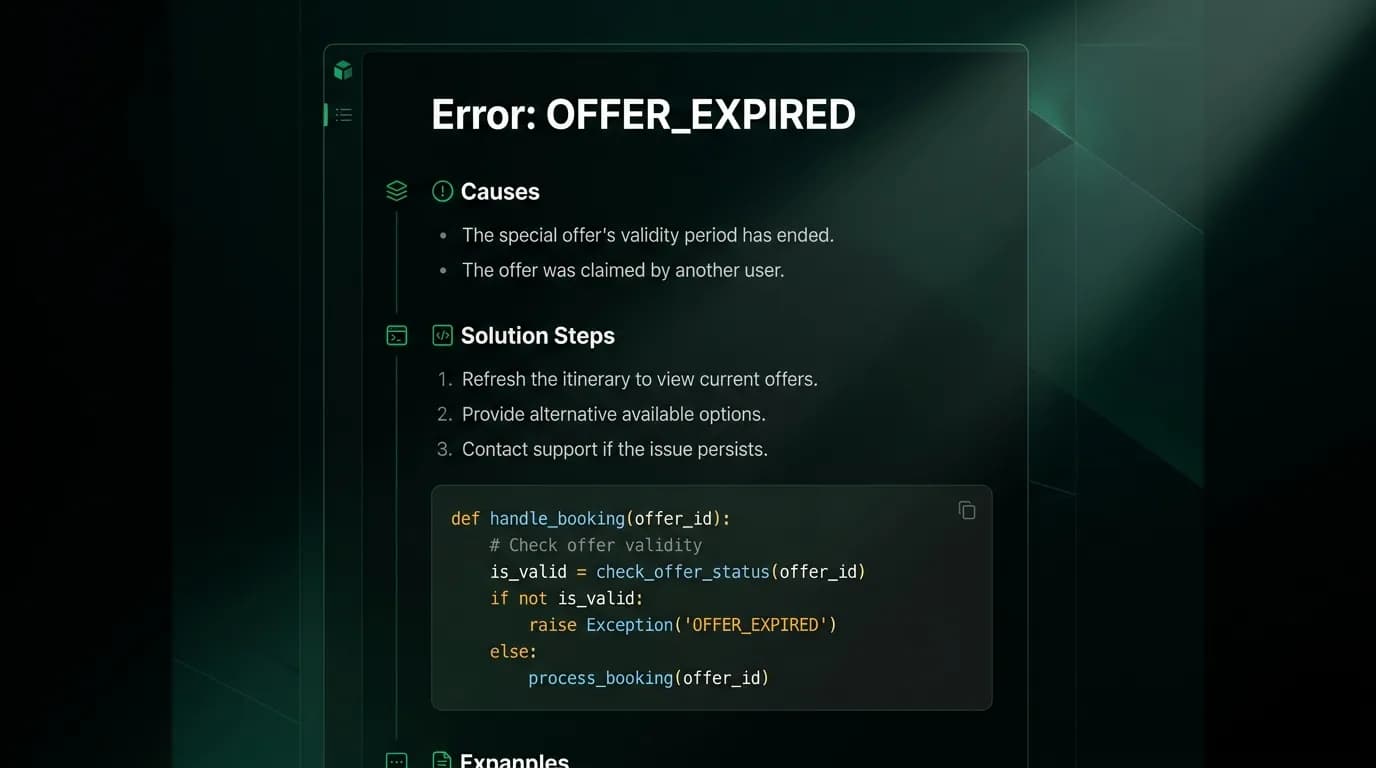
One hundred developers hit the same error. Twenty of them filed support tickets. Nineteen of those tickets asked essentially the same question: "What does OFFER_EXPIRED mean and how do I fix it?" One developer found the fix by reading our changelog and working backward from the API behavior.
Documentation for that error would have prevented 19 support tickets. That is 19 engineering-hours spent reading, diagnosing, and responding to the same question. Multiply that pattern across every error code in the API, and the support cost of missing error documentation becomes staggering.
Error pages are the third most-visited section of our docs, after the quickstart and the API reference. Developers hit errors constantly during integration. They search for the error code. They land on the error page. If the page gives them a fix, they move on. If it does not exist, they file a ticket.
Comprehensive error documentation reduces repeat support queries for the same issue by over 70%. That number alone justifies the effort.
The error page template

Every error code in our API has its own documentation page. Each page follows the same template.
Error code and description. The machine-readable code (e.g., `OFFER_EXPIRED`) and a one-sentence human explanation. "The flight offer you selected is no longer available because its validity window has passed."
Common causes. Three to five reasons a developer might encounter this error, listed in order of likelihood. For `OFFER_EXPIRED`: (1) Too much time passed between search and booking. (2) The offer's price changed and the old version was invalidated. (3) The flight sold out between search and booking attempt.
Step-by-step solution. Not "fix the input." A concrete sequence of actions. For `OFFER_EXPIRED`: (1) Call the flight search endpoint again with the same parameters. (2) Select a new offer from the fresh results. (3) Create the booking intent promptly -- offers have a validity window shown in the `expiresAt` field.
Code example. A working code snippet showing how to handle this error programmatically. The example demonstrates catching the specific error code, re-searching, and retrying the booking flow. We show this in at least two languages (typically a single typed language across the stack and Python).
Related errors. Links to error pages that developers commonly confuse with this one. `OFFER_EXPIRED` links to `BOOKING_PRICE_CHANGED` and `INVENTORY_UNAVAILABLE` because developers sometimes misidentify which of these they are encountering.
Why common causes matter
Listing common causes does something that a generic error description cannot: it helps the developer diagnose their specific situation.
A developer who sees `VALIDATION_MISSING_FIELD` knows they are missing a required parameter. But which one? The error response includes the field name, but the common causes section on the error page lists the most frequently missing fields for that endpoint, with explanations of why each one is required and what format it expects.
This context transforms the debugging experience from "I am missing something but I do not know what is expected" to "Ah, the `passengers.dateOfBirth` field is required for international bookings because airlines need it for the Advance Passenger Information System."
Common causes are not static. We update them based on support ticket data. When a new pattern emerges -- a lot of developers hitting the same error for the same reason -- we add it to the common causes list. The error page is a living document that gets better as we learn how developers encounter it.
Step-by-step solutions that show actual code
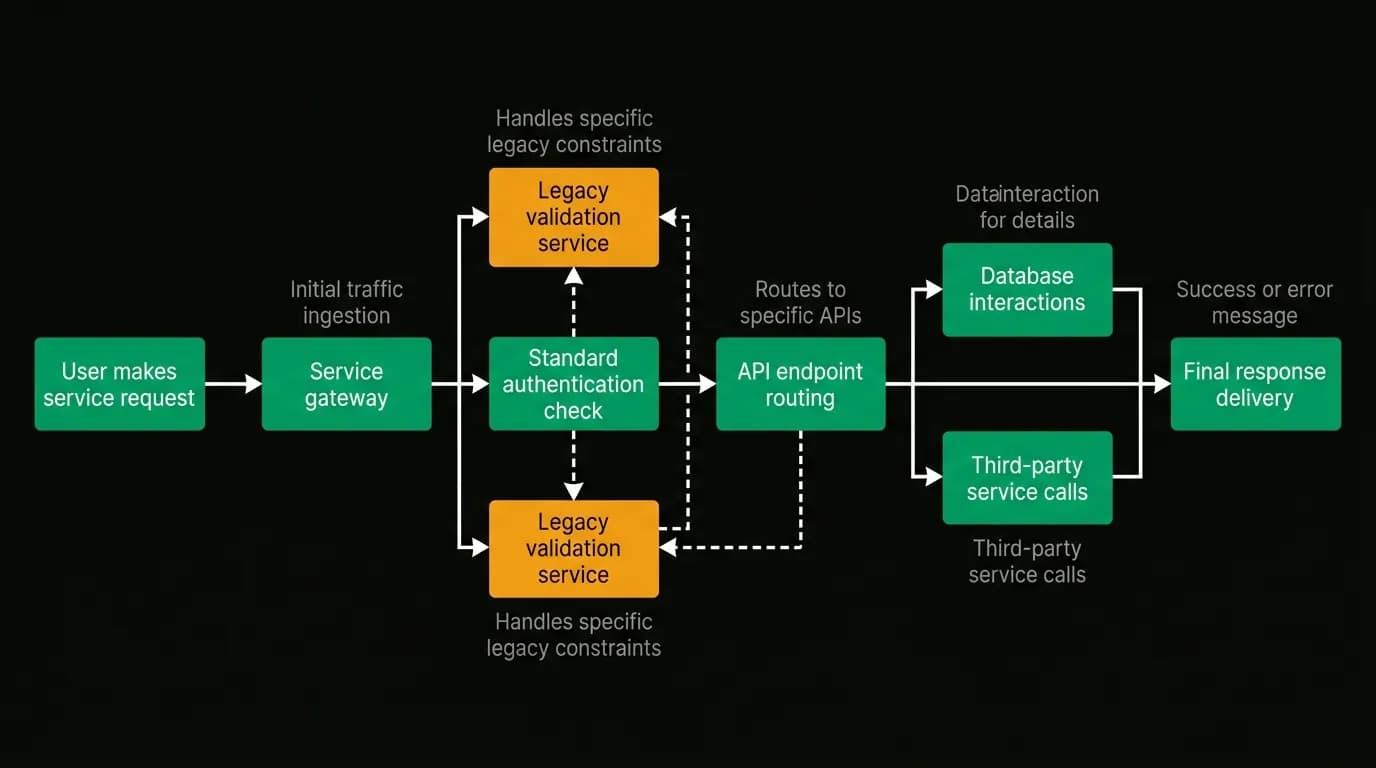
"Fix the input" is not a solution. "Retry the request" is barely a solution. A step-by-step solution with working code is a solution.
Our error pages show the incorrect request (what the developer probably sent), the error response (what came back), and the corrected request (what they should send instead). Side by side. With syntax highlighting. With the differences called out explicitly.
For errors that require a workflow change rather than a simple fix, the steps walk through the entire recovery flow. The `OFFER_EXPIRED` example shows how to catch the error, re-search, re-select, and re-book. The code handles the error gracefully rather than crashing or retrying the same failed request.
We provide code examples in at least two languages because our developer base is split roughly evenly between a single typed language across the stack and Python users. Go examples are added for the most common errors.
Related errors: for when you are debugging the wrong thing
Developers misidentify errors more often than you might expect. They see "booking failed" and assume it is a payment error when it is actually an inventory error. They see "validation failed" and check their parameter types when the real problem is a missing header.
The "Related errors" section at the bottom of each error page links to commonly confused errors with a one-line explanation of the difference. "If you are seeing `BOOKING_PRICE_CHANGED` instead, the offer is still available but at a different price. See the BOOKING_PRICE_CHANGED page for handling price updates."
This cross-linking has a measurable impact on support ticket volume. Developers who land on the wrong error page can self-correct instead of filing a ticket that starts with "I am getting an error but I am not sure which one it is."
Search optimization for error pages
Developers search for errors in specific ways. They copy the error code from their terminal. They search for the error message text. They search for symptoms ("booking failed" or "flight not available").
Error pages need to be findable by all of these search patterns. The error code appears in the page title, URL, and heading. The full error message text appears in the description. Common symptoms appear in the body text.
We also make error pages findable from within the API response itself. Every error response includes a `docs` field containing a direct URL to that error's documentation page. A developer who gets an `OFFER_EXPIRED` error sees `"docs": "https://docs.nowah.com/errors/OFFER_EXPIRED"` in the response. One click and they are on the page with the fix.
This direct link from error response to documentation page is one of the highest-leverage features in our entire developer experience. It turns every error into a learning opportunity instead of a frustration.
Maintaining error docs
Every time a new error code ships, the documentation page is a required part of the pull request. No error code goes to production without its documentation page. This is enforced in code review.
Quarterly, we review error page traffic and support ticket data. Pages with high traffic get scrutinized: is the error too common (suggesting an API design problem)? Is the documentation clear enough (checking support ticket correlation)? Are the common causes still accurate?
Error documentation is not glamorous. It is not the kind of work that gets highlighted in blog posts (ironic, I know). But it is the documentation that prevents the most developer frustration and the most support cost. Write it first, maintain it always, and watch your ticket volume drop.
Nowah is an AI travel agent that searches and books real flights and hotels through conversation — no filters, no thirty open tabs. Plan your next trip.