Building Streaming Responses: How We Make the AI Agent Feel Fast
Implementing server streaming streaming for agent responses — why streaming matters for travel search, the pipeline architecture, and rendering partial results in real time.
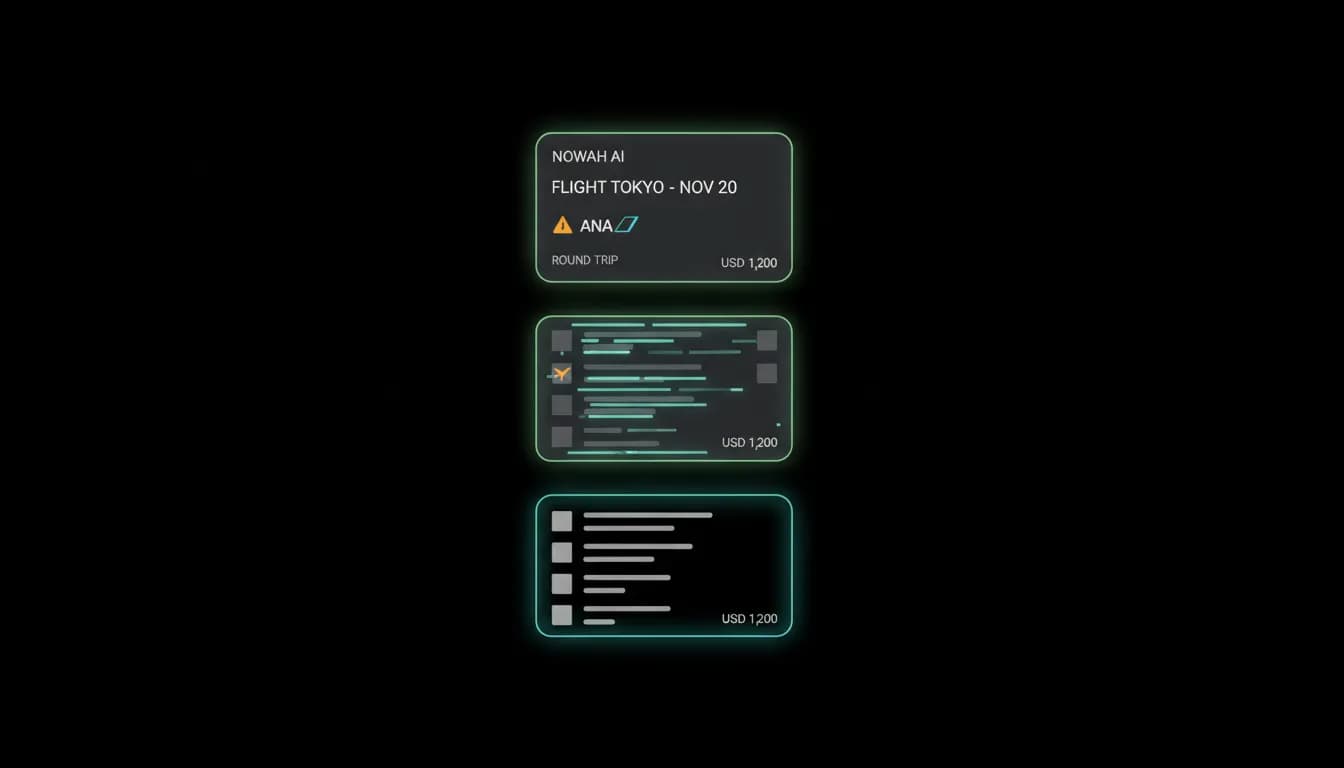
A 12-second blank screen made private testers think the app was broken. The agent was working. It was searching live flight inventory, comparing options, ranking results, and composing a response. But the traveler saw nothing for 12 seconds, then a wall of text and flight cards appeared all at once. By the time the results showed up, half the testers had already assumed the app was frozen.
Perceived performance matters more than actual performance. A search that takes 12 seconds but shows progress throughout feels faster than a search that takes 8 seconds behind a spinner. Streaming transformed our agent from one that felt broken to one that felt alive.
Why travel search needs streaming
Travel search is the perfect use case for streaming because the process involves multiple steps with meaningful intermediate output. When a traveler asks for flights to Tokyo, the agent calls an external API to search inventory, waits for results, processes and ranks them, then composes a response with structured flight cards. Each step takes time, and each step produces output that is valuable to the traveler before the next step completes.
Without streaming, the traveler waits for the entire pipeline to finish. With streaming, they see the agent's progress in real time. "Searching for flights to Tokyo..." appears immediately. The first flight card renders while additional results are still loading. The agent's text explanation builds character by character alongside the structured data.
This incremental rendering does two things. It eliminates the perception that the app is frozen. And it gives the traveler useful information earlier, since they can start reviewing the first flight option while the agent continues working on the rest.
The streaming architecture
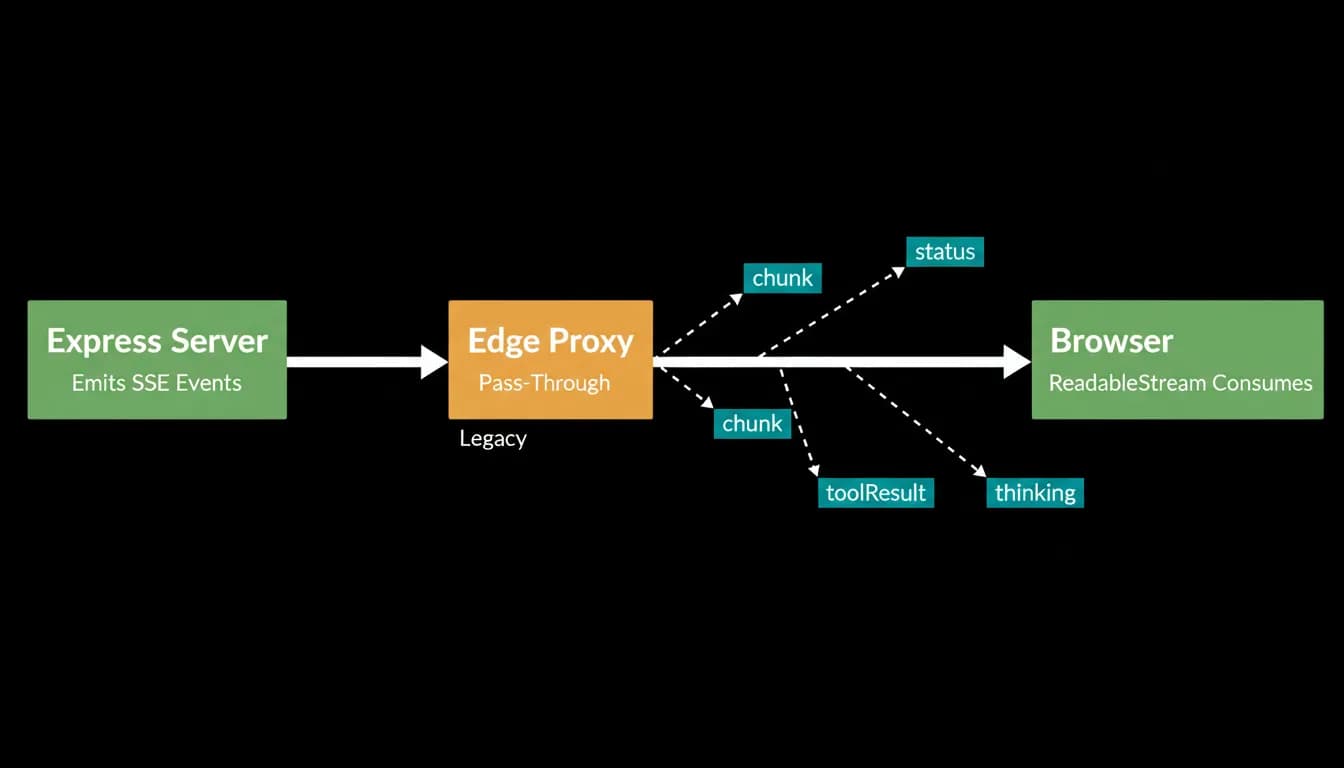
Our streaming implementation uses server-sent events from the backend. When the traveler sends a message, the server opens an streaming connection and begins emitting events as the agent processes the request.
The protocol includes four event types. Status events indicate what the agent is doing: searching, comparing, generating a response. Chunk events carry incremental text as the response is being composed. Tool result events deliver structured data like flight cards and hotel cards. Thinking events show the agent's reasoning process for transparency.
The web client consumes these events through the browser's ReadableStream API. The mobile app adapts the same protocol for its networking layer. Both clients render events incrementally as they arrive, building the response in real time on the traveler's screen.
The complete event carries the final state: the message ID for persistence, the full content including text and structured offers, and the session state for conversation continuity. Only the text content is persisted to the database. The structured cards, flight offers and hotel offers, are ephemeral in the current architecture, generated fresh for each conversation turn.
Performance impact
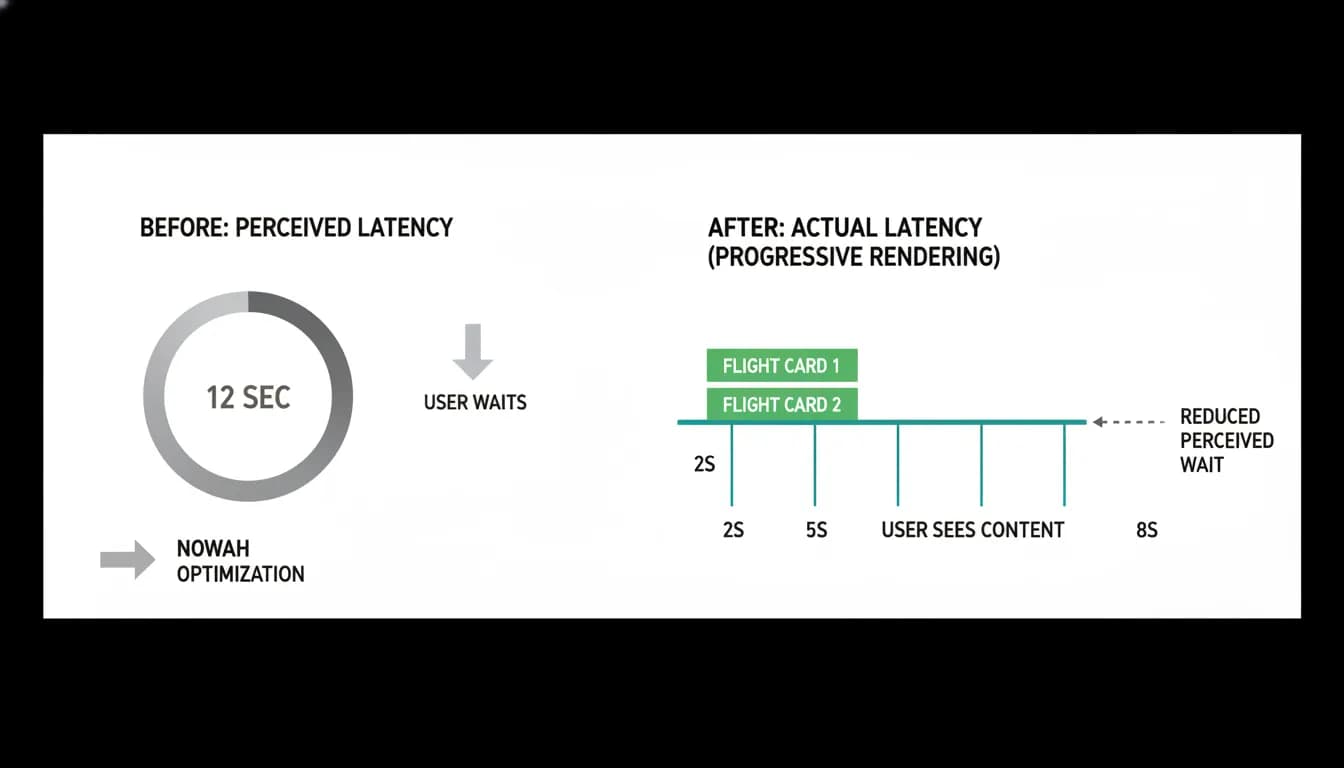
Before streaming, our average perceived response time was 12 seconds for a flight search query. Travelers saw nothing during that time. After streaming, the first visual feedback arrives within one to two seconds, the first flight card appears around five seconds, and the full response completes around eight to ten seconds.
The actual total time decreased slightly because streaming allowed us to parallelize some rendering with processing. But the perceived time dropped dramatically because the traveler sees continuous progress instead of a blank screen followed by an information dump.
Abandonment rates on search queries, travelers who sent a query and then closed the app before seeing results, dropped significantly after we are preparing to launch streaming. The blank-screen experience was actively driving people away before they ever saw the agent's capabilities.
Error handling in streams required special attention. When the streaming connection drops mid-response, the client needs to handle the partial state gracefully. We store enough state client-side to display whatever has been received so far and show a clear "reconnect" option rather than discarding the partial response and starting over.
Streaming is not just a performance optimization. It is a trust-building feature. When travelers watch the agent work, searching live inventory, comparing options, building recommendations, they develop confidence that something real is happening on their behalf. A spinner hides the work. Streaming reveals it.
Nowah is an AI travel agent that searches and books real flights and hotels through conversation — no filters, no thirty open tabs. Plan your next trip.