Push Notification Infrastructure for Travel Alerts
How we deliver gate changes, delay alerts, and booking confirmations to travelers' phones in seconds — delivery pipeline, platform routing, and retry logic.
Gate B7 just changed to Gate C12. The traveler is eating lunch in the terminal, phone in their pocket. We have about 30 seconds to get this information to their phone before they walk to the wrong gate. If the notification arrives late, they're standing at B7 wondering where everyone went, then running across the terminal to C12.
Push notifications for a travel platform aren't the same as push notifications for a social media app. A like on your photo can arrive 5 minutes late and nobody cares. A gate change needs to arrive in seconds. The infrastructure serving these two use cases might look similar, but the reliability and latency requirements are fundamentally different.
The delivery pipeline
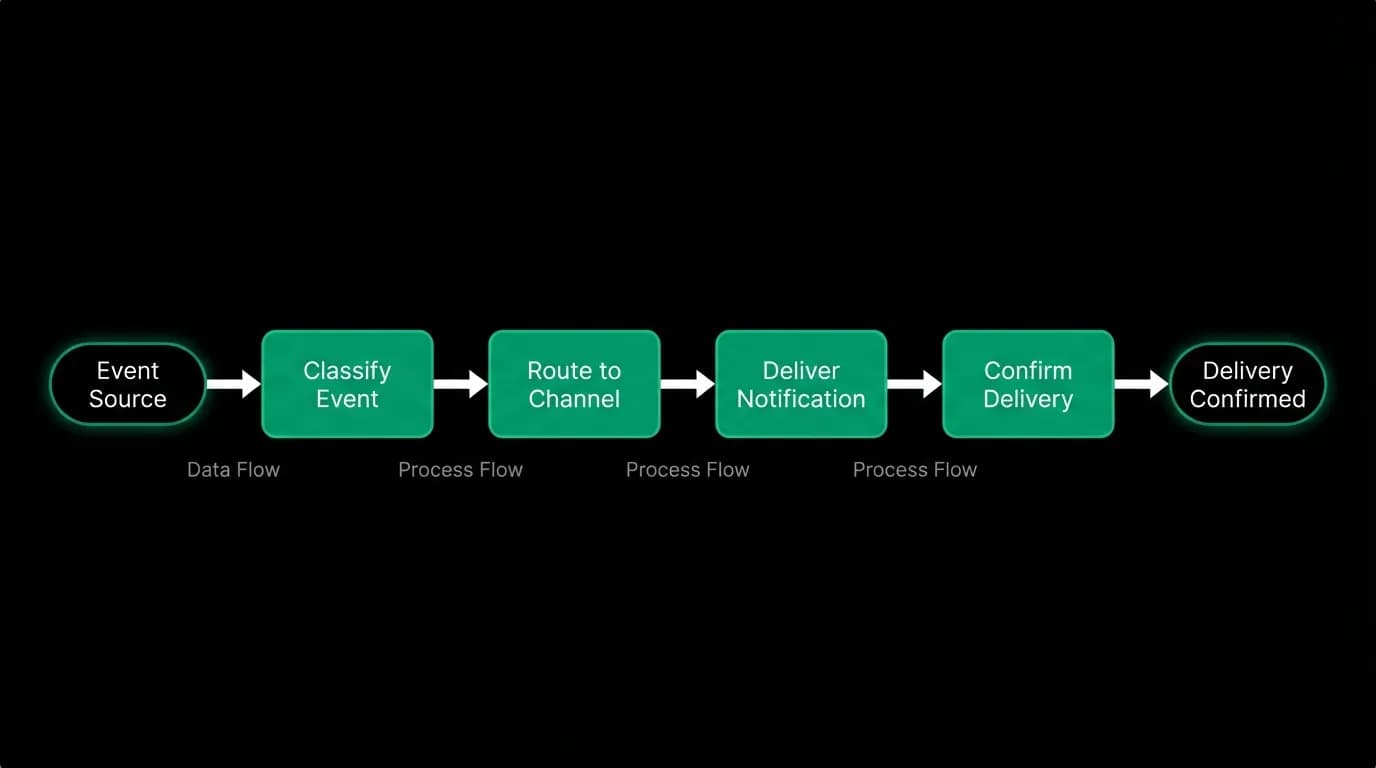
When a travel event triggers a notification (gate change, flight delay, booking confirmation), here's the sequence:
- Event trigger. The system detects the event. For gate changes and delays, this comes from our travel data provider. For booking confirmations, this comes from our booking flow.
- Classification. The notification is classified by priority (critical, time-sensitive, informational, promotional) and category (flight alert, booking, reminder, marketing). Classification determines delivery urgency, channel selection, and quiet hours behavior.
- Preference check. We check the traveler's notification preferences. Has the traveler enabled push notifications for this category? Are they in quiet hours? Is this notification type configured for push, email, in-app, or multiple channels?
- Device routing. We look up the traveler's registered devices. Each device has a push token from the platform's notification service. A traveler might have an iPhone, an iPad, and a web browser, each with its own token.
- Platform delivery. For each device, we send the notification through the appropriate platform service. iOS devices get notifications through Apple's push service. Android devices through Google's. Web browsers through the web push protocol.
- Delivery confirmation. The platform service acknowledges receipt (or reports an error). We record the delivery status in our notification log.
This entire pipeline needs to complete in under 10 seconds for time-sensitive notifications. Most of that time budget goes to the platform delivery services, which are outside our control.
Platform-specific delivery
Each platform has its own notification service, its own payload format, and its own quirks.
iOS notifications go through Apple's push notification service. The payload format is specific to Apple, with fields for alert text, badge count, sound, and custom data. Apple's service is reliable but occasionally has delivery delays during their infrastructure updates.
Android notifications go through Google's cloud messaging service. The payload format is different from Apple's. Android allows more flexibility in notification handling (foreground vs. background, custom notification channels).
Web push notifications use the standard web push protocol. They work in browsers that support service workers and have push notification permissions.
We abstract these platform differences behind a unified notification service. The caller specifies the notification content and the target user. The service handles platform-specific formatting and routing internally. This means the booking flow doesn't need to know about Apple vs. Google payload formats. It just says "notify this user about their booking confirmation."
Handling device tokens
Push tokens are the addresses for delivering notifications to specific devices. They're issued by the platform services and stored in our database.
Tokens go stale. A user reinstalls the app, and the old token is no longer valid. A user revokes notification permissions, and the token stops working. A token might work for months and then suddenly fail.
When a delivery attempt fails with a "token invalid" error, we mark the token as stale in our database and stop sending to it. The next time the user opens the app, a fresh token is registered.
We track the ratio of active to stale tokens per user. A user with no active tokens can't receive push notifications. If this situation occurs for a user with an active trip, we consider falling back to email for critical alerts.
Priority and urgency
Not all push notifications should buzz the phone, light up the screen, and play a sound. A booking confirmation deserves attention. A marketing message about fare sales does not.
We map notification priority to platform-level urgency settings:
Critical (gate changes, cancellations): high priority, sound, vibration, bypass quiet hours on the platform level.
Time-sensitive (departure reminders, check-in): default priority, sound, respect quiet hours.
Informational (trip updates, document availability): low priority, silent delivery, badge update only.
Promotional (fare sales, feature announcements): lowest priority, silent, grouped, easily dismissable.
Getting the priority wrong in either direction damages the experience. A gate change delivered silently might be missed. A marketing message that buzzes the phone trains the traveler to disable notifications entirely.
Delivery confirmation and retry
Push notification delivery is not guaranteed by the platform services. They provide best-effort delivery with some level of retry. But we can't rely on the platform for reliability guarantees.
Our notification log records every delivery attempt with its result. For critical and time-sensitive notifications, we check delivery confirmation. If the platform reports a delivery failure and the notification is important, we retry.
For critical notifications that fail all push delivery attempts, we fall back to email and in-app messaging. A gate change that can't be delivered via push gets sent as an email with urgent subject line and posted as an in-app alert that appears when the traveler next opens the app.
Measuring notification effectiveness
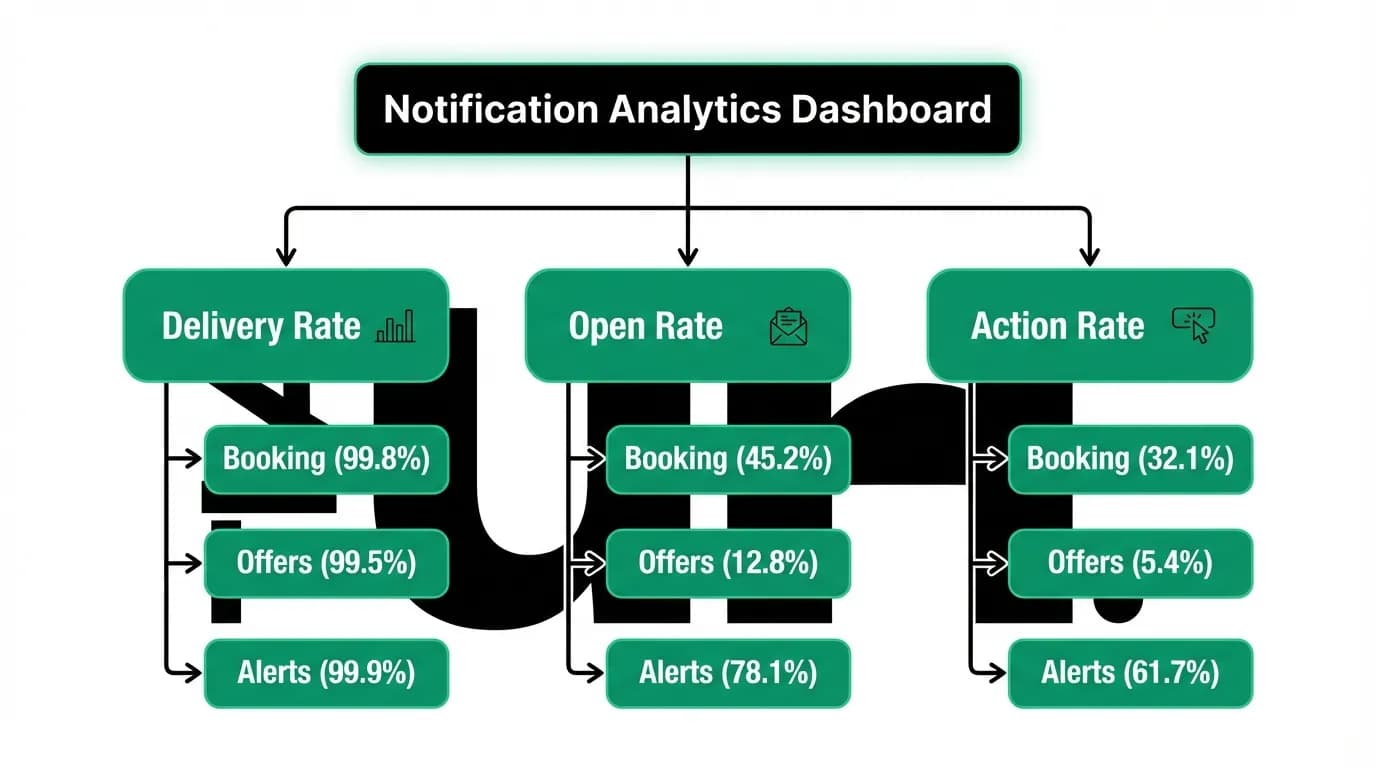
We track three metrics across the notification pipeline:
Delivery rate measures whether notifications reach the device. Target: above 98% for users with active tokens.
Open rate measures whether travelers tap the notification. This tells us about relevance and timing. Low open rates suggest the notifications aren't useful or aren't arriving at the right time.
Action rate measures whether the notification led to a useful action (opened the app, checked the trip, responded to the alert). This is the real measure of notification value.
We segment these metrics by notification category and priority. Booking confirmations should have near-100% delivery. Departure reminders should have high open rates. Marketing notifications naturally have lower engagement.
The minimum push notification stack
For any travel app handling time-sensitive alerts:
Classify notifications by priority. Don't treat all notifications the same. A gate change and a marketing email are fundamentally different.
Handle platform differences behind an abstraction. Your booking flow shouldn't know about iOS vs. Android push formats.
Log every delivery attempt. You need to know which notifications were delivered and which failed. Without delivery logs, failed notifications are invisible.
Have a fallback for critical notifications. If push fails, try email. If email fails, try in-app. A gate change that doesn't reach the traveler through any channel is a failure of the entire notification system, not just push.
Monitor stale tokens. A user whose tokens are all stale can't receive push notifications. Detect this and prompt token refresh through in-app mechanisms.
Nowah is an AI travel agent that searches and books real flights and hotels through conversation — no filters, no thirty open tabs. Plan your next trip.