Streaming AI — Why Real-Time Responses Matter
Waiting 10 seconds for a loading spinner kills trust. Streaming AI responses token-by-token makes users feel like they are watching an expert work.
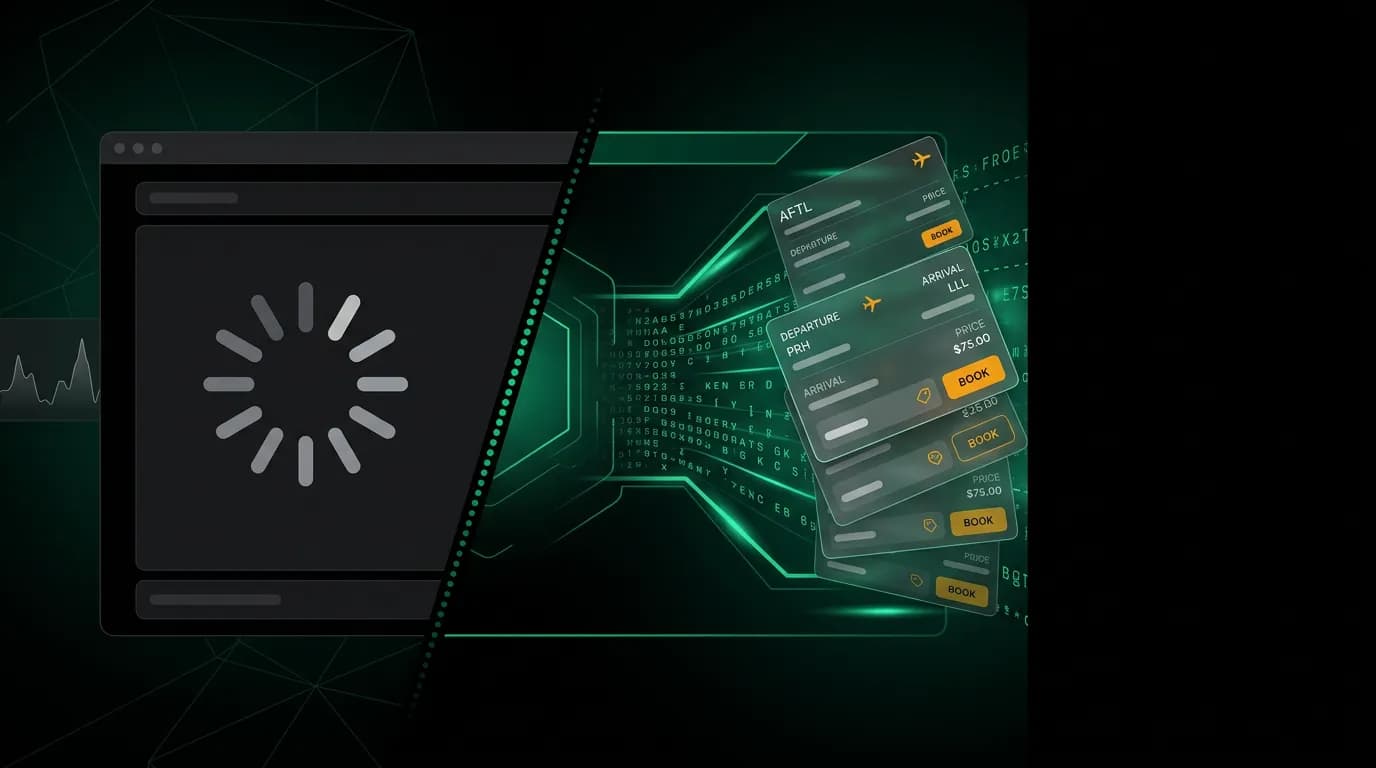
A loading spinner is a confession that your product has nothing useful to show the user right now. In traditional web apps, spinners are acceptable because the wait is usually short (a second or two for a database query). In AI-powered applications, the wait can be 5 to 15 seconds as the model reasons through a complex query and executes multiple tool calls.
Fifteen seconds of loading spinner in a travel booking app is death. The user wonders if the app crashed. They consider switching to Google Flights. They lose the conversational momentum that makes AI booking work in the first place.
Streaming fixes this. Instead of waiting for the complete response, users see the agent's work unfold in real time. First-token latency from frontier models is now under 500 milliseconds. That means users see something useful within half a second of sending a message, even when the complete response takes several more seconds to generate.
I want to explain why this matters more than most people think.
Perceived vs actual latency
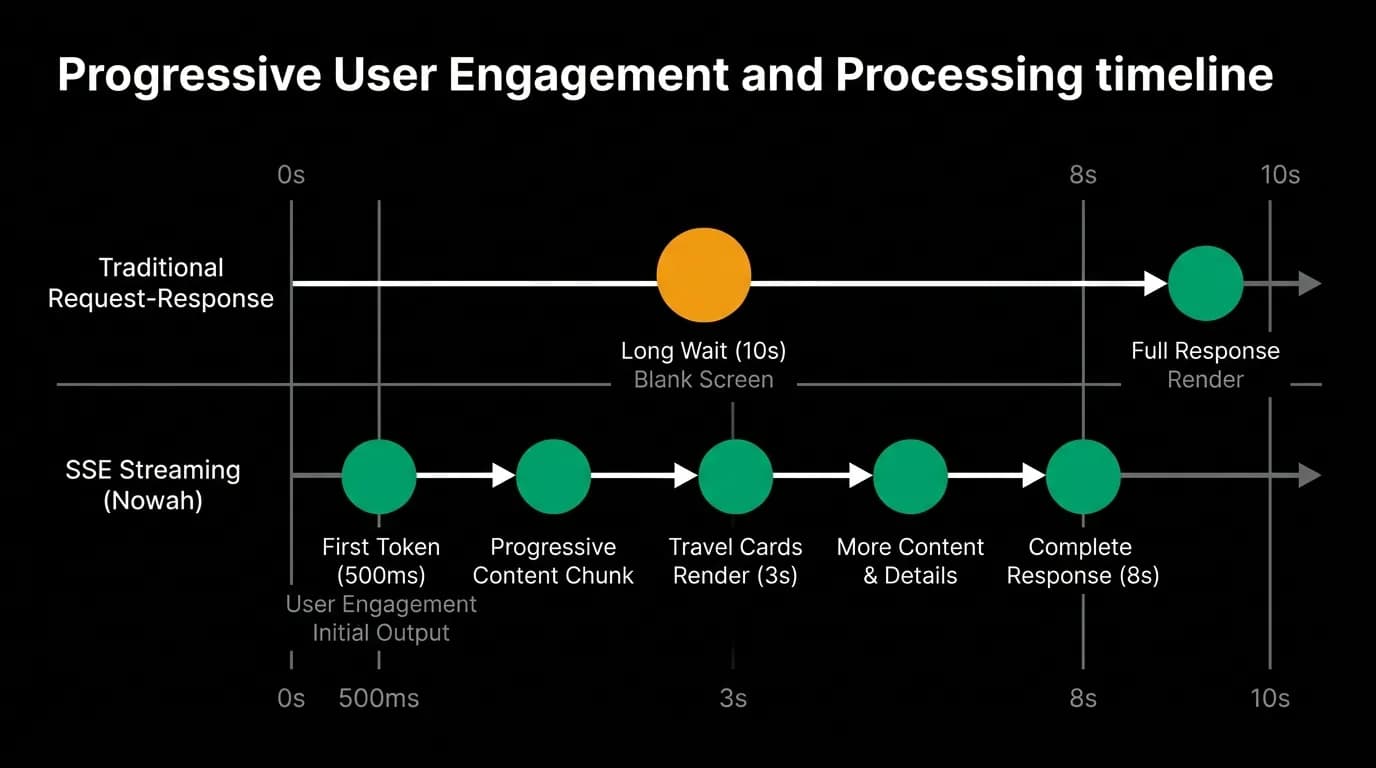
Psychology research on response time perception is clear: humans evaluate wait time based on what happens during the wait, not just how long the wait lasts.
A 10-second wait with a blank screen feels like 20 seconds. A 10-second wait with visible progress feels like 5. The total time is identical. The perceived time is 4x different.
This is not just about feelings. Perceived latency directly affects behavior. Users who perceive a slow system are more likely to abandon the session, less likely to trust the results, and less likely to return. In travel booking, where 67% of travelers already find the process stressful, adding perceived slowness is compounding an existing problem.
Streaming transforms the wait experience from passive to active. Instead of staring at a spinner and wondering what is happening, the user watches the agent work. They see text appearing, tool calls executing, results rendering. The experience shifts from "waiting for a computer" to "watching an expert think."
How streaming works
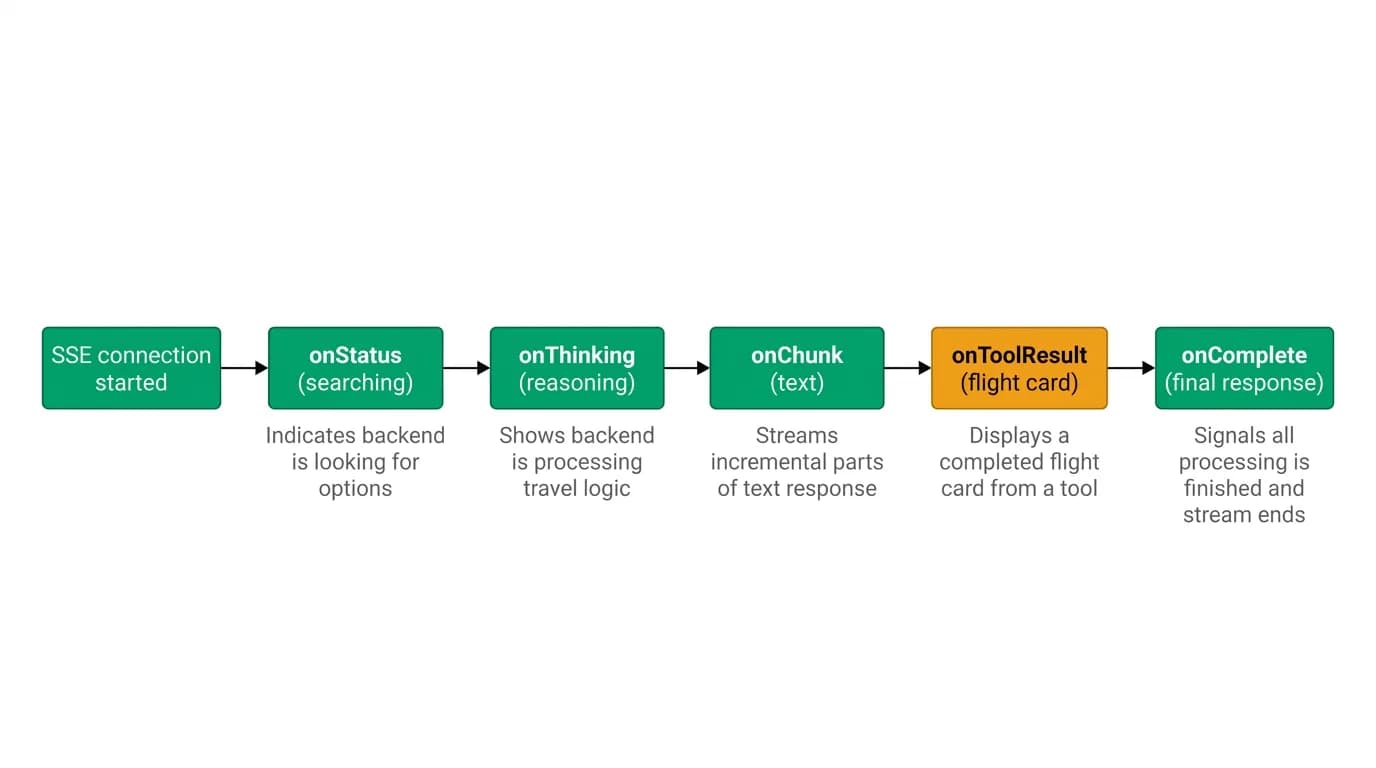
At Nowah, we use unidirectional server streaming (server streaming) for streaming. Here is the sequence of events a user experiences:
T+0ms: User sends message. "Find me flights to Tokyo in April."
T+400ms: [Thinking indicator](/blog/thinking-indicator-most-important-animation) appears. The agent shows it is processing the request. This is not a generic spinner. It is contextual: "Understanding your request..."
T+800ms: Status update. "Searching flights from SFO to NRT/HND for April..." The user sees that the agent understood their query correctly before any results arrive.
T+2s: Text begins streaming. The agent starts explaining what it found, token by token. "I found 47 flights for your dates. Let me rank these based on your preferences..."
T+3s: First flight card renders. A rich, interactive flight card appears inline in the conversation. Departure time, arrival time, airline, price, number of stops. The user can start evaluating while the agent continues working.
T+4s: Second and third cards render. The remaining curated options appear. The agent's narrative explanation continues alongside them.
T+6s: Complete response. The agent finishes with a recommendation. "I'd suggest option B. It is a direct morning flight, which matches your usual preference, and it is $80 below average for this route in April."
The total response time is 6 seconds. But the user had useful information at 800ms and could start making decisions at 3 seconds. Compare this to a traditional request-response pattern where the user sees nothing for 6 seconds and then gets a wall of text and cards all at once.
The collaboration effect
There is something subtle but powerful about watching an AI work in real time. It creates a sense of collaboration.
When you sit with a human travel agent, you do not hand them a request and then sit in silence for 10 minutes waiting for a printed itinerary. You watch them work. They type on their computer. They narrate what they are doing. "Let me check afternoon flights... okay, there is a good one at 2pm... let me see the price on that..." You feel involved in the process even though they are doing the work.
Streaming AI replicates this dynamic. The user sees the agent searching, reasoning, comparing. They can interrupt if they see the agent going in the wrong direction: "actually, I prefer evening departures" can come in while the agent is still working, and the agent can adjust without completing the original response.
Traditional booking takes 45 to 90 minutes because it is a solo activity. You are doing all the work yourself. AI conversational booking takes 3 to 5 minutes because it is collaborative. The agent does the work, you steer. Streaming is what makes that collaboration feel real rather than like submitting a form and waiting for a response.
Streaming on mobile
Mobile bookings account for over 60% of all travel transactions. Mobile also has the tightest constraints on streaming: variable network conditions, limited screen real estate, and users who are often multitasking.
We designed our streaming experience mobile-first. Several things matter:
Progressive card rendering. Flight and hotel cards do not wait for all data to load before appearing. The card skeleton renders immediately, then fills in details as they arrive. The user sees the shape of the result before the numbers.
[Graceful degradation](/blog/graceful-degradation-slow-ai). If the network drops mid-stream, the agent recovers when connection resumes. The user does not see a broken partial response. They see what has arrived so far, then the rest fills in seamlessly.
Scroll management. As new content streams in, the view scrolls to keep the newest content visible without disrupting the user if they have scrolled up to review earlier options. This is a small detail that makes a big difference in usability.
Bandwidth awareness. The server streaming payload is text-only, which is lightweight. Rich card data (images, maps) loads asynchronously after the structural data arrives. On slow connections, users still get the essential information quickly.
What streaming communicates
Beyond the UX benefits, streaming communicates something important about the product's nature. It shows that the AI is doing real work.
A chatbot that responds after a 2-second delay might be doing anything: looking up a canned response, generating a generic paragraph, or actually searching live data. The user cannot tell.
A streaming agent that shows "Searching 237 flights...", then "Ranking by your preferences...", then progressively renders real flight cards with real prices is demonstrably doing work that the user can verify. The search is real. The prices are real. The reasoning is visible.
This transparency is directly connected to trust. Trust in AI recommendations increases dramatically when users can see the reasoning process. Streaming is the medium through which that reasoning becomes visible.
We built Nowah's streaming architecture because we believe the future of AI travel booking is not about hiding the AI's work behind a pretty interface. It is about making the work visible, collaborative, and trustworthy. Streaming is how you get there.
Nowah is an AI travel agent that searches and books real flights and hotels through conversation — no filters, no thirty open tabs. Plan your next trip.