Currency, Tips, and Split Bills: Designing Travel Utility Tools
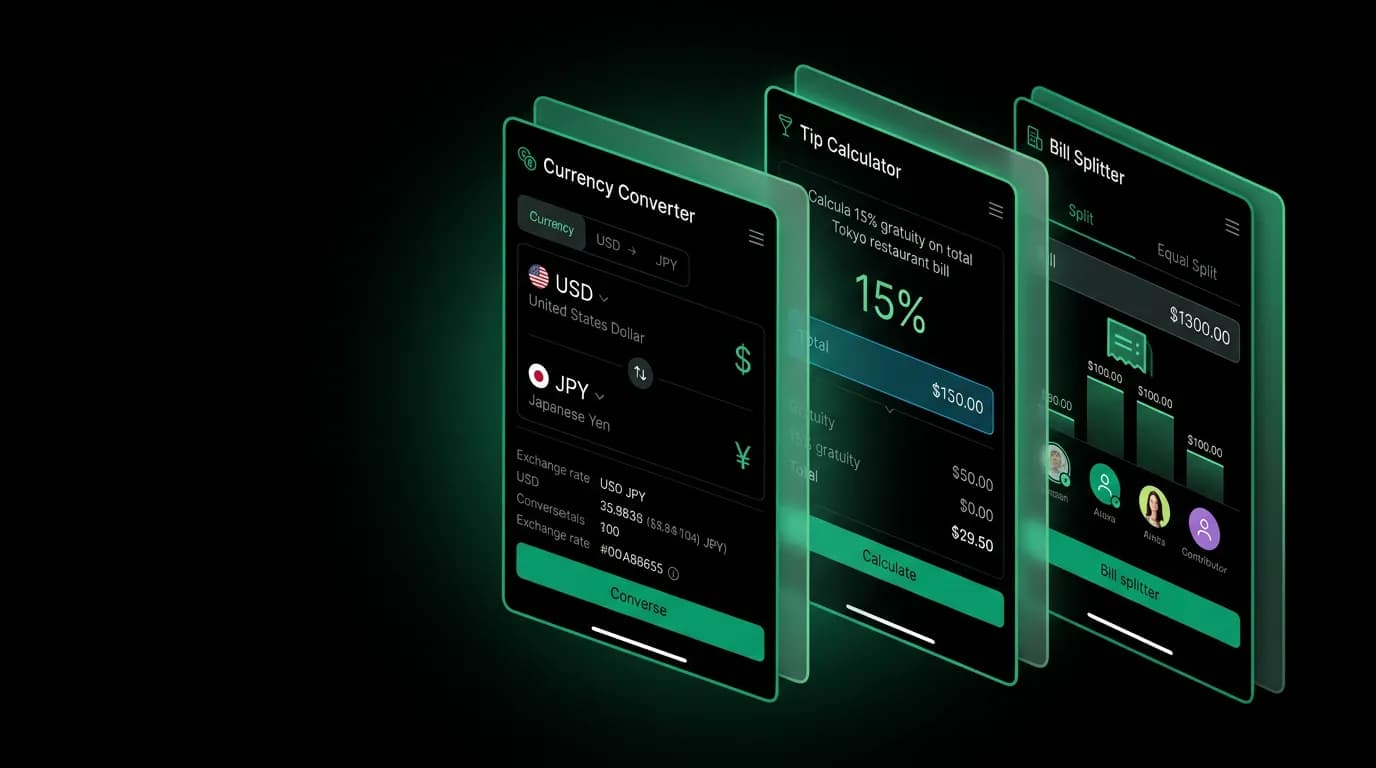
The Tools tab houses lightweight utilities — currency converter, tip calculator with local customs, and bill splitter — that complement the AI core without competing with it.
Not everything needs AI. Sometimes you just need to know how much 3,500 Japanese yen is in dollars. Or what the tipping custom is in Iceland. Or how to split a dinner check four ways when one person only had a salad.
These are small, frequent, time-sensitive needs that arise constantly during travel. They do not require a conversation with an AI agent. They require a calculator that gives an instant answer. The Tools tab exists for exactly this purpose: lightweight, fast, offline-capable utilities that complement the AI without competing with it.
The Tools tab in position one
In our five-tab navigation, Tools occupies position one — the far left. This is a deliberate architectural decision. The left tab is the first thing a left-to-right reader encounters and the easiest to reach with the left thumb while holding the phone in the left hand.
Tools sits at the opposite end from Profile (position five) because the two tabs serve fundamentally different interaction types. Profile is a configure-and-forget destination visited occasionally. Tools is a use-and-dismiss destination visited frequently, sometimes multiple times per day during a trip.
The tab contains three core utilities: a currency converter, a tip calculator, and a bill splitter. Each opens as its own screen with a dedicated interface. The hub screen lists all three with clear icons and one-line descriptions. One tap from the tab to the tool. Instant access.
Currency converter
The currency converter is the most-used travel utility tool, period. Every international trip generates dozens of currency conversion moments: at restaurants, in shops, at markets, evaluating whether a hotel price is reasonable, tipping taxi drivers.
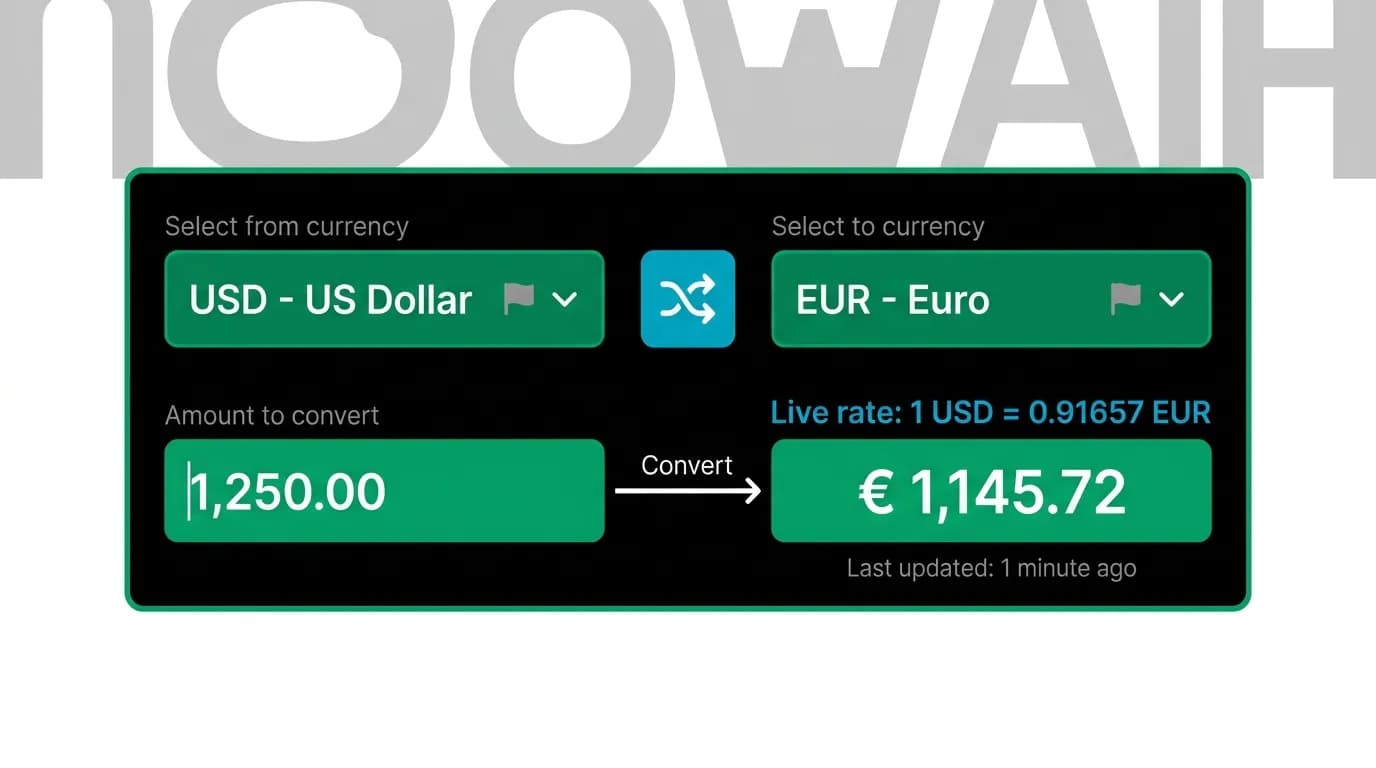
The interface is intentionally simple. Two currency selectors at top and bottom, separated by a swap button. Tap a selector to choose a currency from a searchable list. Type an amount in either field and the conversion appears instantly in the other.
The swap button is a critical interaction. Users frequently want to convert in both directions — "How much is this in dollars?" and "How much is $20 in baht?" The swap button rotates the two currencies with a quick animation, inverting the conversion without requiring the user to re-select currencies.
Exchange rates update from a live data source, but the converter works offline using the most recently cached rate. A small timestamp below the rate shows when it was last updated: "Rate as of 2 hours ago." This transparency prevents users from relying on stale data for large purchases while still providing utility when connectivity is unavailable.
No network loading spinners. No AI processing time. You type a number, you see the answer. The latency is the time it takes to render the calculation — effectively zero.
Tip calculator with local customs
Tipping customs vary wildly across the world. In the United States, 18 to 22 percent is standard at restaurants. In Japan, tipping is considered rude. In much of Europe, a small rounding-up is sufficient. In Egypt, tipping (baksheesh) is expected in a wide range of situations that would surprise most Western travelers.
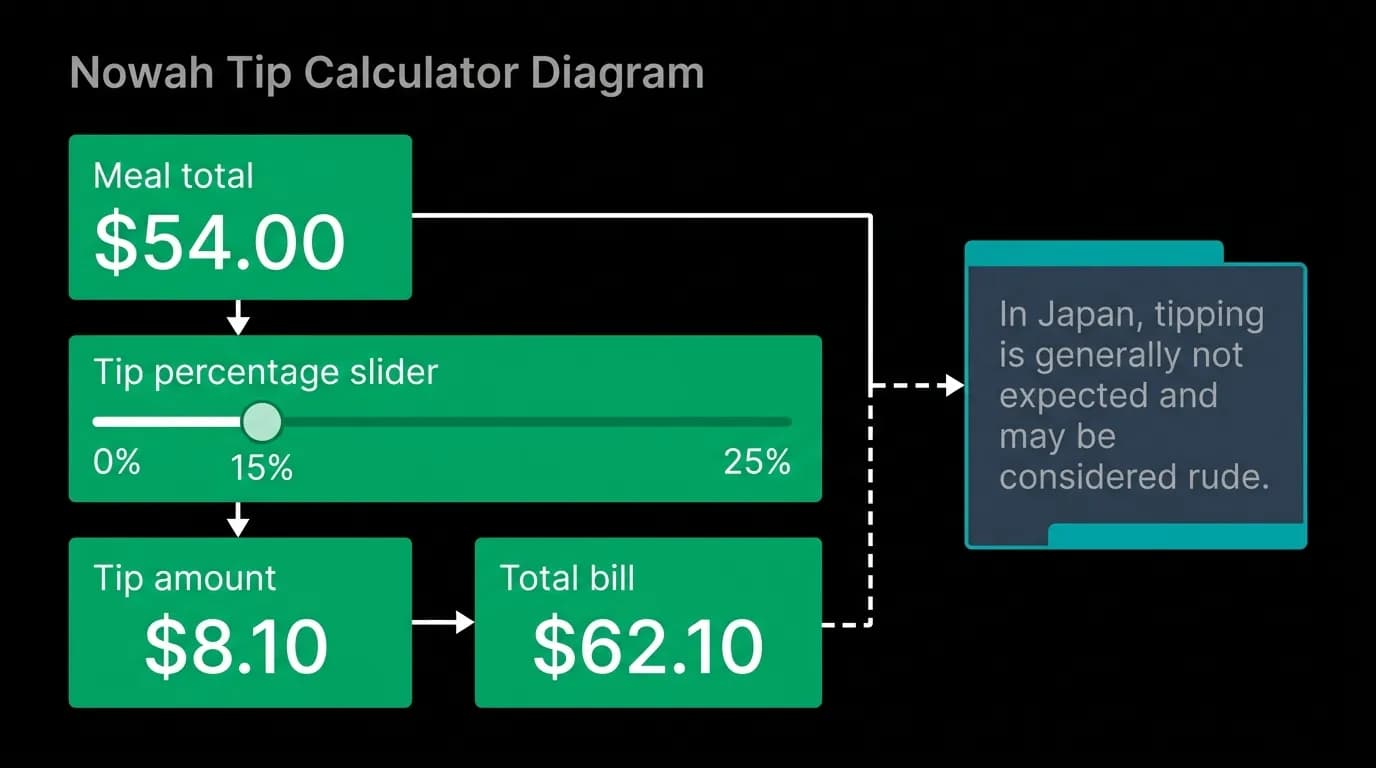
A tip calculator that only does math misses half the value. Knowing that 15 percent of your bill is $7.50 is useful. Knowing that tipping 15 percent in Tokyo would be a cultural misstep is essential.
Our tip calculator combines calculation with cultural context. Enter the bill amount. Select a tip percentage with a slider. See the tip amount and total. Below the calculation, a cultural note appears based on the user's location or selected country: "In Japan, tipping is generally not expected and may be considered rude" or "In the United States, 18-22% is standard for restaurant service."
The cultural notes are concise — one to two sentences — and sourced from travel etiquette guidelines. They educate without lecturing. A traveler who has never been to Japan learns something useful. A traveler who knows Japanese customs gets a quick confirmation.
Bill splitter
Group travel generates shared expenses. Dinners, taxis, activity costs, Airbnb stays. Splitting these expenses is a recurring friction point, especially when amounts are uneven ("I only had soup") or when the group uses different currencies.
The bill splitter supports two modes: equal split and unequal split. Equal split divides the total evenly by the number of people. Simple, fast, the 80% case. Unequal split lets users assign different amounts to different people, which handles the "I only had soup" scenario.
The interface prioritizes speed. Enter the total. Tap the number of people. See the per-person amount. For unequal splits, tap individual amounts to override the default equal share. Remainders are shown clearly — no one gets stuck with a rounding error.
Both modes show the per-person amount prominently in the accent green, the same visual treatment as prices across the app. Consistency in how we display monetary values helps users scan and process financial information quickly regardless of where they are in the app.
Design principles for utility tools
Three principles guide the design of all tools in this tab.
Instant results. Every tool calculates locally, with no network round-trip. The answer appears as you type. There is never a loading state, never a processing delay. This is the opposite of the AI chat experience, where responses take seconds. Utility tools are fast because they solve simple problems.
Minimal input. Each tool requires the absolute minimum information to produce a useful result. The currency converter needs one number and two currency selections. The tip calculator needs one number and a percentage. The bill splitter needs one number and a headcount. No accounts, no sign-in, no configuration.
Offline capable. All three tools work without internet. Exchange rates are cached. Tipping customs are bundled with the app. Split calculations are pure math. This is critical because many utility tool moments happen in restaurants, taxis, and markets where connectivity may be poor.
These tools are not the headline feature of Nowah. The AI agent is. But during a trip, the tools tab might see more daily opens than the chat tab, because currency conversions and tip calculations happen five times a day while booking conversations happen once per trip. The best supporting features are the ones that do their job without asking for attention.
Nowah is an AI travel agent that searches and books real flights and hotels through conversation — no filters, no thirty open tabs. Plan your next trip.