Onboarding an AI Agent — Teaching Users to Talk
The blank text field is terrifying. Suggested prompts, progressive capability disclosure, and a great first interaction solve the onboarding problem.
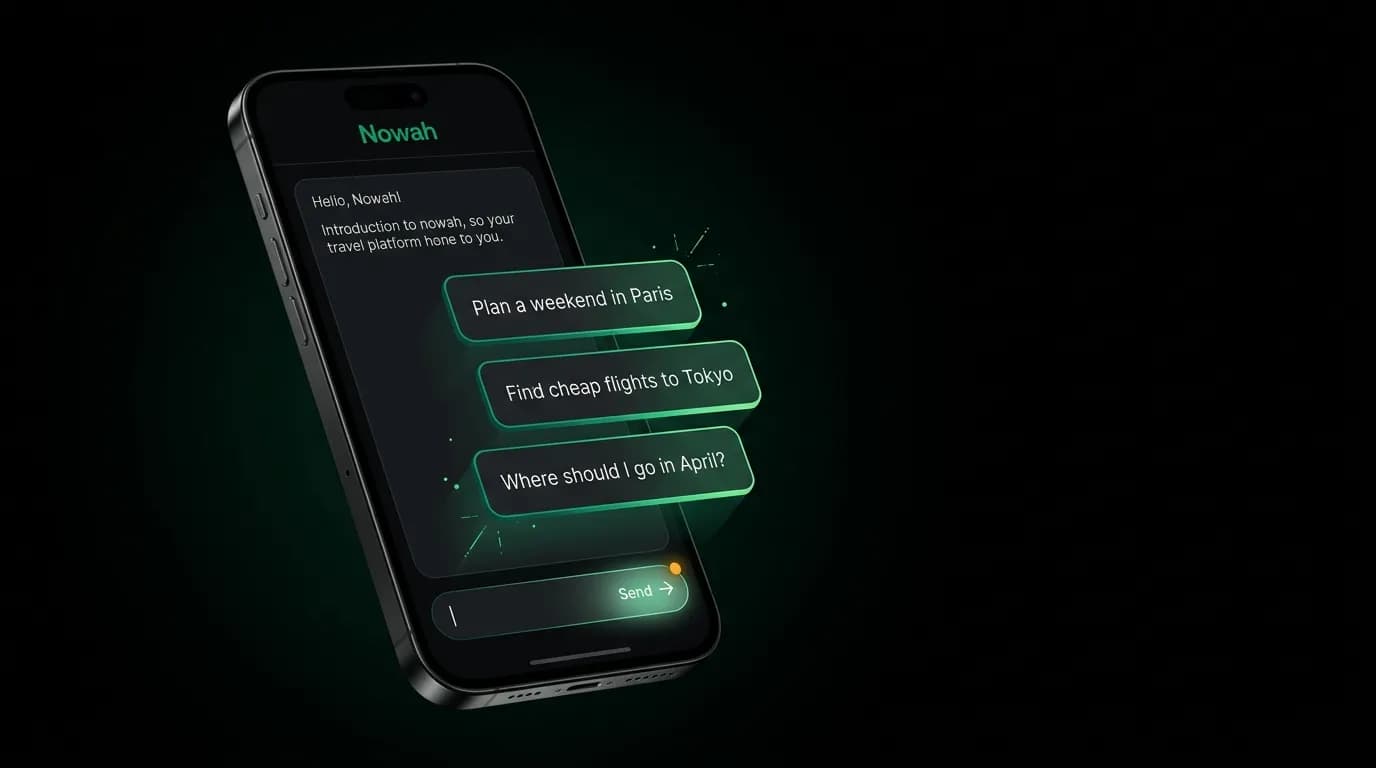
The first time someone opens an AI travel agent, they see an empty chat screen and a text field. Maybe a friendly greeting from the agent. And then: paralysis. "What do I say?"
This is the blank canvas problem, and it is the single biggest barrier to AI product adoption. People who have never used a conversational AI for a task as important as booking travel do not know what is possible, what is expected, or where to start. The empty text field is an invitation that feels like a pop quiz.
Consumer willingness to use AI for travel planning has risen from roughly 25% to roughly 55% in two years. The technology barrier is gone. The psychological barrier remains. Solving it is a design problem, not a technology problem.
Suggested prompts as training wheels
The simplest and most effective onboarding technique is suggested prompts: pre-written messages that the user can tap to send immediately.
We show three suggested prompts above the input field for new users:
- "Plan a weekend trip to Paris"
- "Find cheap flights to Tokyo in April"
- "Where should I go for a beach vacation?"
Each prompt serves a dual purpose. It gives the user something to tap so they do not have to think of their own message. And it demonstrates by example what kind of requests the agent can handle.
The prompts are carefully designed. "Plan a weekend trip to Paris" shows that the agent can handle vague, high-level requests. "Find cheap flights to Tokyo in April" shows that it can handle specific search queries. "Where should I go for a beach vacation?" shows that it can make recommendations even when the user has no destination in mind.
Suggested prompts increase first-interaction completion rates measurably. Users who tap a suggested prompt are more likely to continue the conversation than users who type their own first message. Not because their own messages are worse, but because the activation energy of typing is higher than the activation energy of tapping.
Progressive disclosure
A new user does not need to know that the agent can rebook flights during disruptions, track price drops on saved trips, parse passport photos, or coordinate group travel with multiple itineraries. Presenting all of this upfront would be overwhelming.
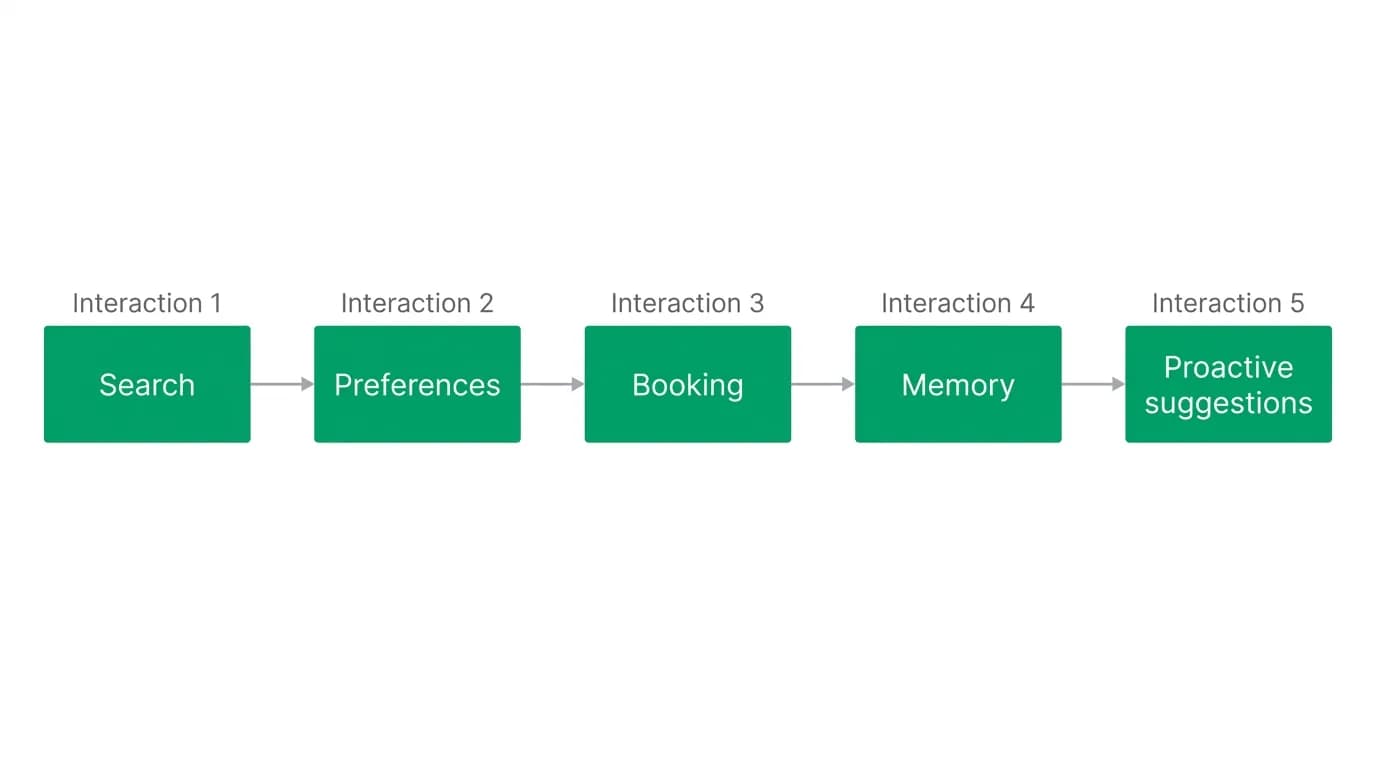
Progressive disclosure reveals capabilities gradually. The first interaction demonstrates search. The second might demonstrate preferences ("I noticed you prefer morning flights. Want me to keep that in mind?"). The third might demonstrate booking. The fourth might demonstrate memory ("Same hotel type as your Barcelona trip?").
Each interaction teaches the user something new about what the agent can do. The learning is experiential, not didactic. Nobody reads a feature list. Everyone remembers when the agent surprised them by remembering their seat preference.
We think about capability discovery as a curve. By the third interaction, the user should understand search and recommendations. By the fifth, they should have experienced booking and memory. By the tenth, they should have encountered most of the agent's capabilities organically.
The first interaction as trust audition
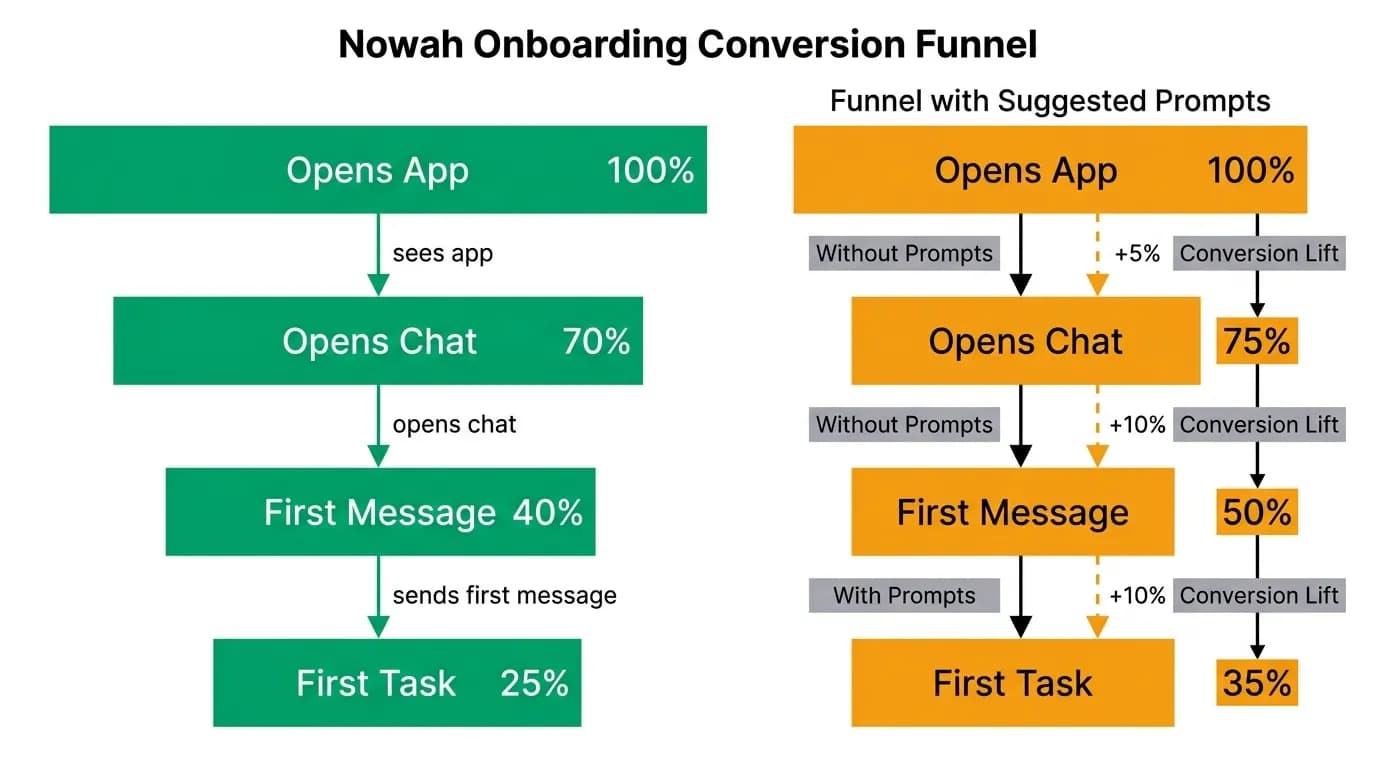
Here is the uncomfortable truth: the first response from your AI agent determines whether the user gives it a second chance. If the first interaction is impressive, the user is hooked. If it is mediocre or confusing, they are gone.
This is why we invest disproportionate engineering effort in the first interaction experience. The response to a suggested prompt or a first user message needs to be:
Fast. Under two seconds to start streaming a response. New users are especially impatient because they do not yet trust that the system is working.
Competent. The response should demonstrate real capability. If the user asks about flights to Tokyo, show actual flight options with real prices, not a generic paragraph about Tokyo being a wonderful destination.
Personal. Even in the first interaction, the agent should feel like it is talking to this user specifically. "Great choice! Tokyo in April means cherry blossom season. Would you like me to search around peak bloom dates?"
Clear about next steps. The response should make it obvious what the user should do next. "I found three flights. Want me to search for hotels in Shinjuku or Shibuya?" This prevents the "now what?" moment.
The first interaction is the trust audition. The agent has about 15 seconds to prove it is worth the user's time. Everything about the experience is optimized for that window.
Onboarding through demonstration
We do not have a tutorial. No product tour. No series of explanation screens. The agent teaches users what it can do by doing things.
When a user asks for flights, the agent demonstrates search and curation. When it presents options, it demonstrates ranking and personalization. When the user says "book option B," it demonstrates booking. When the user comes back for their next trip, the agent demonstrates memory by referencing their preferences from last time.
This is onboarding through demonstration, and it works because it respects the user's time. Nobody wants to sit through a five-screen walkthrough explaining what an AI can do. They want to see it work.
The risk of this approach is that users miss capabilities they never encounter. A user who only searches for flights might never discover that the agent can also recommend restaurants, check visa requirements, or track price drops. We handle this with occasional gentle nudges: "By the way, I can also help you find hotels near your arrival airport. Want me to look?"
Reducing activation energy
The goal of onboarding design is reducing the distance from "I do not know how to use this" to "that was amazing." We aim for under 60 seconds.
The sequence: user opens app (0 seconds), sees suggested prompts (2 seconds), taps one (5 seconds), agent starts responding (6 seconds), first flight options appear (10 seconds), user sees real flights with real prices to a real destination (15 seconds). Within 15 seconds, the user has experienced the core product. Within 60 seconds, they have had a multi-turn conversation and seen the agent's personality, competence, and responsiveness.
Every second of friction in this sequence costs users. The suggested prompts eliminate the "what do I type?" delay. The streaming response eliminates the "is it working?" anxiety. The inline flight cards eliminate the "where are the results?" confusion.
The best AI travel booking onboarding does not feel like onboarding at all. It feels like the start of a conversation. And the best conversations do not start with instructions. They start with "how can I help?"
Nowah is an AI travel agent that searches and books real flights and hotels through conversation — no filters, no thirty open tabs. Plan your next trip.