Designing with LLMs: When the Output Is Variable
AI responses range from 5 words to 500. Chat bubbles must grow gracefully, handle truncation elegantly, and show 'read more' without breaking conversational flow.
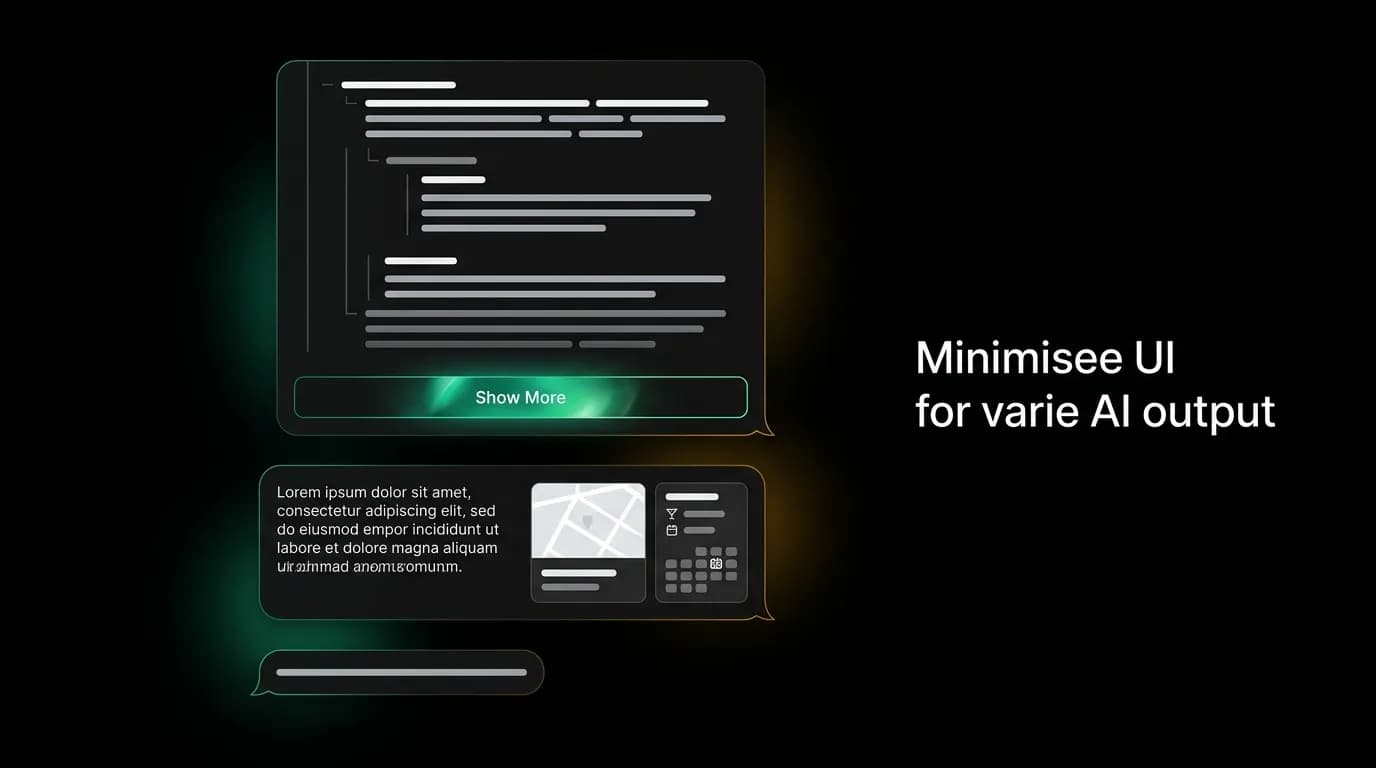
The AI says "Done." Two characters. A chat bubble barely wider than the word itself. The next message is a 400-word explanation of fare rules, cancellation policies, and booking terms that spans thirty lines on a phone screen. The message after that is three flight cards in a horizontal carousel with supplementary text. The message after that is a single sentence with two quick-reply buttons.
This is what designing for a language model looks like. The output is not fixed. It is not even predictable within a useful range. The same prompt from different users in different contexts can produce responses that vary by an order of magnitude in length, and the interface needs to handle every point on that spectrum without looking broken.
Traditional chat apps have a simpler version of this problem because human messages tend to cluster around similar lengths. AI messages do not cluster. They range from single-word confirmations to multi-paragraph analyses to mixed-content responses that combine text, cards, and interactive elements.
Responsive bubbles: width and height that adapt
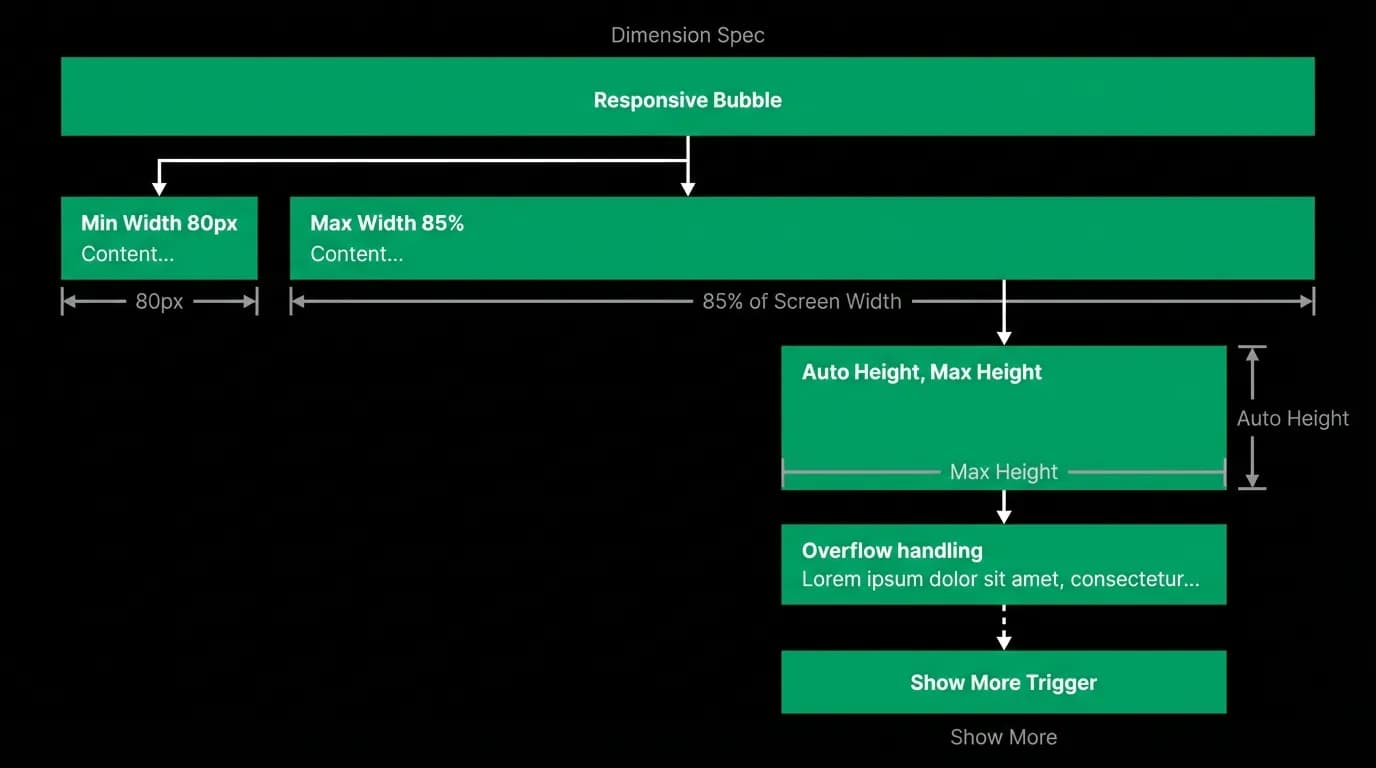
The chat bubble is the fundamental container, and it needs to flex in both dimensions. Minimum width prevents bubbles from collapsing to an awkwardly narrow shape for short messages. Maximum width prevents bubbles from stretching to an unreadable width on larger screens. Auto-height accommodates any amount of content without fixed cutoffs.
On mobile, the maximum bubble width is roughly 85% of the screen width. This leaves a visible margin on one side that visually distinguishes AI messages from user messages through alignment. On web, the constraint is tighter relative to the viewport because the chat column itself is already width-constrained.
Height is unconstrained up to a threshold. Short messages get small bubbles. Medium messages get medium bubbles. This is straightforward. The complexity arrives when messages exceed a readable length.
Graceful truncation with "show more"
When a message exceeds a configurable length threshold, the bubble truncates and shows a "Show more" button. This prevents extremely long AI responses from dominating the conversation and pushing earlier context off screen.
The truncation is content-aware. We do not cut off mid-sentence. The truncation point lands at a natural paragraph break, so the visible content reads as complete even though more exists below. The "Show more" button sits at the bottom of the bubble, clearly indicating that additional content is available.
When the user taps "Show more," the bubble expands smoothly to reveal the full content. The expansion is animated to maintain spatial orientation. The user can see the bubble growing and the content below shifting, which prevents the disorienting snap that would happen with an instant expansion.
Importantly, "Show more" does not navigate away from the conversation. The bubble expands in place. The user reads the additional content and then continues scrolling through the conversation normally. The truncation is a speed bump, not a detour.
Mixed content sizing
The trickiest layout challenge is messages that combine text and interactive elements. An AI response might include a paragraph of explanation followed by three flight cards in a horizontal carousel followed by a suggestion to ask for more options.
Each content type has its own height requirements. Text heights depend on word count. Card carousels have a fixed card height but variable width. Suggestion chips have a fixed height. The bubble must accommodate all of these stacked vertically with appropriate spacing between content types.
We use a consistent spacing system between content blocks within a bubble. Text to cards gets more space than text to text. Cards to suggestion chips get more space than cards to text. The spacing communicates content boundaries: "here is the explanation, here are the options, here is what you can do next."
Performance for long conversations
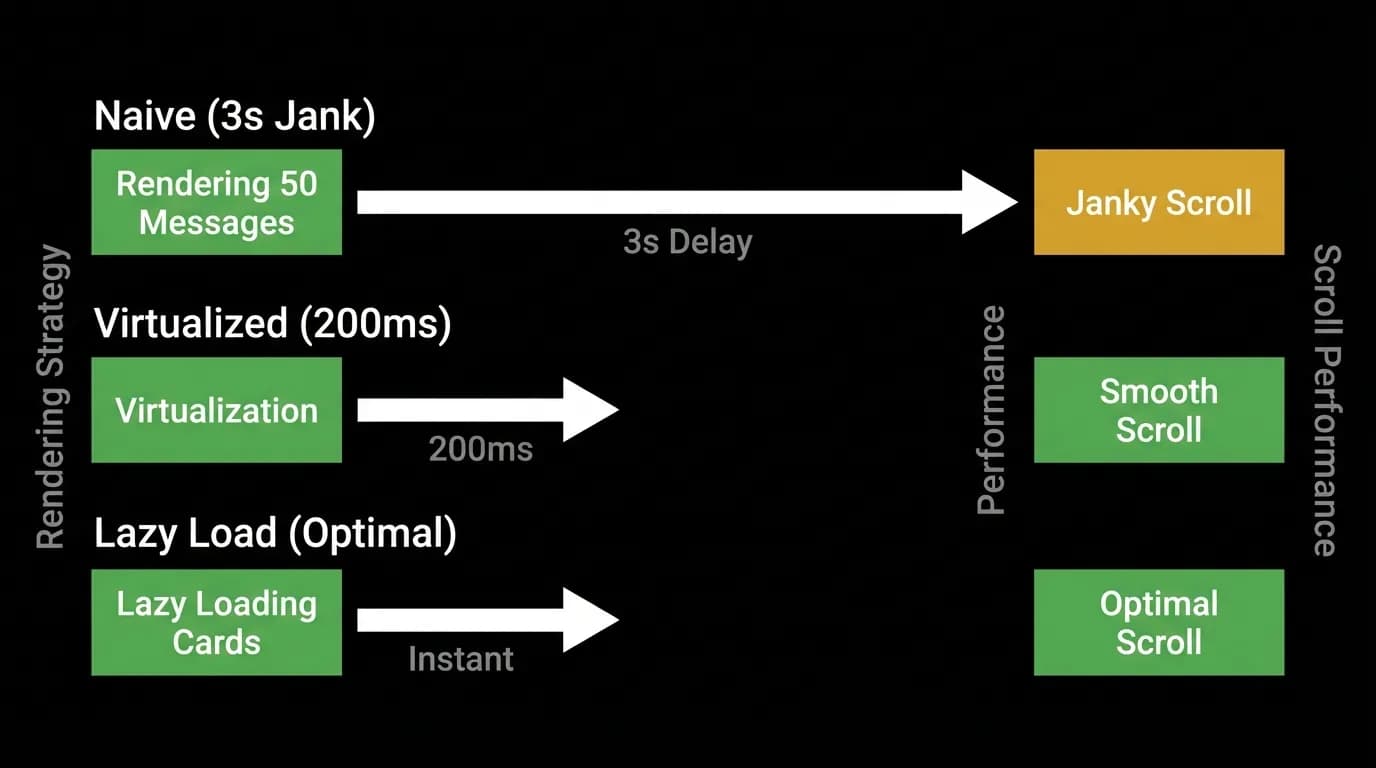
Conversations can grow long. A user planning a complex trip might exchange dozens of messages over multiple sessions. Each message might contain cards, carousels, and interactive elements. Rendering all of this naively creates scroll performance problems that make the conversation feel sluggish.
We use virtualization for the message list. Only the messages visible in the viewport (plus a small buffer above and below) are fully rendered in the layout. Messages that have scrolled off screen are replaced with measured placeholders that maintain correct scroll position without the rendering cost.
For messages with cards and carousels, we use lazy rendering. The card components mount when the message scrolls into view and unmount when it scrolls out. This keeps memory usage bounded even for conversations with hundreds of messages containing complex interactive elements.
The target is smooth scrolling regardless of conversation length. A ten-message conversation and a two-hundred-message conversation should feel identical in scroll performance. The user should never notice the optimization. They should only notice the absence of jank.
Building a flexible bubble component
If you are designing a chat interface for an AI product, your bubble component needs these properties: minimum width, maximum width as a percentage of container, auto-height, a configurable truncation threshold, animated expansion, content-block spacing rules, and virtualization-friendly rendering.
Test with extremes. Send a one-word message and verify the bubble does not collapse. Send a thousand-word message and verify the truncation works. Send a message with five cards and verify the carousel scrolls within the bubble. Send thirty messages in rapid succession and verify the scroll stays smooth.
The variable output is not a bug in the AI. It is the nature of language. Your interface needs to be as flexible as the content it displays.
Nowah is an AI travel agent that searches and books real flights and hotels through conversation — no filters, no thirty open tabs. Plan your next trip.