Mobile-First AI — Challenges and Solutions
Variable networks, small screens, battery drain, push notifications. Building AI agent experiences for mobile requires solving problems desktop never has.
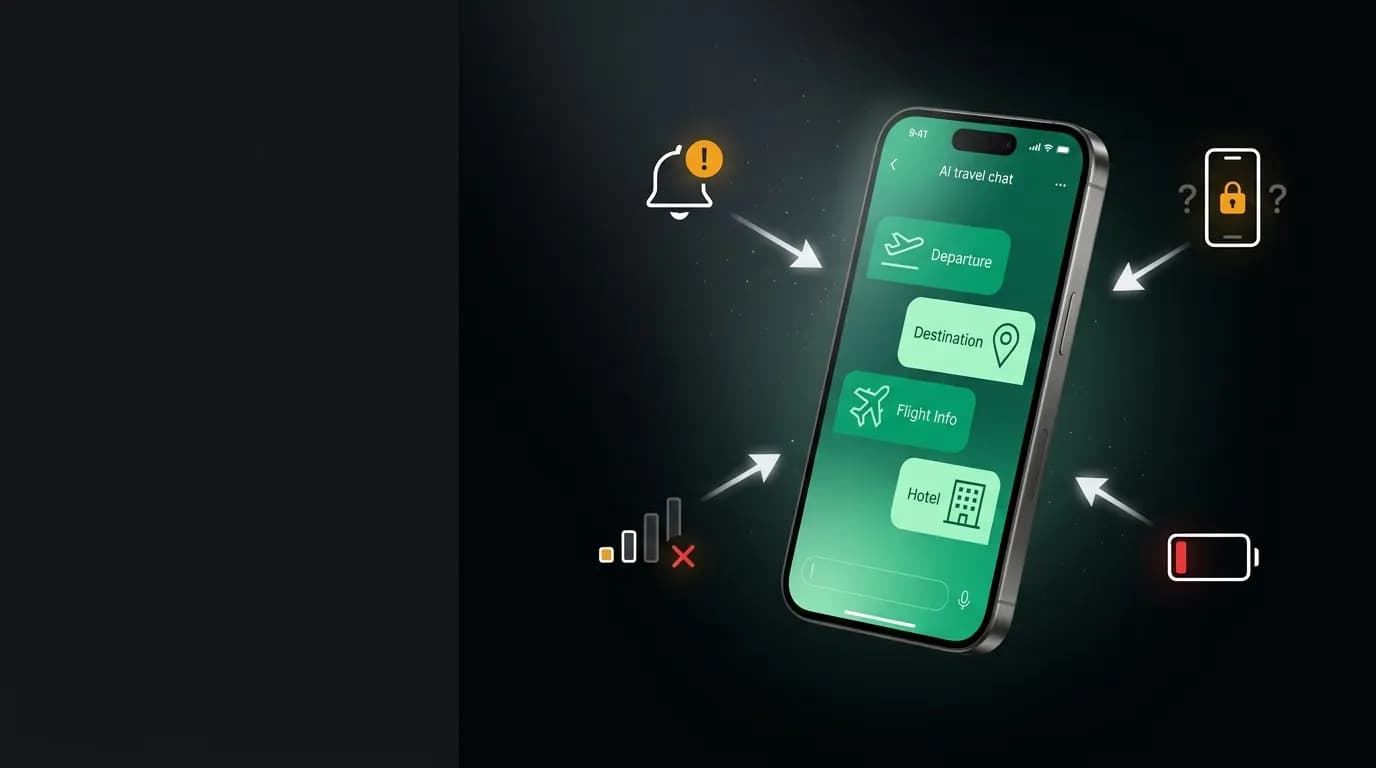
Over 60% of travel bookings happen on mobile. This is not a secondary platform. It is the primary one. And building an AI travel agent for mobile is significantly harder than building one for desktop.
The challenges are not about screen size, though that matters too. They are about the fundamental constraints of mobile devices: unreliable networks, limited battery, background processing restrictions, and the expectation of native-app responsiveness on hardware that varies enormously in capability.
We built our AI travel agent mobile-first. Here is what that means in practice and what problems we had to solve.
Network resilience
Mobile networks are unreliable in ways that desktop engineers rarely experience. You walk into a subway tunnel. You cross between cell towers. You move from Wi-Fi to cellular. You enter an elevator. Each of these events can drop or degrade the network connection, sometimes for seconds, sometimes for minutes.
An AI agent streaming responses over server streaming is particularly sensitive to network interruptions. A dropped connection mid-stream means a partial response that the user cannot act on.
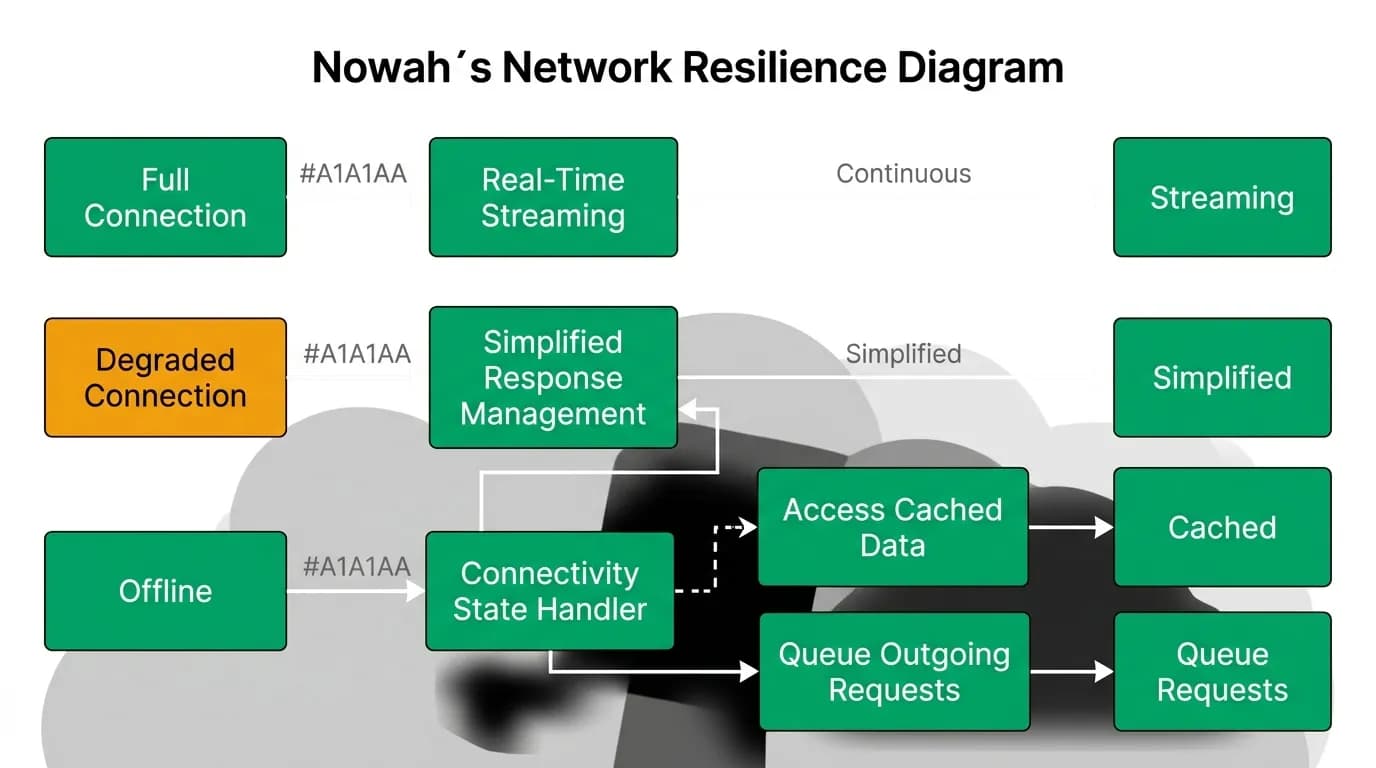
Our network resilience architecture has three modes:
Full connection. server streaming streaming works normally. The agent responds in real time with progressive text and inline cards. This is the primary experience.
Degraded connection. The client detects high latency or packet loss. It switches to a simplified mode: fewer streaming events, larger chunks, and prefers cached data over live searches. The experience is slightly less smooth but fully functional.
Offline. No network at all. The app shows cached trip data, saved itineraries, and downloaded documents. The user can review their existing bookings and access saved information. Outgoing requests (new messages, new searches) are queued and processed when connectivity returns.
The transition between modes is automatic and invisible to the user. They do not see a "you are offline" banner. They see the app working, with graceful adjustments to what is available.
Mobile networks add 100-2000ms of variable latency. Our server streaming reconnection logic is tuned for this: it waits longer before declaring a connection lost (to tolerate latency spikes) and reconnects aggressively when a real drop is detected.
Battery considerations
Real-time streaming drains battery. Maintaining an open server streaming connection keeps the radio active. Background monitoring (price checks, flight status) requires periodic wake-ups. Push notification processing has a battery cost.
We implement battery-aware behavior at several levels:
Active conversation. During an active chat, battery consumption is accepted as a cost of the experience. The streaming connection stays open, and the UI updates in real time. But we close the connection within seconds of the user leaving the chat screen.
Background monitoring. Price monitoring and flight status checks are batched and scheduled using the OS's efficient background task APIs. Instead of checking each saved route individually at different times, we batch all checks into a single network request window. This reduces the number of radio wake-ups.
Adaptive polling. When the device is low on battery, we reduce the frequency of background checks. A flight departing tomorrow still gets hourly checks. A trip three months away gets checked once per day instead of twice.
The goal is invisible battery management. The user never needs to think about whether the AI agent is draining their phone. The app should consume less battery than a typical social media app that refreshes feeds and plays video.
Small screen design
A 6-inch screen cannot display the same information density as a desktop monitor. AI responses that work beautifully in a desktop chat window become overwhelming on mobile.
Our mobile-specific design constraints:
Response length. Maximum 150 words for a standard response. Flight presentations are a brief summary plus three compact cards. No response should require more than two thumb-scrolls to read.
Card design. Flight cards show airline logo, departure/arrival times, duration, stops, and price in a compact format that fits within the chat bubble width. No horizontal scrolling. No tiny text.
One-thumb operation. All primary actions (send message, tap a suggested prompt, confirm booking) are reachable with one thumb. The booking confirmation button is large and positioned in the lower third of the screen where the thumb naturally rests.
Voice input prominence. The voice input button is always visible and always accessible. On mobile, speaking is faster and easier than typing, especially for complex travel requests. We make it as easy to tap the microphone as to tap the keyboard.
Push notifications as agent channel
On desktop, the AI agent only communicates when the user has the app open. On mobile, push notifications give the agent a communication channel that works even when the app is closed.
This transforms the agent from a reactive tool into a proactive advisor. The agent can:
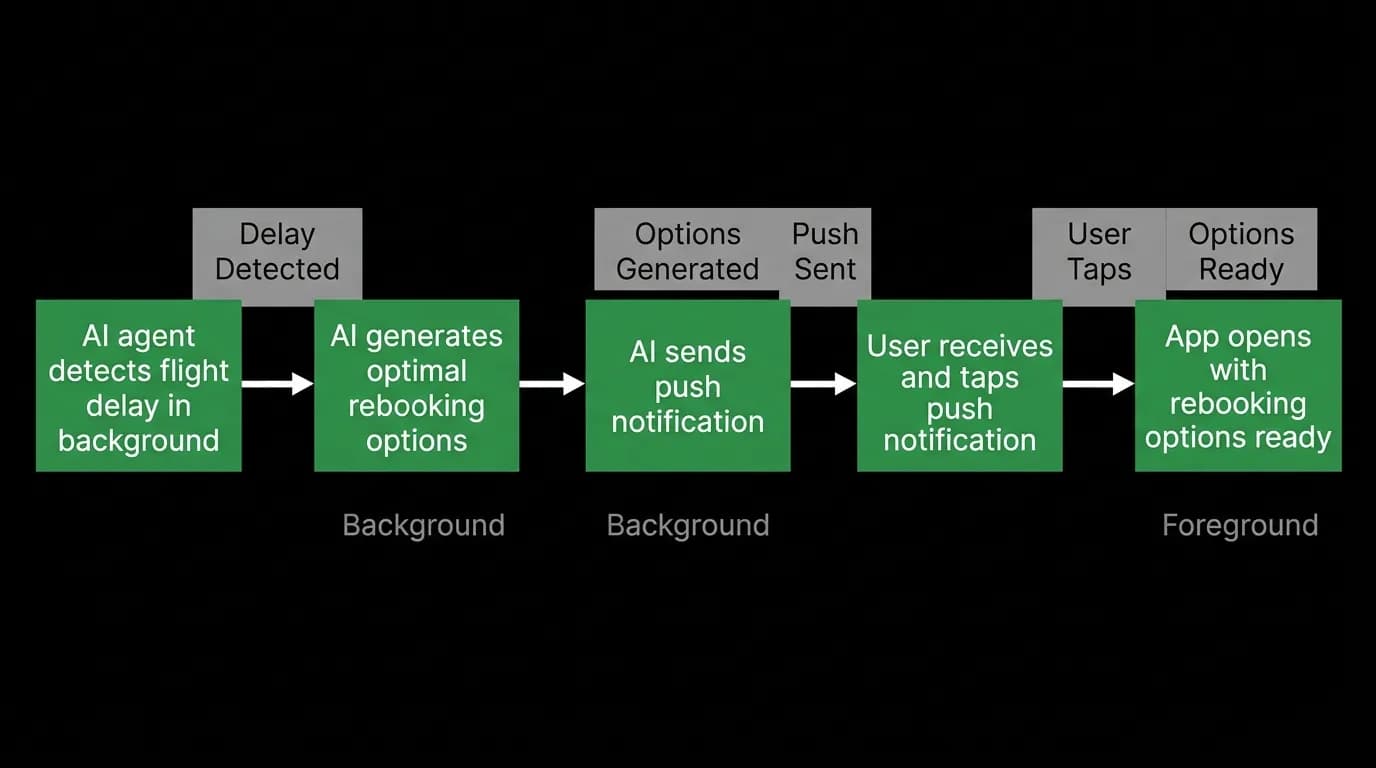
Alert on delays. "Your flight to London is delayed 2 hours. I have checked your hotel reservation and notified them of late arrival."
Alert on price drops. "Flights to Tokyo in April dropped 18% since your last search. Want me to show the updated options?"
Remind about actions. "Check-in for your flight tomorrow opens in 1 hour. I can check you in automatically if you would like."
Follow up on planning. "You were looking at Paris trips last week. I found a direct flight deal that fits your budget." Each notification is actionable. Tapping it opens the app directly to the relevant context. The delay alert opens a conversation about rebooking options. The price drop opens the updated search results. The check-in reminder offers one-tap check-in.
Push notifications require careful calibration. Too many and users disable them. Too few and they miss important alerts. We default to high-priority notifications only (delays, booking changes, time-sensitive deals) and let users configure their preferences for lower-priority categories.
Offline capabilities
A travel app that does not work on an airplane is failing at the most basic level. Travelers are frequently offline: in planes, in tunnels, in foreign countries without data coverage, in remote areas.
Our offline capability covers:
Trip data. All active trip details are cached locally. Flights, hotels, confirmation numbers, addresses, and itinerary details are available without a network connection.
Documents. Boarding passes, hotel confirmations, and passport data are stored on-device. The user can access their boarding pass in airplane mode.
Saved searches. The last search results for each saved route are cached. The user can review options even if they cannot refresh them.
Queued messages. If the user sends a message while offline, it is queued and delivered when connectivity returns. The agent processes it and the response is delivered via push notification if the app is not in the foreground.
Offline mode is not a degraded state. It is a designed state that provides real value during one of the most common travel contexts: being in transit without reliable internet.
Mobile-first AI is harder than desktop AI. The constraints are real and they affect every architectural decision. But the payoff is reaching users where they actually are: on their phones, on the go, in airports and train stations and hotel lobbies, planning and managing the travel that defines their lives. Getting mobile right is not an optimization. It is the product.
Nowah is an AI travel agent that searches and books real flights and hotels through conversation — no filters, no thirty open tabs. Plan your next trip.