Notification Strategy for AI Travel: Helpful vs. Annoying
Booking confirmations are urgent. Price alerts can wait for browsing hours. AI-driven relevance plus timing intelligence equals notifications users keep on.
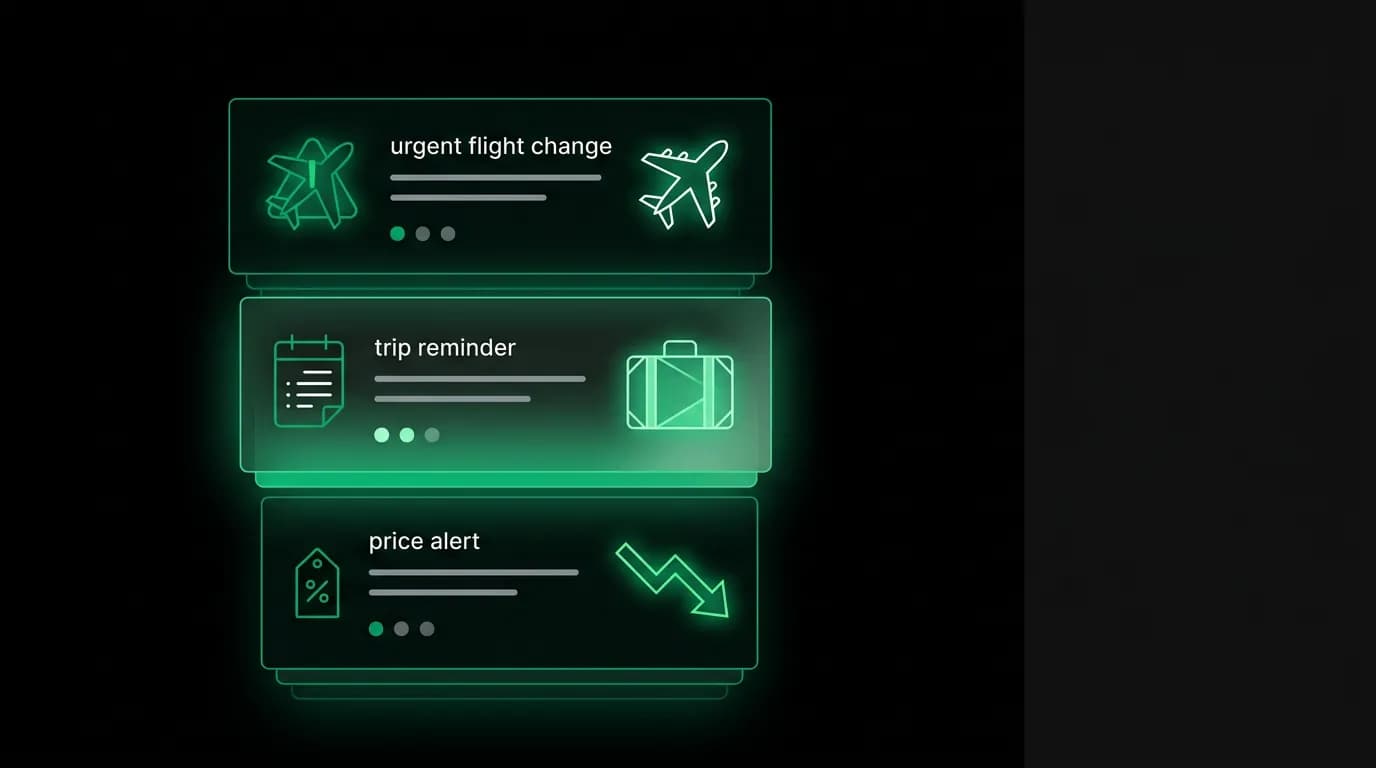
There is a moment, about three weeks after installing a new app, when you look at a notification from it and think: "I need to turn these off." Every product team dreads this moment because once a user disables notifications, re-engagement drops by 50% or more. You lose your most direct channel to the user.
Travel apps are especially prone to this because they have a strong incentive to notify often (re-engage dormant users between trips) but limited relevant content to notify about (you only fly so much). The result is a steady stream of "Deals to Cancun! 40% off!" messages that feel increasingly irrelevant and eventually get silenced.
We think about notifications differently at Nowah. Every push notification is an AI touchpoint, an opportunity for the agent to demonstrate relevance. And the only way to keep that channel open is to make every notification worth the interruption.
The notification hierarchy
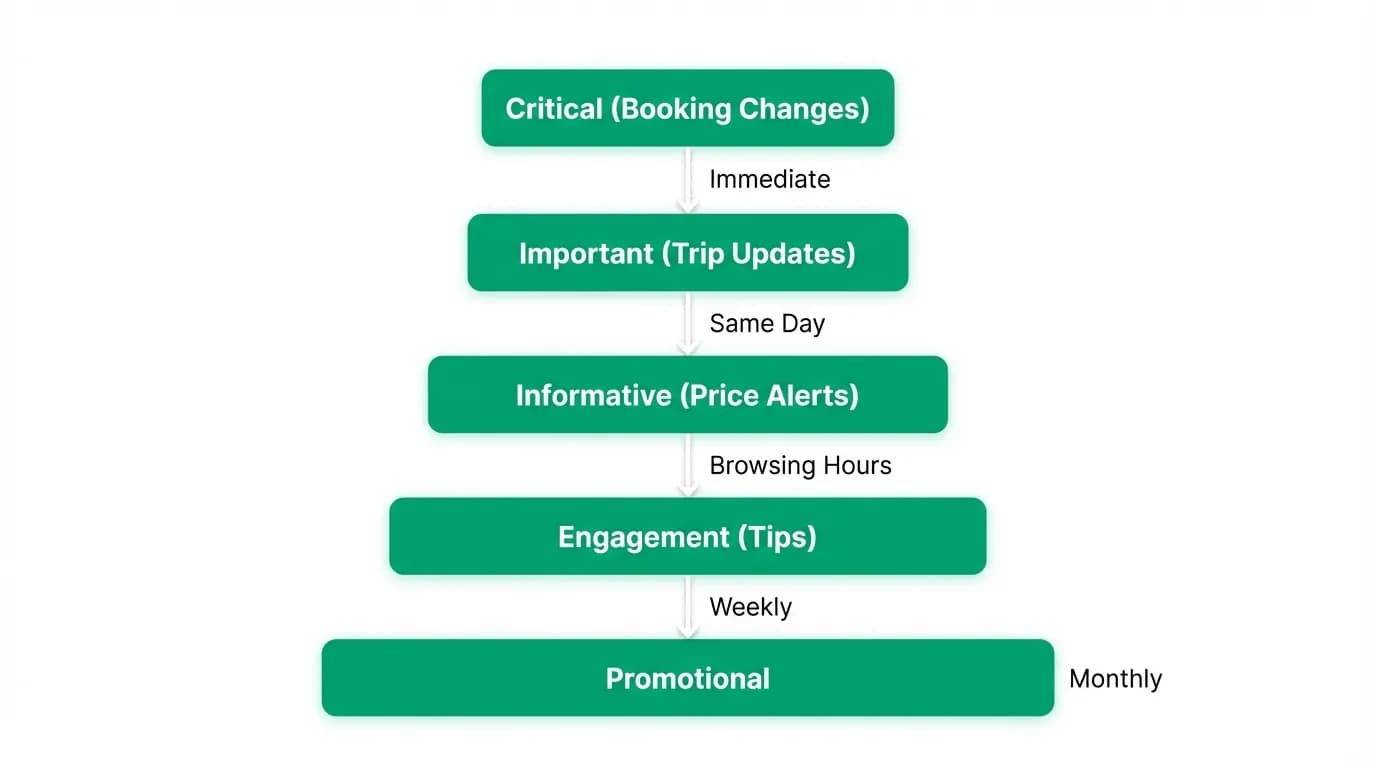
Not all notifications are created equal. We rank them by urgency and act accordingly.
Tier 1: Immediate, always send. These are time-sensitive notifications about active trips. Your flight is delayed. Your gate changed. Your hotel check-in is ready. Your connection time just got tight because of a delay. These notifications have genuine urgency. The user needs this information right now, regardless of time of day. We send these immediately, even at 3am, because missing a gate change at 3am is worse than being woken up.
Tier 2: Same day, send during active hours. Trip reminders and preparation notifications. "Your flight to Paris is tomorrow. Here's your boarding pass and a weather update: expect rain, pack a jacket." "Hotel check-out is at 11am. Want me to arrange a late checkout?" These are important but not urgent. We send them during the user's active hours (derived from their app usage patterns).
Tier 3: Browsing hours only. Price alerts, deal notifications, and travel inspiration. "Flights to the Azores dropped 35% for your preferred dates." "That hotel in Lisbon you looked at last month has availability next weekend." These are valuable when the user is in a browsing mindset but annoying when they are in a meeting or sleeping. We only send these during times when the user typically opens the app.
Tier 4: Weekly digest. Lower-priority information that does not warrant a push notification. Market trends, new destination guides, feature updates. These go into a weekly summary that the user can read at their convenience.
Tier 5: Never push, show in-app only. Marketing messages, promotional content, partner offers. These live inside the app for users who come looking for them. We never push promotional content because it is the fastest way to get notifications disabled.
The hierarchy is not just about urgency. It is about the user's emotional state. A Tier 1 notification arrives during a stressful travel moment (delay, cancellation). The user is anxious and needs actionable information. A Tier 3 notification arrives during a leisure moment. The user is relaxed and open to inspiration. Sending the wrong tier at the wrong emotional moment is how you get muted.
Timing intelligence
The right notification at the wrong time is still wrong.
We learn each user's notification timing preferences through behavior. When do they open the app? When do they typically interact with notifications? When are they in "do not disturb" patterns?
A business traveler who opens the app at 7am and 9pm gets deal notifications in the evening. A casual planner who browses during lunch gets them around noon. A night owl who checks prices at midnight gets them late evening.
This is not complex AI. It is basic behavioral analysis that most apps could do but few bother with. The default in the industry is "send at the time that maximizes open rates across all users," which is usually mid-morning. But a notification sent to 100,000 users at 10am has a 3% engagement rate. The same notification sent to each user during their personal optimal window has a 8-12% engagement rate. Timing alone doubles engagement.
For trip-related notifications, timing is even more specific. A "pack your bags" notification should arrive the evening before departure, not the morning of (when you are already packing or at the airport). A restaurant recommendation should arrive around 4-5pm, when dinner planning starts. A check-out reminder should arrive an hour before check-out, not at the start of the day.
We build timing intelligence into every notification type. The content determines the ideal relative timing (24 hours before departure, 1 hour before checkout). The user's behavioral pattern determines the absolute timing within that window.
AI-driven relevance
Here is where the AI agent transforms notifications from a broadcast channel into a personal channel.
Traditional travel app notifications are segment-based. "Users who searched for flights to Europe in the last 30 days" get a "Deals to Europe" notification. This is a crude approximation of relevance. It treats all European destinations the same. It ignores individual preferences. It does not account for whether the user already booked a trip or abandoned their search because they found a better option elsewhere.
Our notifications are individual. The AI agent knows what each user cares about. It knows which routes they have searched, which prices they considered, which destinations they mentioned in conversation, and what their budget range is. A deal notification only fires when the specific thing this specific user was looking for is now cheaper.
"The flight from JFK to Lisbon that you priced two weeks ago at $680 is now $520. Want me to grab it?" That is a notification worth receiving. It references a specific prior interaction, provides a specific price comparison, and offers a specific action. It is relevant to exactly one person.
Compare that to: "Flights to Europe from $499! Book now!" That is relevant to no one in particular and therefore to no one in particular.
The AI also knows when not to notify. If a user already booked a trip to London next month, sending them a "Deals to London" notification is at best irrelevant and at worst concerning ("Should I have waited for a better price?"). The agent filters out notifications that conflict with existing bookings or recent actions.
This level of personalization is only possible because the notification system is connected to the same AI agent that handles booking conversations. The agent has full context. It does not treat notifications as a separate channel. It treats them as another way to be helpful.
Quiet hours and user control
We give users explicit control over notifications because trust is built through respect, not just relevance.
The settings include:
Quiet hours. A time window where non-emergency notifications are held. The default is 10pm to 7am, but users can adjust. During quiet hours, only Tier 1 notifications (flight delays, gate changes) come through. Everything else waits.
Category toggles. Users can disable specific notification types. Do not care about price alerts? Turn them off. Only want trip-related notifications? Toggle off everything else. We would rather users disable specific categories than disable all notifications entirely.
Frequency caps. No more than one Tier 3 notification per day. No more than three Tier 2 notifications per day. This prevents the "wall of notifications" that drives users to mute apps. Even if there are five relevant deal alerts on a given day, we pick the best one and hold the rest.
Delivery preferences. Some users prefer push notifications. Others prefer email. Some want both for important things and email-only for everything else. We let users configure this per category.
The philosophy is: make it easy to keep notifications on by never abusing them. Most users never touch notification settings because our defaults are conservative enough that nothing feels annoying. The users who do adjust settings are usually enabling more notifications, not fewer, because they have learned that our notifications are consistently useful.
Push as AI touchpoint
Every notification is a micro-interaction with the AI agent. We treat it that way.
A traditional flight delay notification: "Your flight AA1234 is delayed 45 minutes. New departure: 3:45 PM."
An AI agent notification: "Your flight to Chicago is delayed 45 minutes. New departure 3:45 PM. Your connection at O'Hare is still fine — you will have 90 minutes instead of 2 hours. I will keep monitoring and let you know if anything changes."
The difference is context and proactive intelligence. The agent does not just relay the delay. It evaluates the impact (connection still works), provides reassurance (you will make it), and promises continued monitoring (I am watching this for you).
Another example. A traditional check-in notification: "Check in for your flight is now open."
An AI agent notification: "Check in is open for your London flight. I remember you prefer aisle seats. Row 24C is available, which is an aisle with extra legroom. Want me to select it?"
The agent turns a routine notification into a personalized action. It knows your seat preference. It has checked availability. It offers to handle the task for you. The notification goes from information (check in is open) to service (I can handle this for you).
These micro-interactions build the relationship between user and agent. Each helpful notification reinforces the idea that the AI is working for you in the background, not just when you open the chat. Over time, users come to expect and rely on this proactive intelligence, which deepens engagement and raises switching costs.
What Hopper gets right about notifications
Credit where due: Hopper has the best notification strategy in travel.
Hopper's core notifications are price predictions: "Prices for your JFK to BCN trip have dropped $130. Buy now — we predict prices will rise in the next 48 hours." These work because they are specific (your trip, your route, your dates), actionable (buy now), and urgent (prices will rise). The user feels like Hopper is their personal deal spotter.
Hopper built its entire brand around this notification pattern. Users describe Hopper as "the app that tells me when to buy." That is a remarkable product identity to achieve through notifications alone.
What Hopper does not have is the full agent context. Hopper knows your searched routes and price alerts. It does not know your broader travel preferences, your upcoming trip details, or your conversation history. Its notifications are price-focused, which is valuable but narrow.
We are building on Hopper's insight (specific, actionable, timely notifications) and extending it with the full agent context. Not just "prices dropped" but "prices dropped for the direct flight you preferred, and I checked — there are still aisle seats available." Not just "deals to Barcelona" but "Barcelona in April works with your schedule, the weather is ideal, and I found a hotel in the Gothic Quarter neighborhood you loved last time."
The broader context makes notifications feel less like deal alerts and more like advice from someone who knows you. That is the AI agent advantage in notifications.
The opt-in philosophy
We earn the right to notify through consistent relevance.
This sounds like a platitude but it drives concrete product decisions. We would rather send zero notifications for two weeks than send one irrelevant notification. Because the first irrelevant notification opens the door to muting. And once muted, the channel is dead.
New users receive very few notifications in their first month. Only Tier 1 (trip-critical) and Tier 2 (trip reminders) if they have active bookings. We do not send any Tier 3 (deals, inspiration) until the user has been active for at least two weeks and has shown browsing behavior that gives us enough context to personalize.
This means new users might think we do not send many notifications. Good. When they eventually get their first deal notification and it is perfectly relevant to something they were actually considering, the impact is much higher than if they had been receiving generic deal blasts since day one.
The opt-in philosophy extends to new notification types. When we launch a new notification category, we do not enable it by default. We announce it in-app and let users opt in. This feels like leaving engagement on the table, and in the short term it is. But in the long term, users who opt in have 3x higher engagement with that notification type than users who were auto-enrolled and never bothered to opt out.
Notifications are a privilege, not a right. Every push notification is the user granting you access to their lock screen, their attention, their flow. Treat it accordingly, and you keep the channel open. Abuse it, and you lose it forever. We choose to treat it accordingly.
Nowah is an AI travel agent that searches and books real flights and hotels through conversation — no filters, no thirty open tabs. Plan your next trip.