AI-First Design Is Not UX Design with a Chatbot
Bolting a chatbot onto existing UX patterns produces friction. AI-first design starts from conversation and builds components for unpredictable, dynamic outputs.
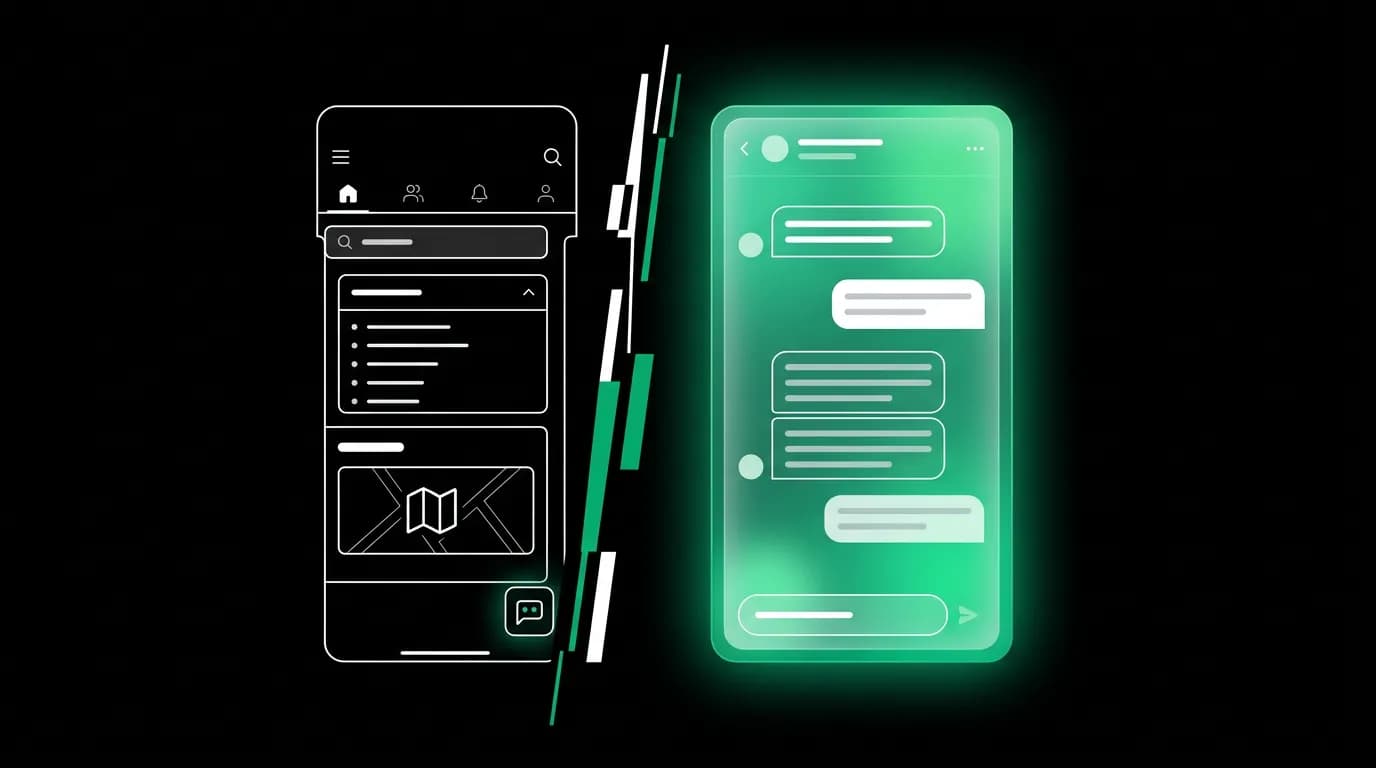
Every legacy travel company responded to the AI wave the same way. They took their existing product — the search form, the results grid, the multi-page booking funnel — and bolted a chatbot onto the side of it. A small widget in the corner. A chat icon that opens a drawer. A "Ask our AI assistant" button that floats above the real interface.
This is not AI-first design. This is UX design with a chatbot stapled to it. The distinction matters, and it explains why most AI features in travel apps feel like demos rather than products.
The chatbot trap
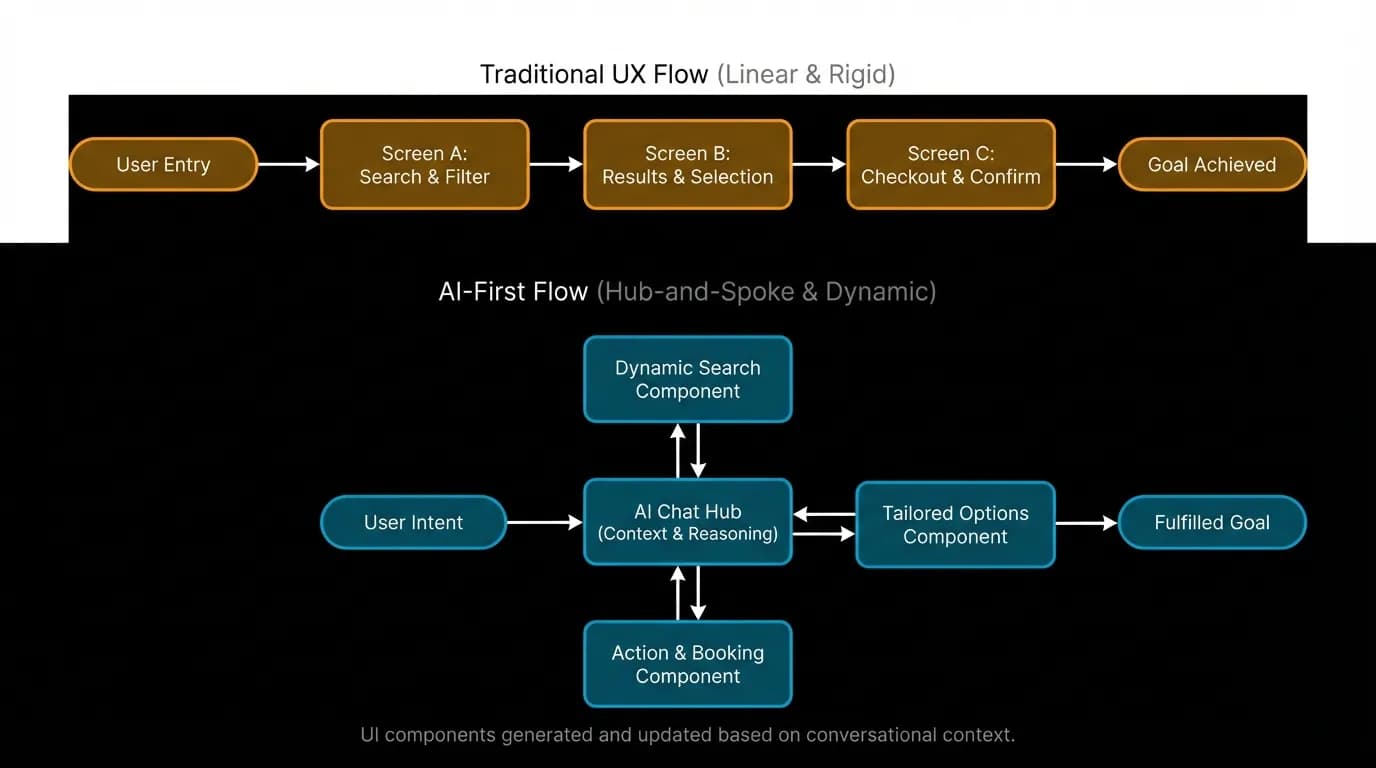
When a travel company adds a chatbot to their existing product, the chatbot inherits every constraint of the underlying system. It can answer questions about what the existing interface already shows. It can maybe trigger a search. But when you actually want to book, you get redirected to the same old flow — the form, the results page, the multi-step checkout.
The chatbot is a layer, not a product. It sits on top of the real interface like a customer service widget. Users learn quickly that the chatbot is a shortcut at best and a dead end at worst. They stop using it after one or two attempts and go back to the familiar pattern of searching and scrolling.
This is not a failure of the chatbot technology. It is a failure of architecture. You cannot build a conversational product on top of a form-based product and expect the conversation to work. The data flows are wrong, the state management is wrong, the interface transitions are wrong.
Traditional UX designs paths; AI-first UX designs for the pathless
Traditional UX is fundamentally about paths. The designer creates a flow: screen A leads to screen B leads to screen C. Users follow the path, making choices at defined decision points. The designer controls the sequence, the information revealed at each step, and the available actions at each moment.
AI-first design cannot work this way because the AI generates the layout. The user can say anything at any time. They might ask for flights, then switch to hotels, then ask about visa requirements, then go back to flights with different dates. The conversation is non-linear. The interface must accommodate whatever the AI produces in whatever order the user requests it.
This does not mean there is no design. It means the unit of design is the component, not the screen. You design flight cards, hotel cards, message bubbles, status indicators, action buttons, review modals, and confirmation screens as independent, self-contained units. Each component has its own layout rules, its own content ranges, its own error states. The AI assembles these components dynamically based on the conversation.
Think of it as the difference between designing a PowerPoint presentation and designing a deck of cards. The presentation has a fixed sequence — slide 1, slide 2, slide 3. The deck of cards can be dealt in any order, and the game still makes sense because each card is a complete, self-contained unit.
Dynamic layouts for any AI output
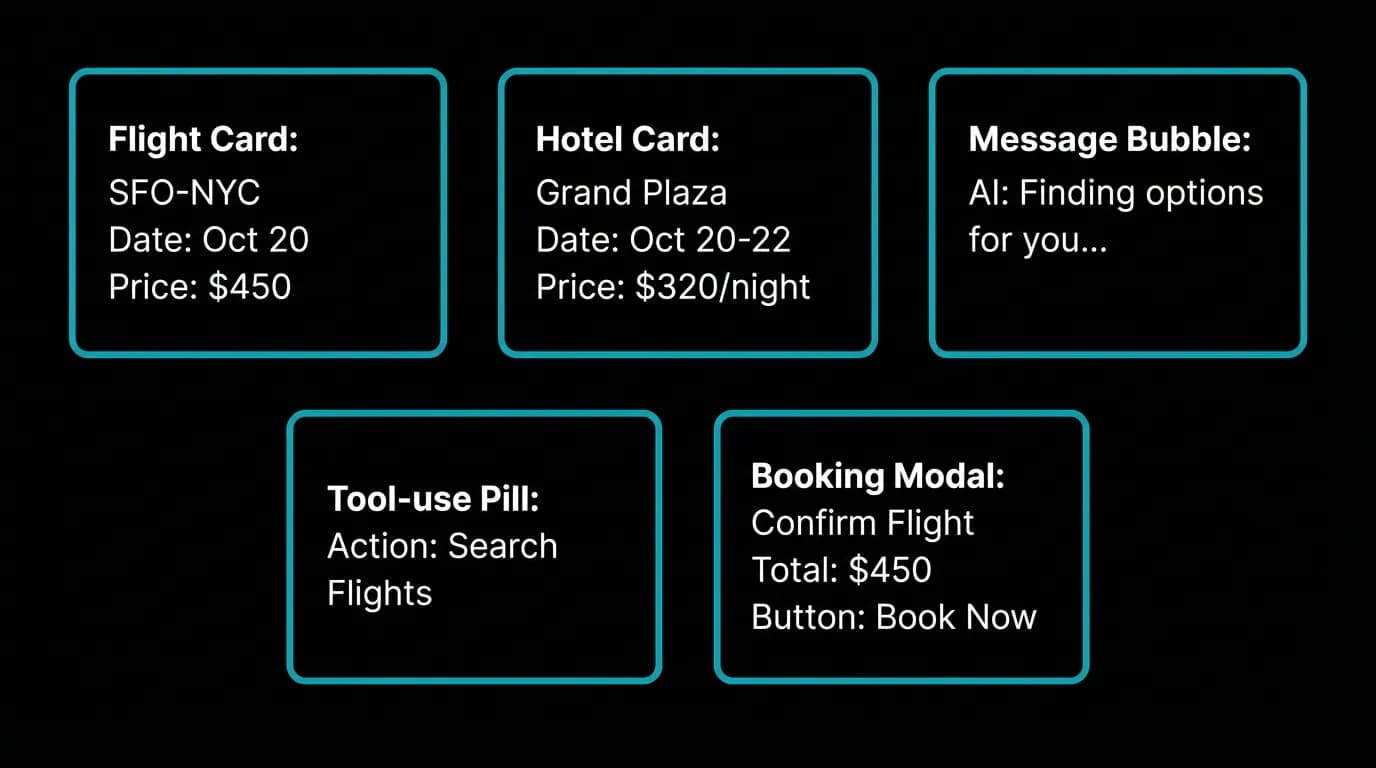
A single AI agent in a travel app has access to dozens of tools — flight search, hotel search, weather lookup, visa requirements, currency conversion, itinerary generation, and more. Each tool produces different output. Flight search returns cards with times and prices. Weather returns forecasts with temperatures and conditions. Visa requirements return text with document lists.
The chat interface must render all of these gracefully without knowing in advance which ones will appear or in what combination. A single conversation might include a text response, then flight cards, then a weather summary, then hotel cards, then a booking confirmation. The layout is generated by the content, not designed in advance on a whiteboard.
This requires a component architecture where each component is independently sized and positioned. Text messages expand vertically to fit their content. Card carousels scroll horizontally within a fixed vertical space. Status pills appear inline during streaming. Modals overlay the chat. Each component docks to the chat's vertical flow and manages its own internal layout.
The designer's job shifts from "design this screen" to "design this component to work in any context." A flight card must look good whether it appears after a long text response, after another set of cards, or as the first thing in a conversation. Context-independence is the first principle of AI-first component design.
Conversation as navigation
In Nowah, a user can book a complete trip — flights, hotels, itinerary — without ever leaving the chat screen. The other tabs (Tools, Trips, Passport, Profile) exist for structured review and management, but they are not required for the primary interaction.
This is a fundamental difference from chatbot-on-the-side design, where the chat is a feature alongside other features. In AI-first design, the chat IS the product. Navigation to other screens is an escape hatch, not a requirement.
The implication for design is that the chat screen must be capable of hosting every interaction type the product supports. Browsing, searching, comparing, selecting, reviewing, paying, and confirming all happen within the conversation. The chat screen is not a view — it is a viewport into the entire product.
This does not mean the screen is cluttered. At any given moment, the user sees the current message exchange and whatever interactive elements (cards, modals, forms) are relevant to the current stage of the conversation. Previous messages scroll up and out of view. The visual focus stays on the present moment of the conversation.
Error recovery as dialogue
In a traditional interface, errors are red banners. "Something went wrong. Please try again." The user stares at the banner, tries again, gets the same error, and abandons. Sixty percent or more of users abandon after a generic error message.
In an AI-first interface, errors are dialogue. The AI explains what happened, why it happened, and what it can do instead. "I could not find nonstop flights on those dates, but there are great options with a short connection. Want me to show those?" or "The hotel you selected is no longer available at that rate. I found two alternatives at a similar price."
This works because the AI has context. It knows what the user was trying to do, what constraints they have, and what alternatives exist. A red banner knows none of this. It is a dead end. A conversational error recovery is a detour that keeps moving toward the destination.
The error handling is not a separate system. It is part of the AI's response logic. When a tool call fails, the AI classifies the severity, determines whether to retry, suggest an alternative, or ask the user for different criteria, and responds in natural language. The user may not even realize an error occurred — they just see the AI adapting to the situation.
Audit your product: chatbot bolt-on or AI-first?
If you are building an AI product — in travel or any other domain — ask yourself these questions:
Does the AI generate the interface, or does it sit alongside a pre-designed interface? If the AI is a widget on a traditional screen, you have a chatbot bolt-on. If the conversation IS the screen, you are building AI-first.
Can a user complete the primary task without leaving the conversation? If they have to navigate to a different screen to finish what the AI started, the conversation is a dead end, not a product.
Does the AI handle errors conversationally or does the interface fall back to generic error states? If errors produce red banners instead of AI explanations, the AI is cosmetic, not structural.
Can the interface accommodate any response the AI might produce? If certain AI outputs break the layout or require special handling, the component architecture is not flexible enough for genuine AI-first design.
AI-first design is harder than adding a chatbot. It requires rethinking navigation, state management, component architecture, and error handling from the ground up. But it produces products that feel fundamentally different — products where the AI is not a feature you can toggle off but the entire reason the product exists.
The chatbot is a feature. The conversation is the product. Design accordingly.
Nowah is an AI travel agent that searches and books real flights and hotels through conversation — no filters, no thirty open tabs. Plan your next trip.