Designing for AI Memory: When Your App Remembers Everything
Visible personalization feels like service; silent personalization feels like surveillance. Design AI memory so users see what is remembered and control what is kept.
The first time the AI references something you told it weeks ago, you feel one of two things. Impressed — "It remembered that I prefer aisle seats" — or unsettled — "How does it know that about me?"
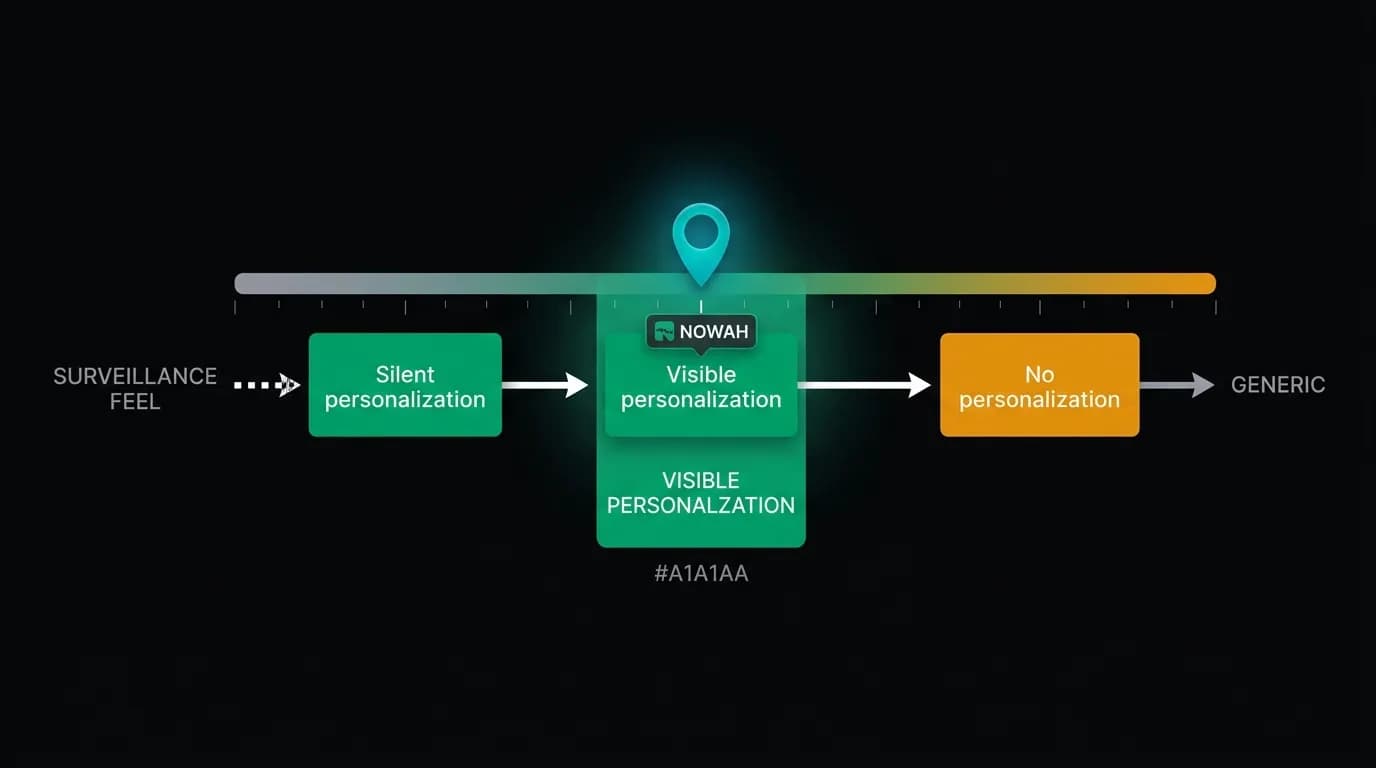
The difference between those reactions is not what the AI remembers. It is whether the AI tells you it is remembering. Visible personalization feels like service. Silent personalization feels like surveillance. The design of AI memory is fundamentally a design of transparency.
The uncanny moment
It happens during the second or third conversation. The user asks for flights to Tokyo. The AI responds: "Here are three flights. I filtered for aisle seats and morning departures since those are your preferences."
The user pauses. When did I tell it that? The answer is: during onboarding, or during a previous booking conversation, or both. The AI's memory system aggregates preferences across sessions — seat preferences, dietary needs, home airport, travel companions, budget ranges, airline preferences — and applies them automatically.
This is powerful and potentially creepy. The line between the two is drawn by a single design decision: does the AI say the quiet part loud?
Visible versus silent personalization
Silent personalization applies preferences without telling the user. The AI filters for aisle seats but does not mention that it did so. The user sees three results, all with aisle seats, and might not even notice the pattern. The personalization is invisible.
Visible personalization says what it is doing. "I filtered for aisle seats since that is your preference." One sentence. It transforms an invisible algorithmic decision into an explicit act of service. The user sees that their preference was remembered and applied, feels understood rather than surveilled, and — critically — can correct the preference if it has changed.
Users who see reasoning behind AI personalization are 2.3 times more likely to accept the first recommendation. This is not because visible personalization produces better results. It is because it produces trusted results. The user can evaluate whether the AI's logic matches their current needs, rather than blindly accepting or blindly rejecting an opaque recommendation.
We make all personalization visible. Every time the AI applies a stored preference, it says so. Not in every message — that would be noisy. But whenever a preference materially affects the results, the AI attributes the influence. "Morning departures since you prefer those." "Mid-range hotels since that matches your travel style." "Skipping the connection through Miami since you mentioned you dislike that airport."
Preference surfaces
Transparency is not just about AI responses. Users need a place to see everything the AI knows about them and to edit or delete any of it.
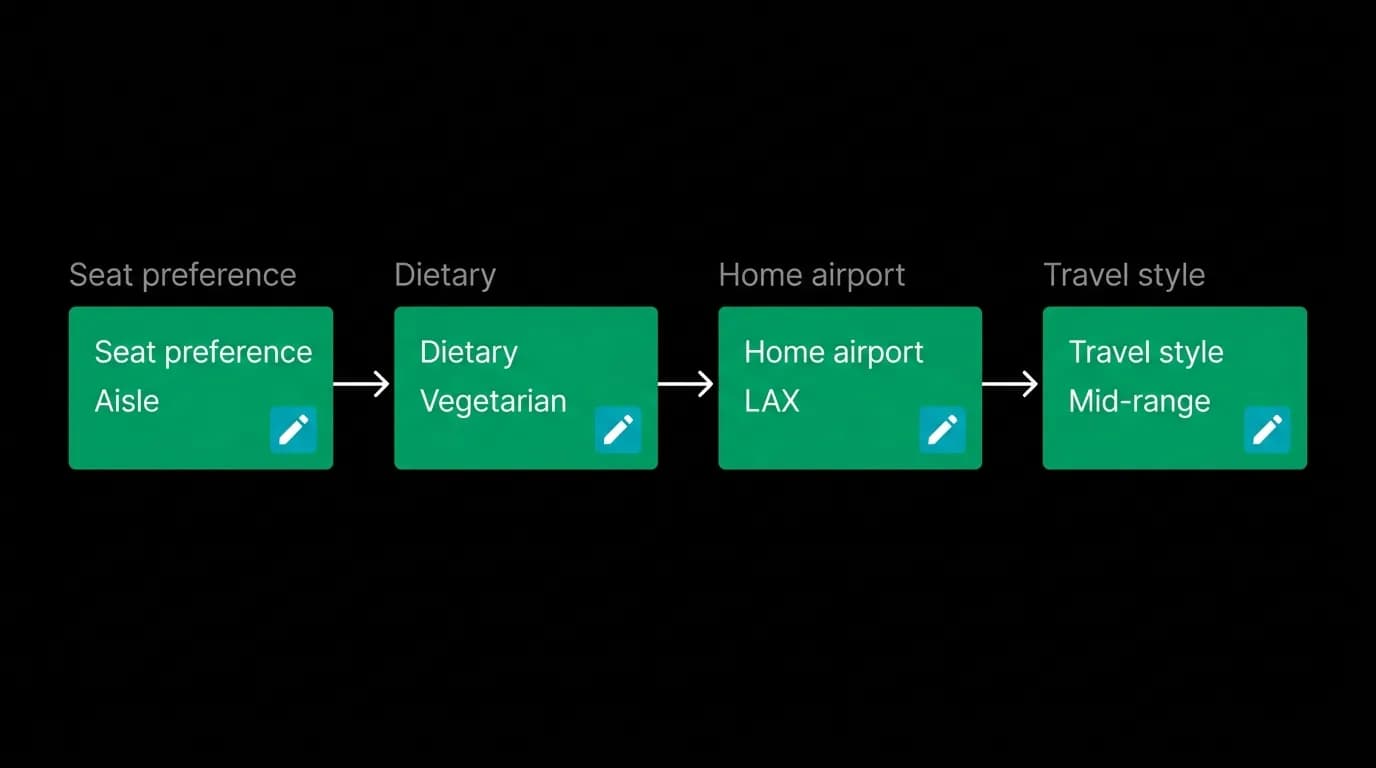
During onboarding, we collect five categories of preferences: travel style (budget, mid-range, luxury), seat preference (window, aisle, no preference), dietary needs, home airport, and typical travel companions (solo, couple, family, group). Each preference is collected through tap-to-select cards, not form fields. The interaction is quick and low-effort.
After onboarding, these preferences live in the profile section where users can see and edit them at any time. The preference management screen shows each category as an editable card. Tap the seat preference card, change from aisle to window, done. The AI will use the updated preference in the next conversation.
But the AI also learns implicit preferences over time. If a user consistently selects hotels with pools, the memory system notes that pattern. If a user always books premium economy on long-haul flights, that becomes part of their profile. These learned preferences are also surfaced in the preferences view, labeled as "Learned from your booking history" to distinguish them from explicitly set preferences.
Cross-session context
Memory across sessions is the feature that separates an AI assistant from a chatbot. A chatbot forgets everything when the conversation ends. An AI assistant with persistent memory can reference previous conversations, continuing threads that span days or weeks.
"Last week we were looking at flights to Barcelona. Want to pick up where we left off?" This is not a gimmick. It is how human travel agents work. They remember your trip, your budget, what you liked and did not like. They build a relationship over time. AI memory enables the same dynamic.
The agentic memory system stores facts, preferences, and contextual details across conversations. Not the raw text of every message, but the meaningful information extracted from those messages: the user prefers direct flights, they have a passport expiring in 8 months, their partner is vegetarian, they stayed at a specific hotel in Barcelona and rated it positively.
This memory accumulates passively — the AI learns from conversations without requiring the user to fill out forms. But it is not hidden. The user can always ask "What do you know about me?" and get a clear, editable summary.
The delete button as a trust feature
The most important button in the preference management screen is "Delete." Every stored preference, every learned pattern, every piece of cross-session context can be individually deleted. The user has complete control over what the AI retains.
This might seem counterproductive — why let users remove information that makes the product better? Because the option to delete is itself a trust signal. Research consistently shows that users who have visible control over their data share more of it. The delete button paradoxically increases the amount of data users are comfortable providing.
We also offer bulk actions: "Clear all learned preferences," "Reset to onboarding defaults," and "Delete all memory." These are progressive levels of data control, from fine-grained individual edits to complete fresh starts.
The principle is simple: if the AI remembers, the user controls. No hidden data, no opaque algorithms, no personalization that the user cannot see, understand, and modify.
Design a preference transparency dashboard
If you are building an AI product with memory, build the preference dashboard before you build the memory system. Not because users will visit it frequently — most will not — but because the existence of the dashboard shapes how you design memory everywhere else.
When you know that every stored preference will be visible in a dashboard, you store preferences more carefully. You label them clearly. You distinguish between explicit settings and learned patterns. You build edit and delete capabilities from day one rather than bolting them on later.
The dashboard is the proof that your AI product treats personalization as service, not extraction. Users who discover it feel reassured. Users who never visit it still benefit, because the dashboard's existence enforces design discipline throughout the memory system.
Memory is the feature that makes AI products get better over time. Transparency is the feature that makes users trust that improvement.
Nowah is an AI travel agent that searches and books real flights and hotels through conversation — no filters, no thirty open tabs. Plan your next trip.