Traveler Information Forms in a Chat-First Interface
Passport details, contact info, and dietary preferences collected inline through progressive forms that autofill from AI memory — not a 20-field form dump.
You are about to book a flight. You tapped "Select" on the card. The review modal slides up. And there it is: a form. Twenty fields. Name. Middle name. Date of birth. Passport number. Passport country. Passport expiry. Email. Phone. Emergency contact. Meal preference. Seat preference. Loyalty program number.
The conversation was great. The AI understood your preferences, found perfect flights, explained its reasoning. And now the interface has regressed to 2005 — a wall of blank fields demanding data entry. The user's momentum dies. Abandonment spikes.
This is the traveler information problem, and solving it requires rethinking how forms work inside a conversational product.
The 20-field wall
Traditional booking flows dump every required and optional field onto one screen. The logic is straightforward from a backend perspective: the airline needs this data, the hotel needs that data, regulations require the rest. So the form asks for everything at once.
The problem is that a 20-field form is intimidating. Users see the scroll height and mentally calculate the effort required. Many abandon. Those who persist rush through, making errors that cause downstream problems (misspelled passport names, incorrect birth dates, wrong email addresses).
The form wall is a conversion killer, and it is especially jarring in a chat-first interface where every other interaction has been conversational and low-friction.
Progressive collection
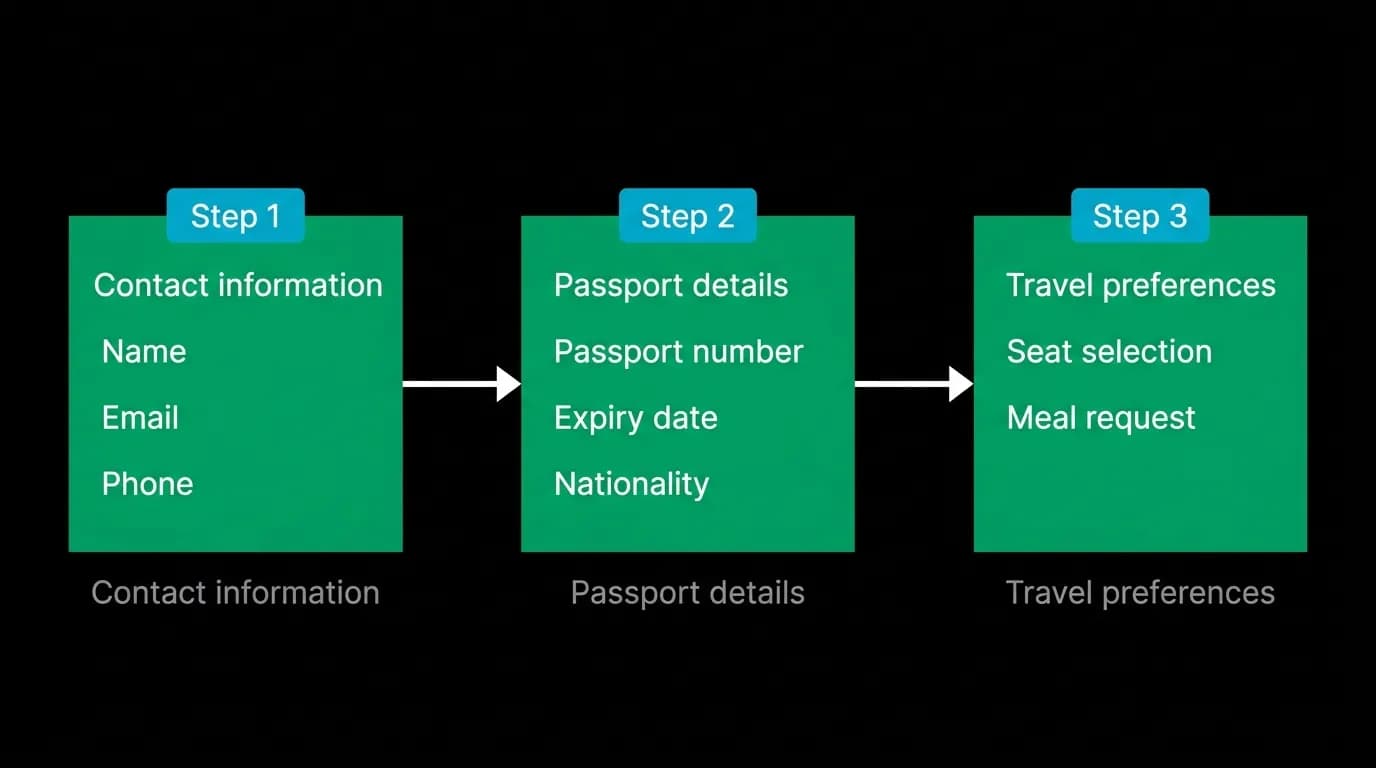
Instead of asking for everything at once, we ask only for what is needed at each stage. The fields are grouped into logical steps of four to six fields each.
Step one collects contact information: name, email address, phone number. These are the basics needed for the booking confirmation and any communication about the trip.
Step two collects travel document information: passport number, passport country, passport expiry date, date of birth. These are required by airlines for international flights and are grouped together because they all come from the same physical document.
Step three collects preferences: seat preference, meal preference, and any special requirements. These are optional but improve the travel experience.
Each step appears as a discrete section within the review modal, separated by clear visual breaks. The user sees four to six fields, not twenty. They complete one section, it collapses with a checkmark, and the next section appears. The progress is visible and the effort per step is manageable.
The total number of fields has not changed. But the perceived effort has dropped dramatically. Four fields three times is psychologically easier than twelve fields once.
Autofill from AI memory
The most powerful form optimization is not showing fewer fields. It is pre-filling the fields with data the AI already has.
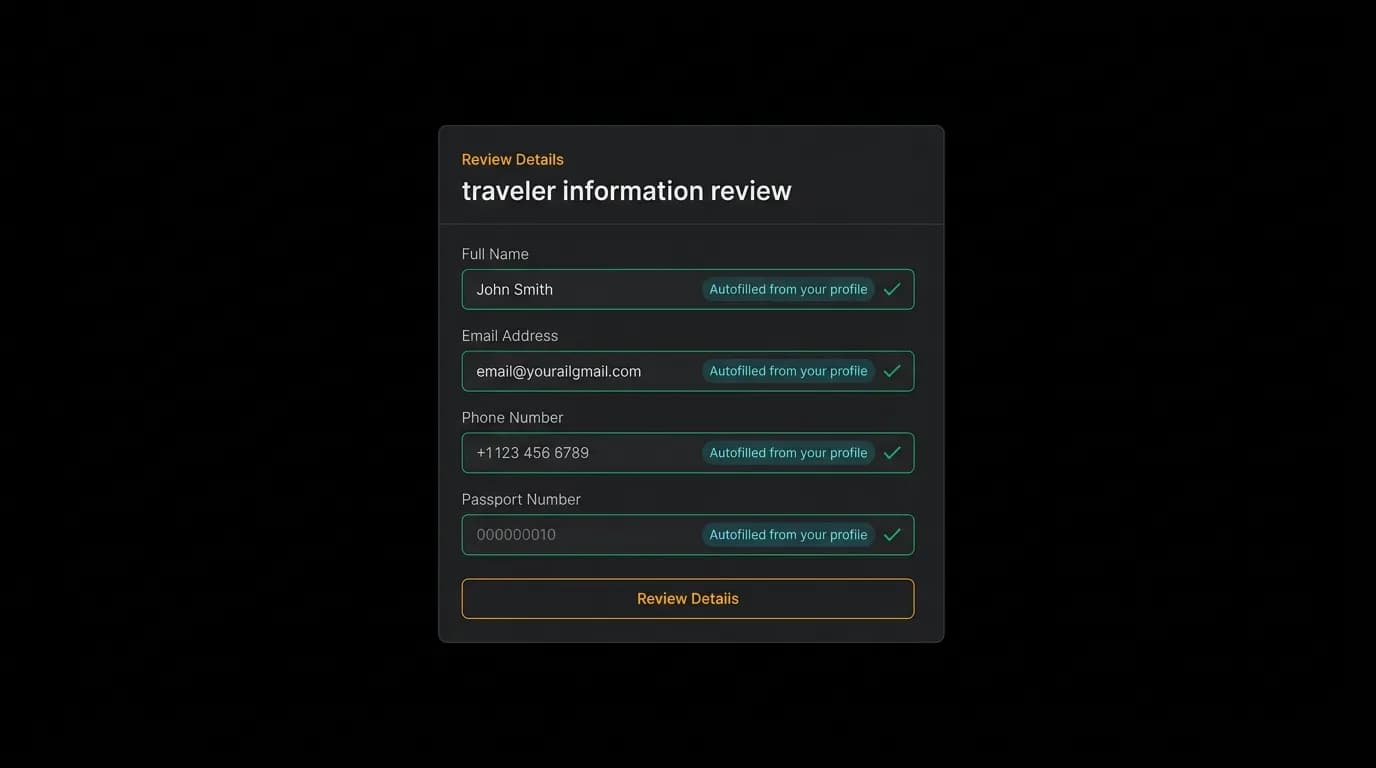
After a user's first booking, their traveler profile is stored — name, passport details, contact information, preferences. On the second booking, the form appears pre-filled with a badge: "From your profile." The user glances, verifies, and taps "Confirm" without typing a single character.
This autofill extends to preferences collected during onboarding. If the user specified "aisle seat" during the initial preference setup, the seat preference field is pre-selected. If they indicated "vegetarian" for dietary needs, the meal preference is already set.
The pre-fill is not invisible. Each autofilled field shows its source: "From your profile" or "From your preferences." This transparency is important — the user should know where the data came from and verify it is still correct. Silent autofill that gets something wrong (a changed phone number, an expired passport) is worse than no autofill at all.
Every field remains editable. Tapping an autofilled field clears the pre-fill and lets the user enter new information. The pre-fill is a suggestion, not a constraint.
Validation messaging
Form validation in a chat-first interface should be conversational, not technical. "Invalid format" is technical. "Passport numbers are usually 9 characters — yours has 8. Could you double-check?" is conversational.
We use inline validation that appears immediately as the user moves to the next field. No waiting until the entire form is submitted. No red banners at the top of the screen listing five errors by field name. Each field validates independently, and the error message appears directly below the relevant field.
The tone of validation messages matches the AI's conversational tone throughout the app. Errors are helpful, not punitive. "Looks like the expiry date is in the past — passports need at least 6 months validity for most destinations" is more useful than "Invalid date."
Multi-traveler handling
Group trips require traveler information for multiple people. The traditional approach is to duplicate the entire form for each traveler. Four travelers, four complete forms, eighty fields.
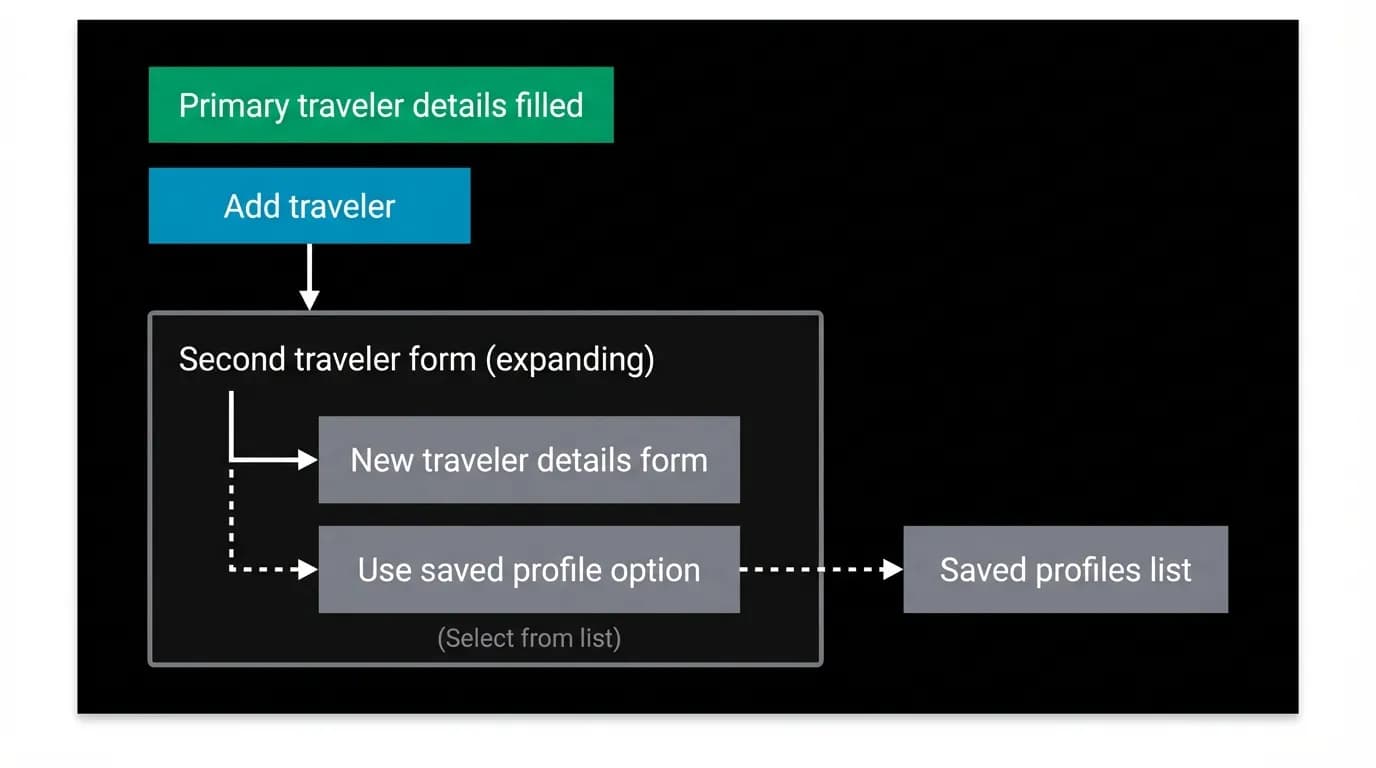
We offer two paths for additional travelers. "Use a saved profile" lets the user select a previously saved companion (partner, family member, frequent travel companion) whose details are already stored. One tap, zero fields.
"Add new traveler" opens a fresh form for the new person, but still uses progressive collection. The primary traveler's contact information (email, phone) is pre-filled for companions under the assumption that one person is managing the booking. Override if needed.
Each additional traveler is a collapsible section with the traveler's name as the header. Once completed, the section collapses to a one-line summary: "Sarah Chen — Passport verified." The review modal stays manageable even for group bookings.
Sensitive data handling
Passport numbers, dates of birth, and payment details are sensitive information. The form design communicates security through visual cues.
Passport number fields use a secure input style with a lock icon. The entered characters are masked after a brief display period — long enough to verify you typed correctly, then hidden. A "Show/Hide" toggle gives the user control over visibility.
The form section containing passport details includes a brief trust statement: "Your documents are encrypted and stored securely. We never share passport details with third parties."
This is not just a design treatment — it reflects actual encryption practices. But the visual communication of security (lock icons, masking, trust statements) is as important as the technical implementation. Users need to feel safe entering sensitive data, and that feeling is designed into the form's appearance and behavior.
Traveler information forms are the least glamorous component in a booking flow and the most likely to cause abandonment. Progressive collection, memory-powered autofill, conversational validation, and multi-traveler shortcuts transform the form from a wall into a walkway.
Nowah is an AI travel agent that searches and books real flights and hotels through conversation — no filters, no thirty open tabs. Plan your next trip.