Designing Settings for a Personalized AI
Settings in an AI product are not just toggles — they are a transparency dashboard where users see what the AI knows, control what it remembers, and manage how it behaves.
Settings screens are traditionally an afterthought. A list of toggles and dropdowns, buried behind a gear icon, visited once to turn off notifications and never again. In an AI product, settings are something fundamentally different: they are the user's control panel for a system that learns, remembers, and makes decisions on their behalf.
When the AI remembers your seat preference, your home airport, your dietary restrictions, and your travel style — and uses all of that to personalize every interaction — the settings screen becomes a trust dashboard. It answers the question every user of a personalized AI will eventually ask: "What does this thing know about me, and how do I change it?"
Eight sections, one philosophy
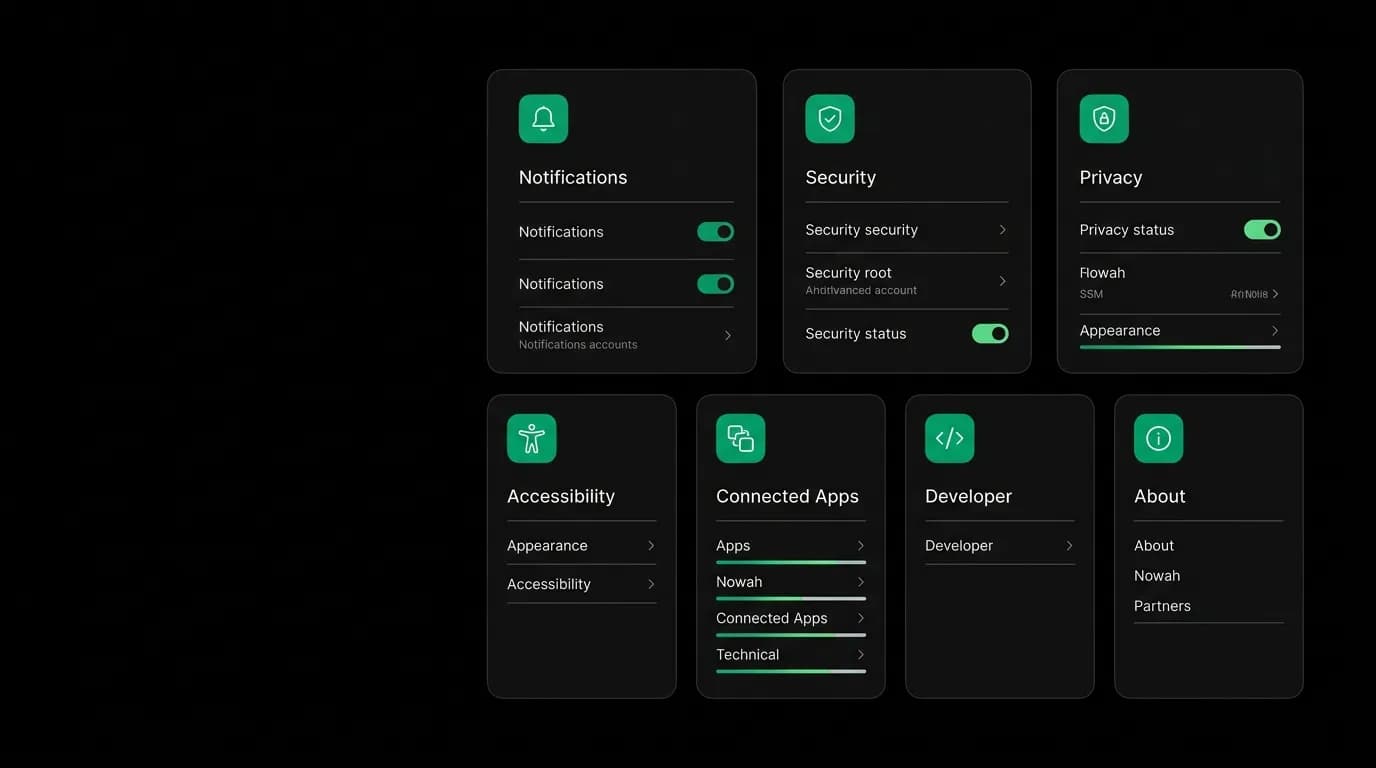
Our settings are organized into eight sections, each serving a distinct aspect of the user-AI relationship.
Notifications controls what the AI can interrupt you for. Push notifications, email notifications, and quiet hours per category. The user decides which events justify a notification (gate changes? price drops? marketing?) and which times are off-limits. This is agency over attention.
Security shows active sessions, connected devices, and an audit log of account activity. The user can see everywhere they are logged in and terminate sessions they do not recognize. This is agency over access.
Privacy provides data export and account deletion capabilities. The user can download everything the AI knows about them and can delete their account and all associated data. This is agency over data.
Appearance controls the visual presentation. Theme selection, density preferences. This is agency over aesthetics.
Accessibility manages reduced motion, dynamic type, and screen reader behavior. This is agency over interaction.
Connected Apps shows which third-party services are linked to the account — calendar integrations, wallet connections. This is agency over integrations.
Developer provides technical information for users who want it — API access, account identifiers. This is agency for power users.
About shows version information, terms, privacy policy, and support contact. This is the baseline reference section.
Preference management as trust infrastructure
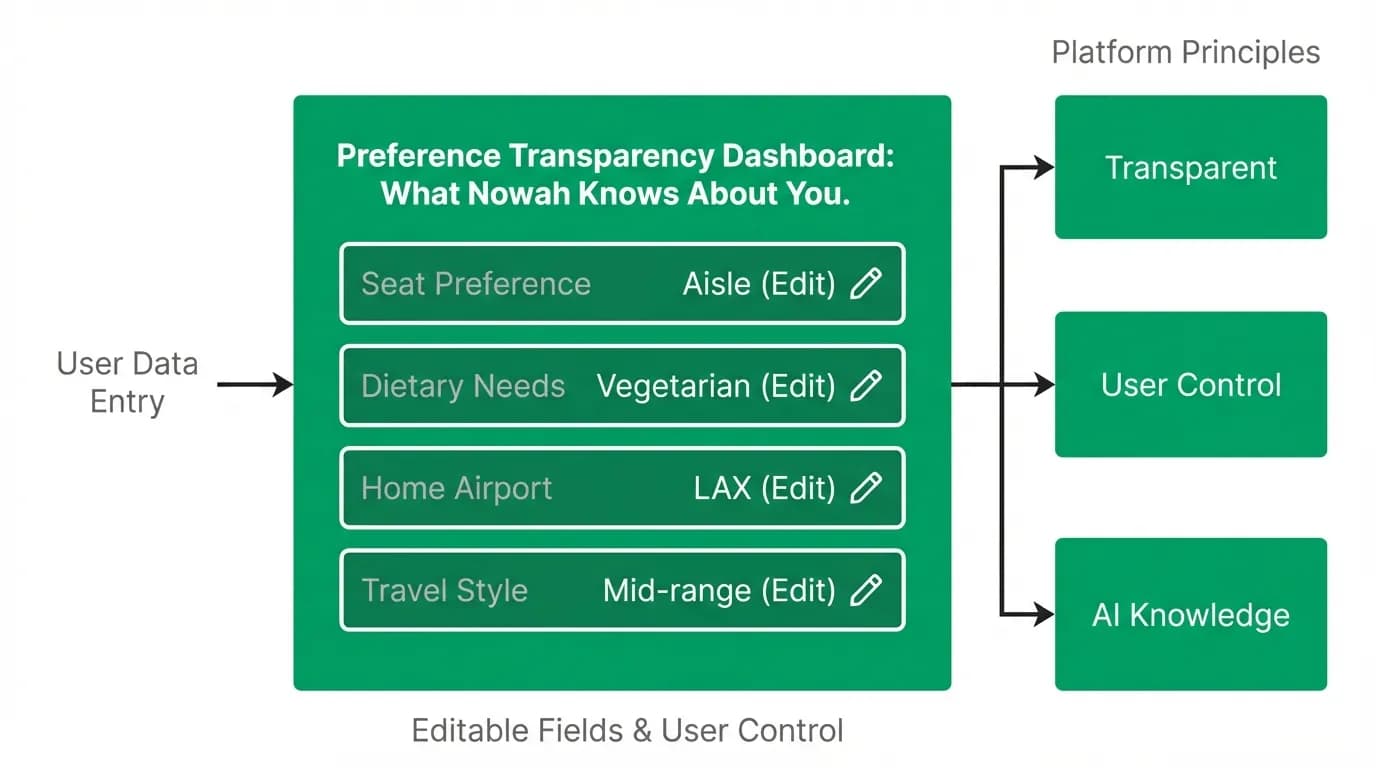
The most important settings feature is not in any of the eight sections listed above. It is the preference management view — a dedicated surface where the user sees everything the AI knows about them, organized as editable cards.
Seat preference: aisle. Home airport: LAX. Travel style: mid-range. Dietary needs: vegetarian. Typical companions: couple. Each preference is displayed as a card with an edit icon. Tap the card, change the value, done. The AI uses the updated preference in the next conversation.
Preferences learned from booking history are displayed separately: "You usually book premium economy on long flights" or "You tend to choose hotels with pools." These are labeled as learned patterns, distinguished from explicit settings, and individually deletable.
The preference view transforms an opaque personalization system into a transparent one. The user does not need to wonder why the AI filtered for aisle seats — they can check the preference view, see that "aisle" is stored, and change it if their preference has shifted. Transparency enables trust, and trust enables the personalization that makes the product valuable.
Notification controls with travel context
Notification settings in a travel app need more granularity than a simple on/off toggle. We provide category-specific controls: flight updates (gate changes, delays, cancellations), check-in reminders, price alerts (saved routes), booking confirmations, trip summaries, and marketing messages.
Each category has independent toggles for push and email. Some users want push notifications for gate changes but email confirmations for bookings. The granularity lets them configure exactly the notification behavior they want.
Quiet hours are configurable with a time picker. The user sets a window — say, 11 PM to 7 AM — during which non-critical notifications are suppressed. Critical notifications (gate changes, cancellations) override quiet hours because the urgency justifies the interruption.
We default to a conservative notification profile: flight updates and booking confirmations on, marketing off, quiet hours set to 11 PM to 7 AM. The user can expand from this conservative default rather than needing to pare down from an aggressive one. Respecting attention by default earns trust.
Privacy as a feature, not a compliance checkbox
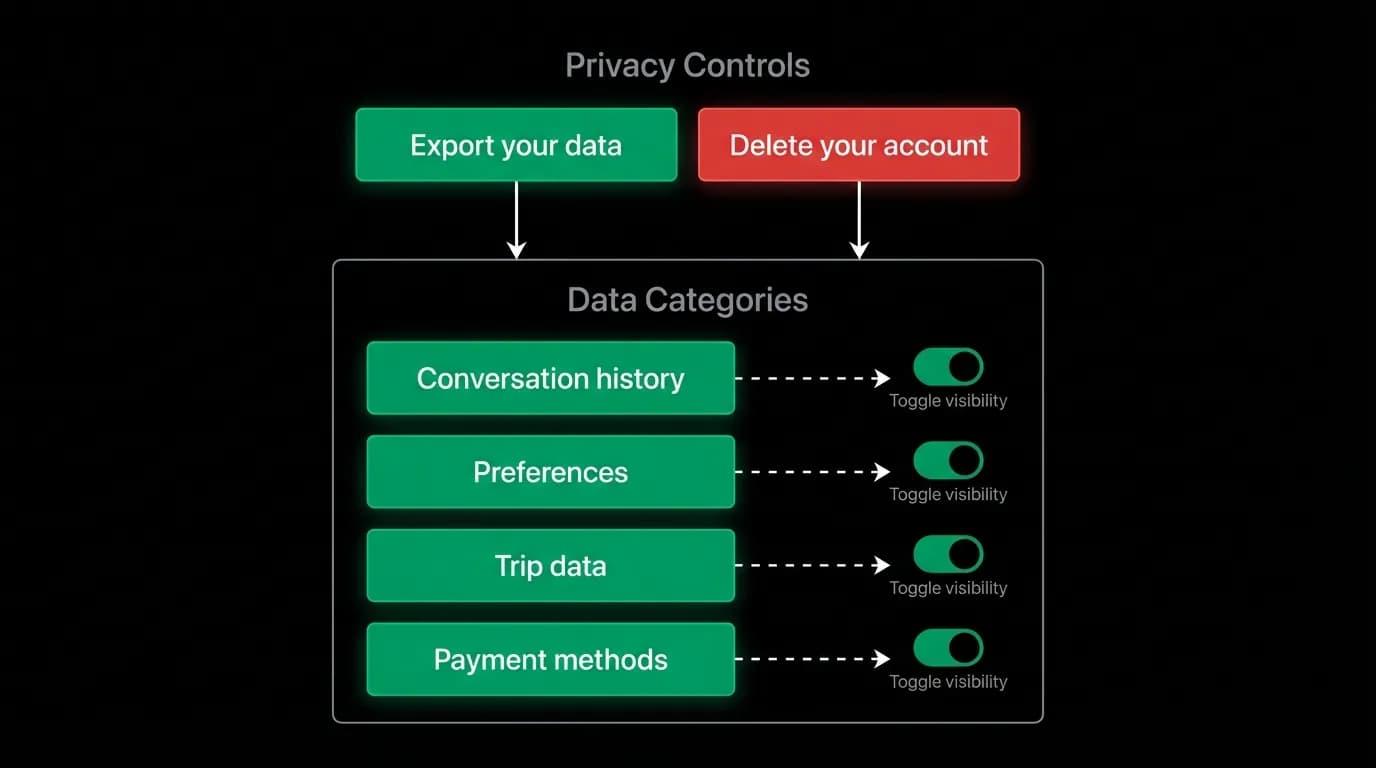
The privacy section is not a legal formality. It is a product feature. "Export your data" downloads a complete archive of everything the account contains: preferences, booking history, chat conversations, stored documents. The user owns their data and can access it in a standard format.
"Delete your account" is a permanent, complete deletion. Not a deactivation. Not a "we will keep your data for 90 days." Deletion. The button is clearly labeled, the consequence is clearly stated, and the action is final.
Between export and deletion, a list of data categories shows the user what types of data are stored: profile information, travel preferences, booking history, conversation history, stored documents. Each category has a brief explanation of what it contains and why it is stored.
This level of transparency about data practices is not required by regulation in most jurisdictions. We provide it because visibility into data practices is a trust signal. Users who see that they can export and delete their data are more comfortable providing data in the first place. The privacy section's existence increases data sharing by reducing data anxiety.
Settings as the trust dashboard
Every section of the settings screen serves a trust function. Notification controls say "you decide when we interrupt you." Security says "you see and control who accesses your account." Privacy says "you own your data and can take it with you." Preference management says "you see and control what the AI knows."
Together, these sections form a comprehensive trust dashboard. The user who explores settings discovers that every aspect of their relationship with the AI — what it knows, how it behaves, when it contacts them, how their data is handled — is visible and controllable.
Most users will never visit every settings section. That is fine. The trust benefit comes from the settings' existence, not their usage frequency. The user who knows they can check feels more comfortable than the user who wonders. And the small percentage who do check become the product's strongest advocates, because they have verified that the trust they assumed is actually warranted.
Design settings for AI products as trust infrastructure. They are not an afterthought. They are the foundation.
Nowah is an AI travel agent that searches and books real flights and hotels through conversation — no filters, no thirty open tabs. Plan your next trip.